COPYRIGHT © 2016 RED.COM, INC
RED DSMC OPERATION GUIDE: WEAPON/SCARLET-W
955-0116_V6.1, REV-U | 60
ADVANCED MENUS
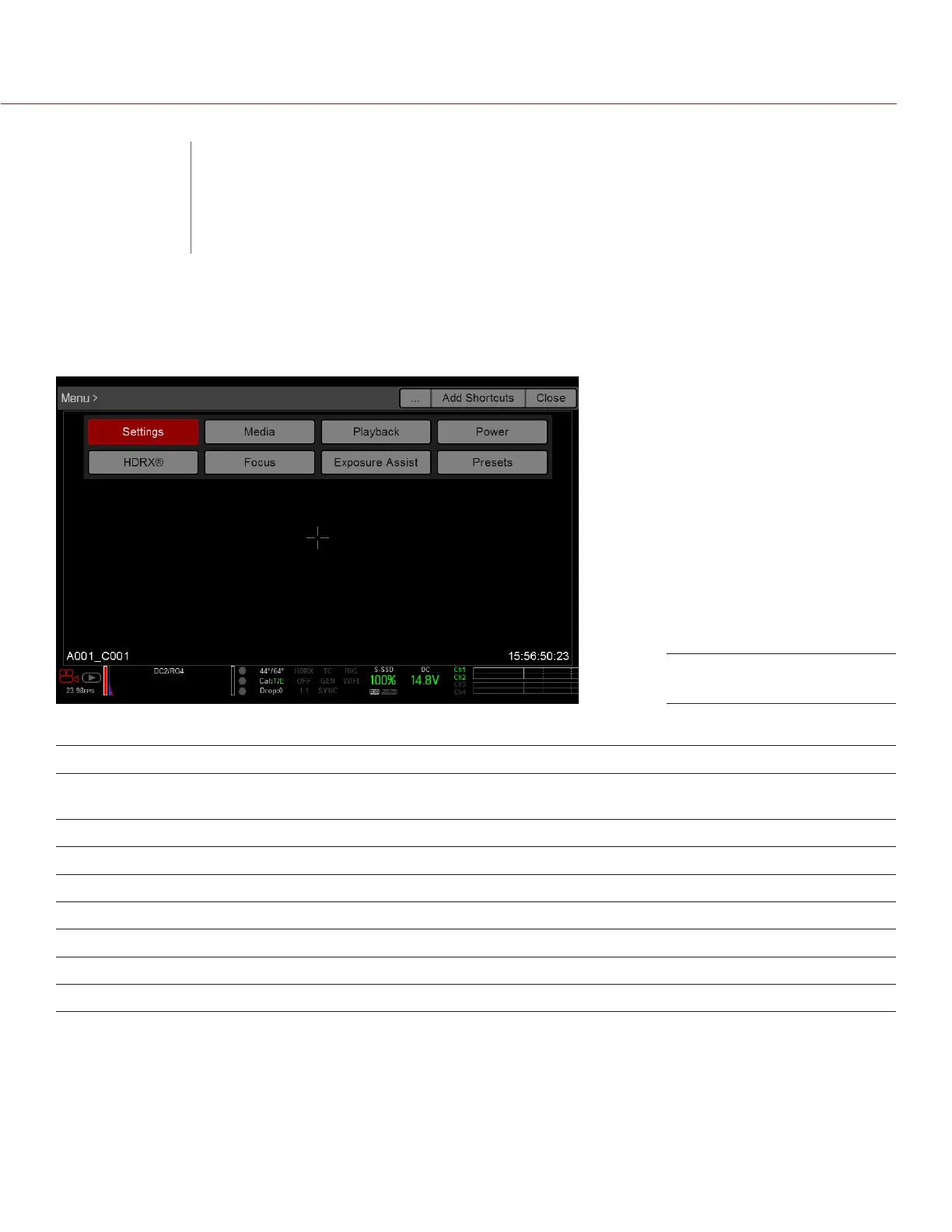
The Advanced Menus include:
ADVANCED MENU DESCRIPTION FOR MORE INFORMATION, GO TO...
Settings Camera settings including: Display, Look, Project,
Audio, Recording, Setup, and Maintenance
“Settings Menu” on page 61
Media SSD operations including: format, eject, and more “Media Menu” on page 117
Playback View clips recorded to the attached SSD “Playback Menu” on page 118
Power Power sources, settings, status, and shutdown “Power Menu” on page 122
HDRX HDRx mode and settings “HDRX Menu” on page 123
Focus Focus modes, features, settings, and rack focus “Focus Menu” on page 124
Exposure Assist Automatic exposure settings and controls “Exposure Assist” on page 130
Presets Adjust Looks, key mappings, I/O, and more “Presets Menu” on page 132
ACCESS THE ADVANCED MENUS
Tap the Menu button on the DSMC
2™
Sidekick.
Tap the Menu icon on the touchscreen.
Select the Advanced... button in any menu from the Upper Status Row.
Advanced Menu
05
ADVANCED
MENUS



 To Next Page