RED DSMC OPERATION GUIDE: WEAPON/SCARLET-W
COPYRIGHT © 2016 RED.COM, INC 955-0116_V6.1, REV-U | 97
SELECT CODEC (REDCODE RAW AND APPLE PRORES)
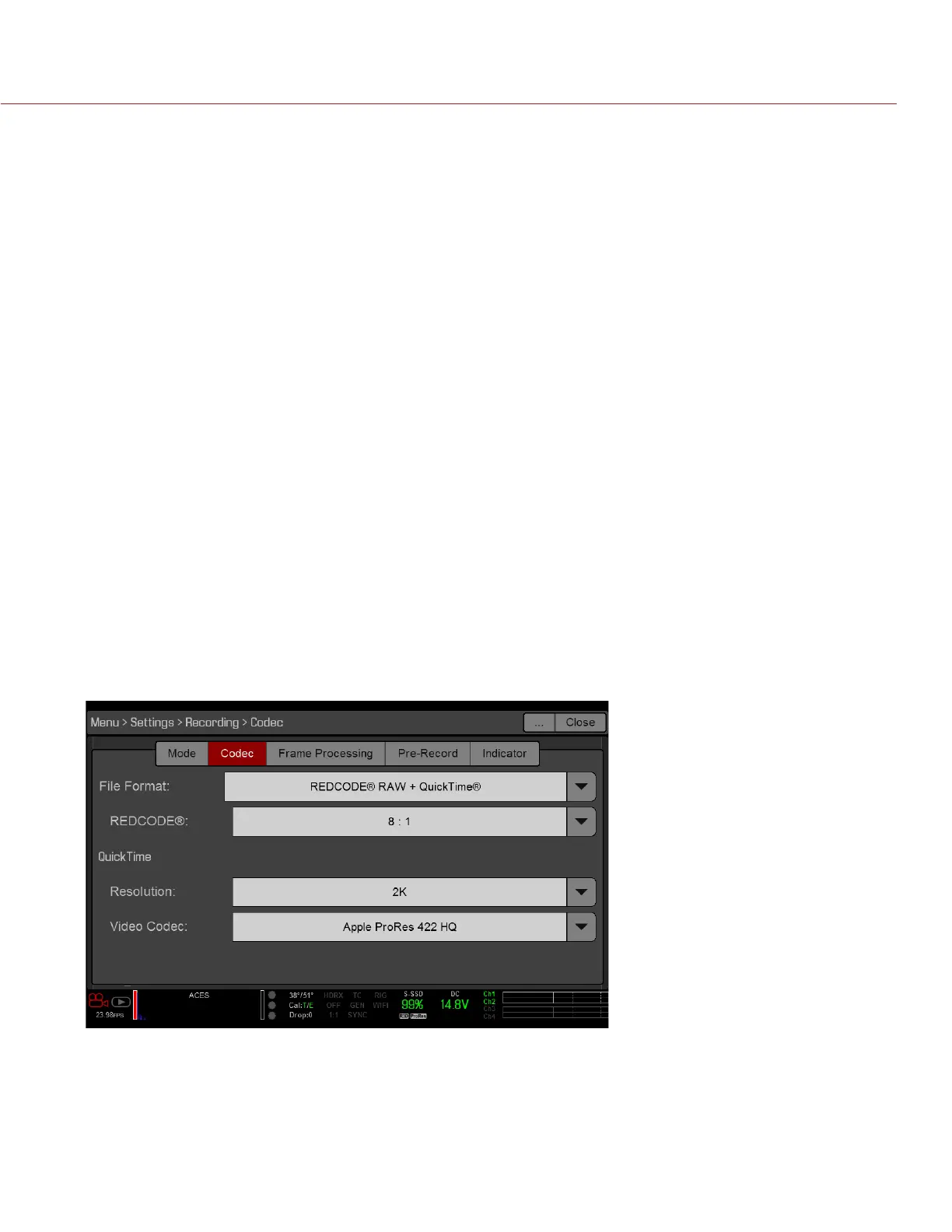
To set up your file format and codec, follow the instructions below.
1. Go to Menu > Settings > Project > Format.
2. Go to Menu > Settings > Recording > Codec.
3. Select the file format(s) you want to record to from the File Format drop-down menu:
‒ REDCODE RAW
‒ QuickTime
‒ REDCODE RAW + QuickTime
The selected file format displays in the Lower Status Row.
4. REDCODE RAW: Select a target REDCODE compression ratio from the REDCODE menu. For more information,
go to “REDCODE” on page 53.
5. QuickTime: Select a resolution from the Resolution drop-down menu:
‒ 2K: Available for all Apple ProRes codecs.
‒ 4K: Available when recording to QuickTime only. Available on WEAPON 6K (Carbon Fiber) for the fol-
lowing Apple ProRes codecs:
‒ Apple ProRes 422
‒ Apple ProRes 422 HQ
‒ Apple ProRes 422 LT
6. QuickTime: Select a codec from the Video Codec drop-down menu:
‒ Apple ProRes 4444 XQ (WEAPON only)
‒ Apple ProRes 4444 (WEAPON only)
‒ Apple ProRes 422 HQ
‒ Apple ProRes 422
‒ Apple ProRes 422 LT



 To Next Page