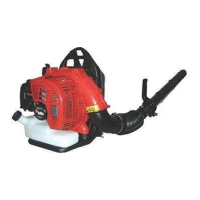
7.14 Fan
7.14.1 To remove and install the fan
1. Remove the frame. Refer to
To remove and install
the frame on page 34
.
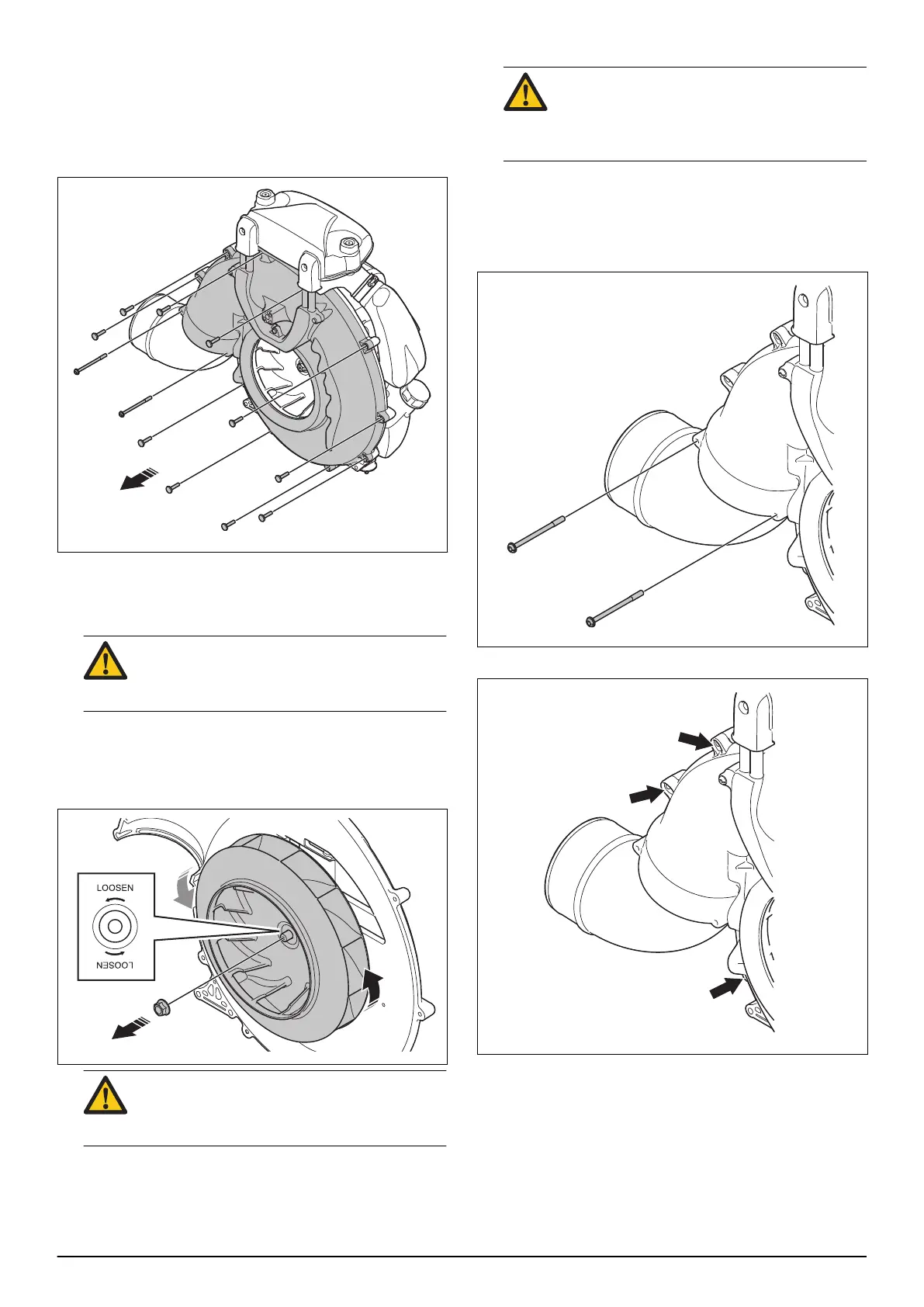
2. Remove the 12 screws and the fan cover.
3. Remove the spark plug cap and the spark plug.
4. Put the recommended piston stop in the spark plug
hole. Refer to
Servicing tools on page 9
.
CAUTION: Other piston stops than the
recommended can cause damage to the
piston head.
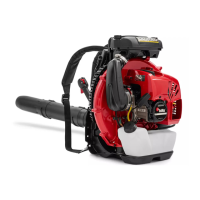
5. Turn the fan slowly counterclockwise until the piston
stop touch the piston head.
6. Loosen the fan nut in the direction of the "LOOSEN"
arrow, and remove it.
CAUTION: Turn the nut slowly to make sure
that the piston stop does not cause damage
to the piston head.
7. Remove the fan.
8. Install in the opposite sequence.
CAUTION: Make sure that you install the
correct fan nut. The fan nut is different from
the nut on the flywheel side and have a
mark with the figure 8 on the flange.
7.14.2 To remove and install the air outlet
1. Remove the frame. Refer to
To remove and install
the frame on page 34
.
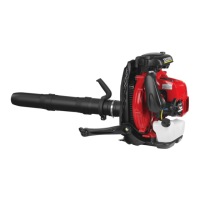
2. Remove the 2 screws.
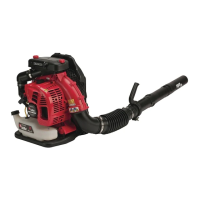
3. Loosen the 3 screws.
1662 - 003 - 04.11.2021 Repair instructions - 37


 To Next Page