45
9. Setup
a) Inserting batteries/rechargeable batteries into the remote control
Open the battery compartment on the remote control and insert new or fully charged batteries. Ensure that the
batteries are inserted in the correct polarity (observe the positive/+ and negative/- markings). Replace the battery
compartment cover.
Read the remote control instructions included with the product.
b) Conguringtheremotecontrol
Switch on the remote control and set the steering and throttle trim to the central position. If the remote control has a
dual rate feature, disable it or adjust it so that the steering angle is not limited.
Read the remote control instructions included with the product.
c) Inserting the drive battery
Caution!
Thedrivebatterymustnotyetbeconnectedtothespeedcontroller.Firstly,powerupthetransmitteras
described in:
"a)Insertingbatteries/rechargeablebatteriesintotheremotecontrol"onpage45.
"b)Conguringtheremotecontrol"onpage45.
Important!
Thevehicleandspeedcontrolleraresuitablefor:
- 2-cell LiPo drive battery (rated voltage 7.4 V)
- 3-cell LiPo drive battery (rated voltage 11.1 V)
- 6-7 cell NiMH drive battery (rated voltage 7.2 V or 8.4 V)
When using a drive rechargeable battery
with more cells, there is a danger of re
resulting from the speed controller overheat-
ing. In addition, the vehicle's drive will be
overloaded and thus damaged (e.g. differ-
ential).Thiswillvoidthewarranty!
Check whether the battery has a suitable connector system for the speed controller and that the polarity is
correct (red cable = positive/+, black cable = negative/-).
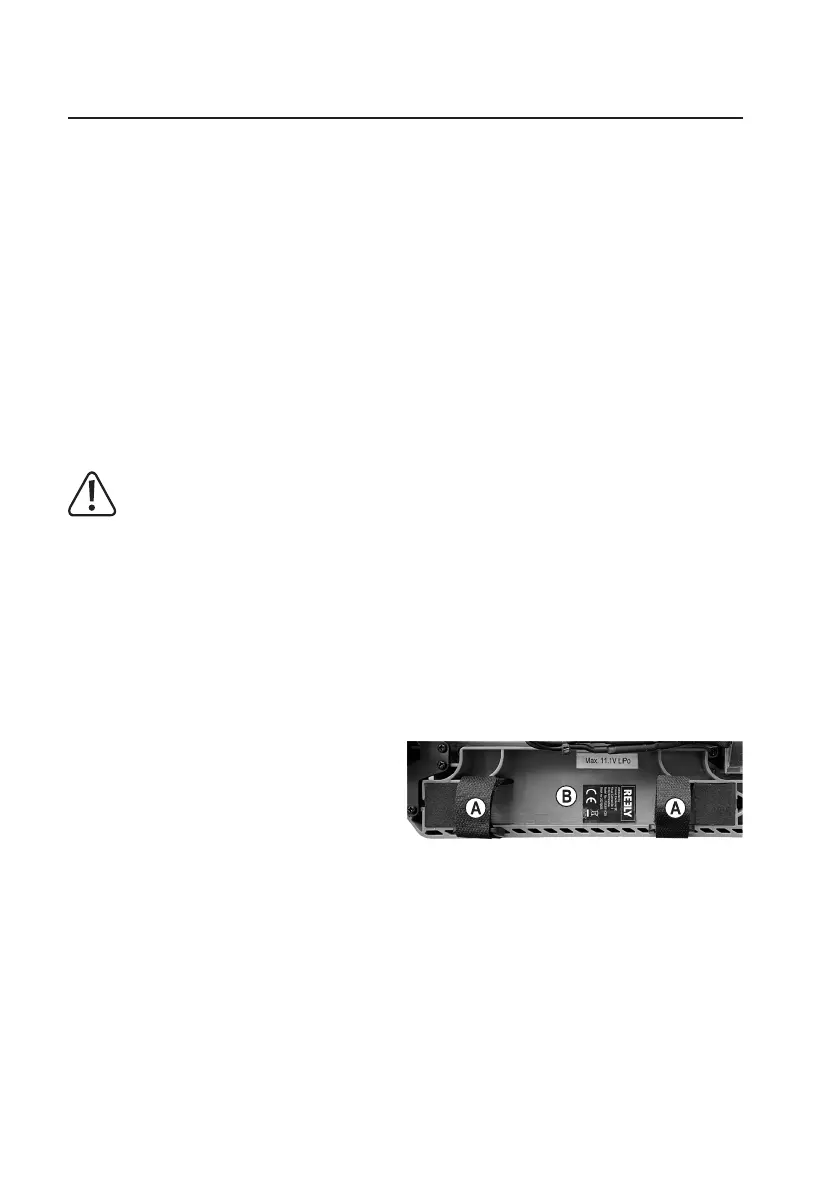
Loosen the two straps (A) on the battery holder.
Insert the drive battery into the battery holder (B).
If the battery’s connection cable is very short, the battery must be inserted into the battery holder with connection
cable pointing forward.
Pullthetwohook-and-loopstraps(A)tightsothatthedrivebatteryisrmlyheldinplaceandfastenthehook-and-loop
strap.




 To Next Page