EasyManua.ls Logo

Reer MOSAIC M1S - User Manual

Reer MOSAIC M1S
266 pages
Print Icon
To Next Page IconTo Next Page
Loading...
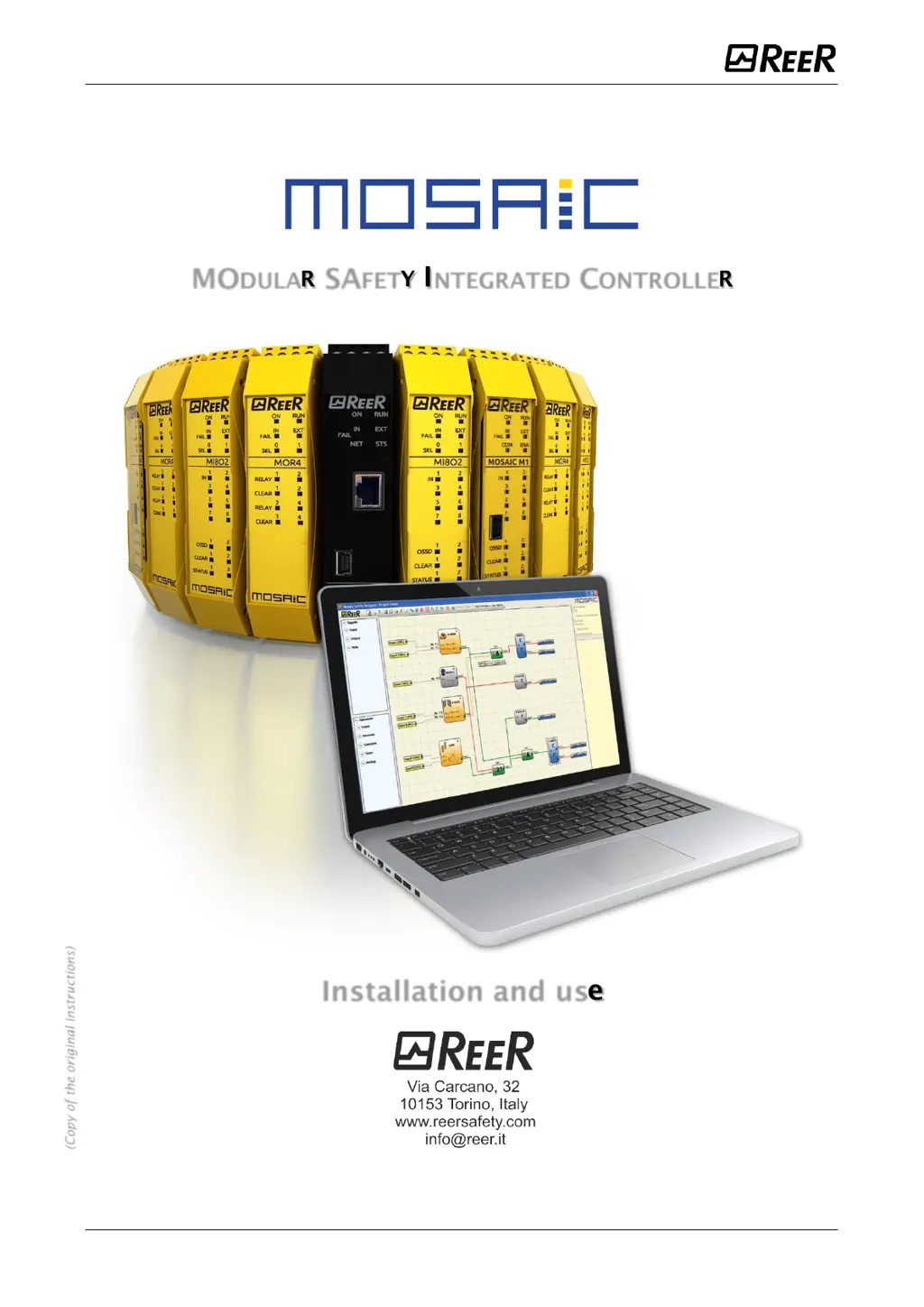
MODULAR SAFETY INTEGRATED CONTROLLER MOSAIC
1 8540780 • 25/01/2023 • Rev.43
MODULAR SAFETY INTEGRATED CONTROLLER
Installation and use
(Copy of the original instructions)

Table of Contents

Other manuals for Reer MOSAIC M1S

Questions and Answers

Summary

Introduction

Important safety instructions

Critical safety guidelines and warnings for system operation.

Overview

Master MOSAIC M1; MOSAIC M1 S; MOSAIC M1 S COM

Description of the main controller units and their capabilities.

MOSAIC M1 S COM key features

Details specific features of the MOSAIC M1S COM unit, including connectivity.

Expansion modules

Overview of available expansion units and their functionalities.

MSD software

Information about the MOSAIC Safety Designer software for configuration.

Installation

MOSAIC M1, MOSAIC M1 S, Expansion Modules mechanical fastening

Instructions for mechanically mounting MOSAIC units and expansion modules onto a DIN rail.

MOSAIC M1 S COM Mechanical fastening

Specific instructions for mechanically fastening the MOSAIC M1S COM unit.

Calculation of safety distance of an ESPE connected to MOSAIC

Guidelines for calculating safety distances for ESPE devices connected to MOSAIC.

Electrical connections

Information on terminal blocks and rear panel connectors for electrical connections.

Master Module MOSAIC M1

Master Modules MOSAIC M1 S; MOSAIC M1 S COM

USB interface

LAN interface (RJ45)

MOSAIC Configuration Memory (MCM)

Module MI8 O2

Module MI8 O4

Module MI8

Module MI12 T8

Module MI16

Module MO2

Module MO4

Module MO4 L

Module MR2

Module MR4

Module MR8

Modules MV0 - MV1 - MV2

Module MOR4

Module MOR4 S8

Module MOS8

Module MOS16

Module MO4 LHCS8

Modulo MA2

Modulo MA4

Example of connection of Mosaic to the machine control system

Checklist after installation

Essential checks to perform after installing the MOSAIC system for optimal operation.

Signals

INPUTS

Details about the various input signals and their functions.

OSSD Safety Outputs

Important note concerning OSSD Safety Outputs

Crucial information regarding periodic testing and voltage dip tests for OSSD safety outputs.

OSSD (MOSAIC M1, MI8 O2, MO2, MO4)

Details OSSD safety outputs on specific MOSAIC modules, including protection and supply specs.

OSSD (MOSAIC M1 S, MOSAIC M1 S COM, MI8 O4, MO4 L)

Details OSSD safety outputs on specific MOSAIC modules, including protection and supply specs.

OSSD Outputs Configuration

Safety Relays (MR2, MR4, MR8, MOR4, MOR4 S8)

Technical Features

GENERAL SYSTEM CHARACTERISTICS

System-wide technical specifications including safety parameters and general data.

Safety level parameters

Key safety parameters like PFHd, SFF, SIL, SILCL, PL, and Category.

Response time MOSAIC M1 (ms)

Lists response times for MOSAIC M1 based on slave modules, operators, and OSSD outputs.

Failure Response time MOSAIC M1 (ms)

Response times for MOSAIC M1, excluding MV modules, with failure conditions.

Response time MOSAIC M1 S (ms)

Lists response times for MOSAIC M1S based on slave modules, operators, and OSSD outputs.

Response time MOSAIC M1 S COM (ms)

Lists response times for MOSAIC M1S COM based on slave modules, operators, and OSSD outputs.

MOSAIC M1 module

MOSAIC M1 S module

Technical specifications for the MOSAIC M1S master unit.

MOSAIC M1 S COM module

Technical specifications for the MOSAIC M1S COM master unit with fieldbus capabilities.

MI8 O2 module

Technical specifications for the MI8O2 expansion module.

MI8 O4 module

MI8 - MI16 modules

MI12 T8 module

Technical specifications for the MI12T8 input expansion module.

MO2 - MO4 modules

MO4 L module

MOS8 - MOS16 modules

MR2 - MR4 - MR8 modules

MOR4 - MOR4 S8 module

Technical specifications for MOR4 and MOR4S8 safety relay expansion units.

MO4 LHCS8 module

MV0 - MV1 - MV2 modules

MA2, MA4 module

LED Indicators (Normal Operation)

Master MOSAIC M1 (Figure 20)

Explanation of LED indicators for normal operation of the Master MOSAIC M1 unit.

Master MOSAIC M1 S (Figure 20)

Explanation of LED indicators for normal operation of the Master MOSAIC M1S unit.

Master MOSAIC M1 S COM (Figure 20)

Explanation of LED indicators for normal operation of the Master MOSAIC M1S COM unit.

MI8 O2 (Figure 23)

MI8 O4 (Figure 23)

MI8 (Figure 25)

MI12 T8 (Figure 27)

MI16 (Figure 27)

MO2 (Figure 28)

MO4 (Figure 29)

MO4 L (Figure 30)

MOR4 (Figure 31)

MOR4 S8 (Figure 32)

MOS8 (Figure 33)

MOS16 (Figure 34)

MV0, MV1, MV2 (Figure 35)

MR2, MR4, MR8 (Figure 36)

MO4 LHCS8 (Figure 37)

MA2, MA4 (Figure 38)

LED Indicators (Troubleshooting)

Master MOSAIC M1 (Figure 39)

Explanation of LED indicators for troubleshooting the Master MOSAIC M1 unit.

Master MOSAIC M1 S; MOSAIC M1 S COM (Figure 40)

Explanation of LED indicators for troubleshooting MOSAIC M1S and M1S COM units.

MI8 O2 (Figure 41)

MI8 O4 (Figure 42)

MI8 (Figure 43)

MI12 T8 (Figure 44)

MI16 (Figure 45)

MO2; MO4 (Figure 46)

MO4 L (Figure 47)

MOR4 (Figure 48)

MOR4 S8 (Figure 49)

MOS8 (Figure 50)

MOS16 (Figure 51)

MV0, MV1, MV2 (Figure 52)

MO4 LHCS8 (Figure 53)

MA2, MA4 (Figure 54)

MOSAIC SAFETY DESIGNER SOFTWARE

Installing the software

Steps for installing the MOSAIC Safety Designer software on a PC.

Create a new project (configure the MOSAIC system)

Step-by-step guide to creating a new project and configuring the MOSAIC system within MSD.

MOSAIC M1; MOSAIC M1 S project configuration

Configuring MOSAIC M1/M1S projects, including module selection and firmware versions.

MOSAIC M1 S COM project configuration

Configuring MOSAIC M1S COM projects, including fieldbus and analog data settings.

ModBus TCP parameters

Configuration steps for connecting MOSAIC M1S COM to a Modbus TCP fieldbus.

EtherNet;IP parameters

Configuration steps for connecting MOSAIC M1S COM to an EtherNet/IP fieldbus.

Profinet RT parameters

Configuration steps for connecting MOSAIC M1S COM to a Profinet RT fieldbus.

EtherCat parameters

Configuration steps for connecting MOSAIC M1S COM to an EtherCAT fieldbus.

Creating the diagram

Example of a project

Project validation

Verifying project consistency and assigning sequential numbers to inputs/outputs.

Connect MSD to Mosaic Master

MOSAIC M1 S COM connected via LAN

Displays parameters when MOSAIC M1S COM is connected via LAN, including firmware and IP address.

Download project to MOSAIC (from PC)

Errors Log

Particular Cases

Password protection

Information on password requirements for uploading, saving, and accessing system features.

Level 2 password

Password for project creation, modification, saving, and downloading to Mosaic.

Testing the system

Object Function Blocks

OSSD (safety outputs)

Details on OSSD safety outputs, parameters, and operational modes.

SINGLE-DOUBLE OSSD (safety output)

Information on SINGLE-DOUBLE OSSD safety outputs, including parameters and connection types.

RELAY

INPUT OBJECTS

E-STOP (emergency stop)

Function block for verifying emergency stop device input status and parameters.

E-GATE (safety gate device)

Function block for verifying mobile guard or safety gate input status and parameters.

SINGLE E-GATE (safety gate device)

Function block for verifying mobile guard/safety gate status and parameters for single E-GATE.

ESPE (optoelectronic safety light curtain; laser scanner)

Function block for verifying optoelectronic safety light curtain or laser scanner inputs.

FOOTSWITCH (safety pedal)

Function block to verify safety pedal input status and its parameters.

TWO-HAND (bimanual control)

Function block for verifying two-hand control switch input status and parameters.

S-MAT (safety mat)

Function block to verify safety mat input status and its parameters.

Speed Control Type Function Blocks

SPEED CONTROL

Function block to monitor device speed and output based on thresholds.

WINDOW SPEED CONTROL

Function block to monitor device speed and output based on a prefixed range.

STAND STILL

Function block to monitor device speed and output ZERO when speed is below a selected value.

STAND STILL AND SPEED CONTROL

Monitors device speed, outputting ZERO for low speed and OVER for high speed.

ANALOG INPUT TYPE FUNCTION BLOCKS

ANALOG INPUT (4 inputs each MA4 module, 2 inputs each MA2 module)

Allows selection of analog sensor types and configuration of threshold comparators.

GUARD LOCK OPERATOR

MUTING FUNCTION

Mosaic Fail Codes

Summary

Introduction

Important safety instructions

Critical safety guidelines and warnings for system operation.

Overview

Master MOSAIC M1; MOSAIC M1 S; MOSAIC M1 S COM

Description of the main controller units and their capabilities.

MOSAIC M1 S COM key features

Details specific features of the MOSAIC M1S COM unit, including connectivity.

Expansion modules

Overview of available expansion units and their functionalities.

MSD software

Information about the MOSAIC Safety Designer software for configuration.

Installation

MOSAIC M1, MOSAIC M1 S, Expansion Modules mechanical fastening

Instructions for mechanically mounting MOSAIC units and expansion modules onto a DIN rail.

MOSAIC M1 S COM Mechanical fastening

Specific instructions for mechanically fastening the MOSAIC M1S COM unit.

Calculation of safety distance of an ESPE connected to MOSAIC

Guidelines for calculating safety distances for ESPE devices connected to MOSAIC.

Electrical connections

Information on terminal blocks and rear panel connectors for electrical connections.

Master Module MOSAIC M1

Master Modules MOSAIC M1 S; MOSAIC M1 S COM

USB interface

LAN interface (RJ45)

MOSAIC Configuration Memory (MCM)

Module MI8 O2

Module MI8 O4

Module MI8

Module MI12 T8

Module MI16

Module MO2

Module MO4

Module MO4 L

Module MR2

Module MR4

Module MR8

Modules MV0 - MV1 - MV2

Module MOR4

Module MOR4 S8

Module MOS8

Module MOS16

Module MO4 LHCS8

Modulo MA2

Modulo MA4

Example of connection of Mosaic to the machine control system

Checklist after installation

Essential checks to perform after installing the MOSAIC system for optimal operation.

Signals

INPUTS

Details about the various input signals and their functions.

OSSD Safety Outputs

Important note concerning OSSD Safety Outputs

Crucial information regarding periodic testing and voltage dip tests for OSSD safety outputs.

OSSD (MOSAIC M1, MI8 O2, MO2, MO4)

Details OSSD safety outputs on specific MOSAIC modules, including protection and supply specs.

OSSD (MOSAIC M1 S, MOSAIC M1 S COM, MI8 O4, MO4 L)

Details OSSD safety outputs on specific MOSAIC modules, including protection and supply specs.

OSSD Outputs Configuration

Safety Relays (MR2, MR4, MR8, MOR4, MOR4 S8)

Technical Features

GENERAL SYSTEM CHARACTERISTICS

System-wide technical specifications including safety parameters and general data.

Safety level parameters

Key safety parameters like PFHd, SFF, SIL, SILCL, PL, and Category.

Response time MOSAIC M1 (ms)

Lists response times for MOSAIC M1 based on slave modules, operators, and OSSD outputs.

Failure Response time MOSAIC M1 (ms)

Response times for MOSAIC M1, excluding MV modules, with failure conditions.

Response time MOSAIC M1 S (ms)

Lists response times for MOSAIC M1S based on slave modules, operators, and OSSD outputs.

Response time MOSAIC M1 S COM (ms)

Lists response times for MOSAIC M1S COM based on slave modules, operators, and OSSD outputs.

MOSAIC M1 module

MOSAIC M1 S module

Technical specifications for the MOSAIC M1S master unit.

MOSAIC M1 S COM module

Technical specifications for the MOSAIC M1S COM master unit with fieldbus capabilities.

MI8 O2 module

Technical specifications for the MI8O2 expansion module.

MI8 O4 module

MI8 - MI16 modules

MI12 T8 module

Technical specifications for the MI12T8 input expansion module.

MO2 - MO4 modules

MO4 L module

MOS8 - MOS16 modules

MR2 - MR4 - MR8 modules

MOR4 - MOR4 S8 module

Technical specifications for MOR4 and MOR4S8 safety relay expansion units.

MO4 LHCS8 module

MV0 - MV1 - MV2 modules

MA2, MA4 module

LED Indicators (Normal Operation)

Master MOSAIC M1 (Figure 20)

Explanation of LED indicators for normal operation of the Master MOSAIC M1 unit.

Master MOSAIC M1 S (Figure 20)

Explanation of LED indicators for normal operation of the Master MOSAIC M1S unit.

Master MOSAIC M1 S COM (Figure 20)

Explanation of LED indicators for normal operation of the Master MOSAIC M1S COM unit.

MI8 O2 (Figure 23)

MI8 O4 (Figure 23)

MI8 (Figure 25)

MI12 T8 (Figure 27)

MI16 (Figure 27)

MO2 (Figure 28)

MO4 (Figure 29)

MO4 L (Figure 30)

MOR4 (Figure 31)

MOR4 S8 (Figure 32)

MOS8 (Figure 33)

MOS16 (Figure 34)

MV0, MV1, MV2 (Figure 35)

MR2, MR4, MR8 (Figure 36)

MO4 LHCS8 (Figure 37)

MA2, MA4 (Figure 38)

LED Indicators (Troubleshooting)

Master MOSAIC M1 (Figure 39)

Explanation of LED indicators for troubleshooting the Master MOSAIC M1 unit.

Master MOSAIC M1 S; MOSAIC M1 S COM (Figure 40)

Explanation of LED indicators for troubleshooting MOSAIC M1S and M1S COM units.

MI8 O2 (Figure 41)

MI8 O4 (Figure 42)

MI8 (Figure 43)

MI12 T8 (Figure 44)

MI16 (Figure 45)

MO2; MO4 (Figure 46)

MO4 L (Figure 47)

MOR4 (Figure 48)

MOR4 S8 (Figure 49)

MOS8 (Figure 50)

MOS16 (Figure 51)

MV0, MV1, MV2 (Figure 52)

MO4 LHCS8 (Figure 53)

MA2, MA4 (Figure 54)

MOSAIC SAFETY DESIGNER SOFTWARE

Installing the software

Steps for installing the MOSAIC Safety Designer software on a PC.

Create a new project (configure the MOSAIC system)

Step-by-step guide to creating a new project and configuring the MOSAIC system within MSD.

MOSAIC M1; MOSAIC M1 S project configuration

Configuring MOSAIC M1/M1S projects, including module selection and firmware versions.

MOSAIC M1 S COM project configuration

Configuring MOSAIC M1S COM projects, including fieldbus and analog data settings.

ModBus TCP parameters

Configuration steps for connecting MOSAIC M1S COM to a Modbus TCP fieldbus.

EtherNet;IP parameters

Configuration steps for connecting MOSAIC M1S COM to an EtherNet/IP fieldbus.

Profinet RT parameters

Configuration steps for connecting MOSAIC M1S COM to a Profinet RT fieldbus.

EtherCat parameters

Configuration steps for connecting MOSAIC M1S COM to an EtherCAT fieldbus.

Creating the diagram

Example of a project

Project validation

Verifying project consistency and assigning sequential numbers to inputs/outputs.

Connect MSD to Mosaic Master

MOSAIC M1 S COM connected via LAN

Displays parameters when MOSAIC M1S COM is connected via LAN, including firmware and IP address.

Download project to MOSAIC (from PC)

Errors Log

Particular Cases

Password protection

Information on password requirements for uploading, saving, and accessing system features.

Level 2 password

Password for project creation, modification, saving, and downloading to Mosaic.

Testing the system

Object Function Blocks

OSSD (safety outputs)

Details on OSSD safety outputs, parameters, and operational modes.

SINGLE-DOUBLE OSSD (safety output)

Information on SINGLE-DOUBLE OSSD safety outputs, including parameters and connection types.

RELAY

INPUT OBJECTS

E-STOP (emergency stop)

Function block for verifying emergency stop device input status and parameters.

E-GATE (safety gate device)

Function block for verifying mobile guard or safety gate input status and parameters.

SINGLE E-GATE (safety gate device)

Function block for verifying mobile guard/safety gate status and parameters for single E-GATE.

ESPE (optoelectronic safety light curtain; laser scanner)

Function block for verifying optoelectronic safety light curtain or laser scanner inputs.

FOOTSWITCH (safety pedal)

Function block to verify safety pedal input status and its parameters.

TWO-HAND (bimanual control)

Function block for verifying two-hand control switch input status and parameters.

S-MAT (safety mat)

Function block to verify safety mat input status and its parameters.

Speed Control Type Function Blocks

SPEED CONTROL

Function block to monitor device speed and output based on thresholds.

WINDOW SPEED CONTROL

Function block to monitor device speed and output based on a prefixed range.

STAND STILL

Function block to monitor device speed and output ZERO when speed is below a selected value.

STAND STILL AND SPEED CONTROL

Monitors device speed, outputting ZERO for low speed and OVER for high speed.

ANALOG INPUT TYPE FUNCTION BLOCKS

ANALOG INPUT (4 inputs each MA4 module, 2 inputs each MA2 module)

Allows selection of analog sensor types and configuration of threshold comparators.

GUARD LOCK OPERATOR

MUTING FUNCTION

Mosaic Fail Codes

Reer MOSAIC M1S Specifications

General IconGeneral
BrandReer
ModelMOSAIC M1S
CategoryController
LanguageEnglish

Related product manuals