EasyManua.ls Logo

Reer MOSAIC Master M1 - User Manual

Reer MOSAIC Master M1
143 pages
Print Icon
To Next Page IconTo Next Page
Loading...
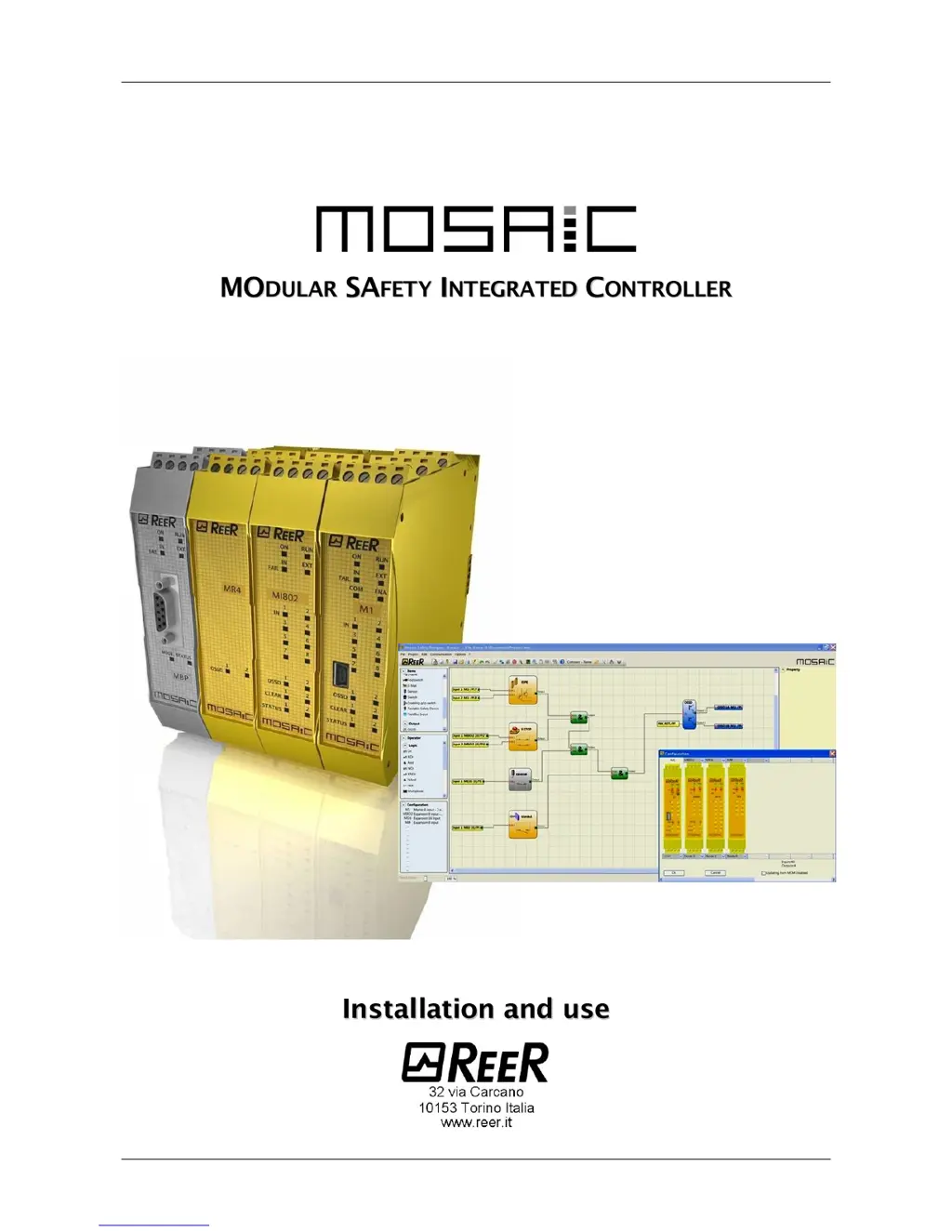
MODULAR SAFETY INTEGRATED CONTROLLER MOSAIC
1 8540780 • 30/03/2016 • Rev.26
(
(
C
C
o
o
p
p
y
y
o
o
f
f
t
t
h
h
e
e
o
o
r
r
i
i
g
g
i
i
n
n
a
a
l
l
i
i
n
n
s
s
t
t
r
r
u
u
c
c
t
t
i
i
o
o
n
n
s
s
)
)

Table of Contents

Questions and Answers

Summary

INTRODUCTION

Important Safety Instructions

Critical safety warnings and guidelines for using the MOSAIC system.

Applicable Standards

OVERVIEW

INSTALLATION

Mechanical Fastening Procedure

Step-by-step guide for mounting MOSAIC units onto a 35mm DIN rail.

Safety Distance Calculation

Electrical Connections

Installation and Connection Requirements

Guidelines for safe electrical connections, including torque and enclosure class.

Connection Cable Guidelines

MOSAIC Unit Connection Details

Encoder Connections (MV1, MV2)

Post-Installation Checklist

OPERATING DIAGRAM

Proximity Input Configuration

Interleaved Proximity Setup

Configuration for interleaved mode with two proximity switches.

RESTART_FBK Input Configuration

Safety Relays (MR2, MR4, MOR4, MOR4 S8)

SPEED CONTROL FUNCTION BLOCKS

Signal Status Indicators

Master M1 LED Status

Explanation of LED indicators for the Master M1 module.

MI8 O2 Signal Status LEDs

MI8 Signal Status LEDs

MI12 T8 Signal Status LEDs

MI16 Signal Status LEDs

MO2 Signal Status LEDs

MO4 Signal Status LEDs

MOR4 Signal Status LEDs

MOR4 S8 Signal Status LEDs

MOS8 Signal Status LEDs

MOS16 Signal Status LEDs

MV1, MV2 Signal Status LEDs

MR2;MR4 Signal Status LEDs

TROUBLESHOOTING

Master M1 Troubleshooting Guide

Troubleshooting steps and error codes for the Master M1 module.

MI8 O2 Troubleshooting Guide

MI8 Troubleshooting Guide

MI12 T8 Troubleshooting Guide

MI16 Troubleshooting Guide

MO2;MO4 Troubleshooting Guide

MOR4 Troubleshooting Guide

MOR4 S8 Troubleshooting Guide

MOS8 Troubleshooting Guide

MOS16 Troubleshooting Guide

MV Modules Troubleshooting Guide

MOSAIC SAFETY DESIGNER SOFTWARE

Software Installation Procedure

Steps for installing the MOSAIC Safety Designer software.

Software Fundamentals

Standard Tool Bar

Creating a New Project

Editing Configuration Settings

Changing User Parameters

Software Tool Window Layout

Creating Logic Diagrams

Wire Connection Management

Project Example and Validation

Project Report Generation

Connecting to MOSAIC System

Sending Configuration to MOSAIC

Downloading Configuration Files

Procedure for downloading configuration files from MOSAIC M1.

System Composition Verification

I;O Status Monitoring (Textual)

I;O Status Monitoring (Graphic)

Password Protection and Management

Managing System Passwords

Details on Level 1, Level 2 passwords and password changes.

SYSTEM TESTING PROCEDURE

OSSD Safety Outputs

Relay Output Configurations

Relay Output Categories

INPUT OBJECTS

E-STOP Function Block

Configuration and parameters for the E-STOP input block.

E-GATE Safety Gate Function Block

E-GATE Input Parameters

Parameters for configuring the E-GATE safety gate input.

SINGLE E-GATE Function Block

SINGLE E-GATE Parameters

Parameters for configuring the SINGLE E-GATE input.

LOCK FEEDBACK Function Block

LOCK FEEDBACK Parameters

Parameters for configuring the LOCK FEEDBACK input.

ENABLE Function Block

ENABLE Parameters

Parameters for configuring the ENABLE input.

ESPE Function Block

ESPE Parameters

Parameters for configuring the ESPE input.

FOOTSWITCH Function Block

FOOTSWITCH Parameters

Parameters for configuring the FOOTSWITCH input.

Footswitch Reset and Test Options

MOD-SEL Selector Function Block

MOD-SEL Parameters

Parameters for configuring the MOD-SEL input.

PHOTOCELL Function Block

TWO-HAND Control Function Block

NETWORK_IN Input

SENSOR Function Block

S-MAT Safety Mat Function Block

SWITCH Function Block

ENABLING GRIP SWITCH Function Block

TESTABLE SAFETY DEVICE Function Block

SOLID STATE DEVICE Function Block

Fieldbus Input and Logical Levels

SPEED CONTROL Function Block

WINDOW SPEED CONTROL Function Block

STAND STILL Function Block

STAND STILL AND SPEED CONTROL Function Block

AND and NAND Logic Blocks

NOT and OR Logic Blocks

NOR Logic Block

XOR and XNOR Logic Blocks

Logical Macro Function

Multiplexer Function

MEMORY OPERATORS

T Flip Flop Memory Block

SR Flip Flop Memory Block

User Restart Manual Control

User Restart Monitored Control

Macro Restart Manual Control

Macro Restart Monitored Control

GUARD LOCK OPERATORS

Guard Lock Functionality

Control of locking/unlocking based on E-GATE and FEEDBACK.

Guard Lock Operating Modes

Guard Lock Parameters

COUNTER OPERATORS

TIMER OPERATORS

Monostable Timer Function

Monostable_B Timer Function

Passing Make Contact Timer Function

Delay Timer Function

Delay Line Timer Function

MUTING FUNCTION

Concurrent Muting Logic

Sequential Muting Logic

MUTING T Logic

MUTING OVERRIDE FUNCTION

Override Manual Reset Configuration

NETWORK Function Overview

Network Response Time Calculation

Category 2 Network Application Example

Category 4 Network Application Example

Reset Function Configuration

Interpage Connection Setup

MOSAIC FAIL CODES AND SOLUTIONS

Summary

INTRODUCTION

Important Safety Instructions

Critical safety warnings and guidelines for using the MOSAIC system.

Applicable Standards

OVERVIEW

INSTALLATION

Mechanical Fastening Procedure

Step-by-step guide for mounting MOSAIC units onto a 35mm DIN rail.

Safety Distance Calculation

Electrical Connections

Installation and Connection Requirements

Guidelines for safe electrical connections, including torque and enclosure class.

Connection Cable Guidelines

MOSAIC Unit Connection Details

Encoder Connections (MV1, MV2)

Post-Installation Checklist

OPERATING DIAGRAM

Proximity Input Configuration

Interleaved Proximity Setup

Configuration for interleaved mode with two proximity switches.

RESTART_FBK Input Configuration

Safety Relays (MR2, MR4, MOR4, MOR4 S8)

SPEED CONTROL FUNCTION BLOCKS

Signal Status Indicators

Master M1 LED Status

Explanation of LED indicators for the Master M1 module.

MI8 O2 Signal Status LEDs

MI8 Signal Status LEDs

MI12 T8 Signal Status LEDs

MI16 Signal Status LEDs

MO2 Signal Status LEDs

MO4 Signal Status LEDs

MOR4 Signal Status LEDs

MOR4 S8 Signal Status LEDs

MOS8 Signal Status LEDs

MOS16 Signal Status LEDs

MV1, MV2 Signal Status LEDs

MR2;MR4 Signal Status LEDs

TROUBLESHOOTING

Master M1 Troubleshooting Guide

Troubleshooting steps and error codes for the Master M1 module.

MI8 O2 Troubleshooting Guide

MI8 Troubleshooting Guide

MI12 T8 Troubleshooting Guide

MI16 Troubleshooting Guide

MO2;MO4 Troubleshooting Guide

MOR4 Troubleshooting Guide

MOR4 S8 Troubleshooting Guide

MOS8 Troubleshooting Guide

MOS16 Troubleshooting Guide

MV Modules Troubleshooting Guide

MOSAIC SAFETY DESIGNER SOFTWARE

Software Installation Procedure

Steps for installing the MOSAIC Safety Designer software.

Software Fundamentals

Standard Tool Bar

Creating a New Project

Editing Configuration Settings

Changing User Parameters

Software Tool Window Layout

Creating Logic Diagrams

Wire Connection Management

Project Example and Validation

Project Report Generation

Connecting to MOSAIC System

Sending Configuration to MOSAIC

Downloading Configuration Files

Procedure for downloading configuration files from MOSAIC M1.

System Composition Verification

I;O Status Monitoring (Textual)

I;O Status Monitoring (Graphic)

Password Protection and Management

Managing System Passwords

Details on Level 1, Level 2 passwords and password changes.

SYSTEM TESTING PROCEDURE

OSSD Safety Outputs

Relay Output Configurations

Relay Output Categories

INPUT OBJECTS

E-STOP Function Block

Configuration and parameters for the E-STOP input block.

E-GATE Safety Gate Function Block

E-GATE Input Parameters

Parameters for configuring the E-GATE safety gate input.

SINGLE E-GATE Function Block

SINGLE E-GATE Parameters

Parameters for configuring the SINGLE E-GATE input.

LOCK FEEDBACK Function Block

LOCK FEEDBACK Parameters

Parameters for configuring the LOCK FEEDBACK input.

ENABLE Function Block

ENABLE Parameters

Parameters for configuring the ENABLE input.

ESPE Function Block

ESPE Parameters

Parameters for configuring the ESPE input.

FOOTSWITCH Function Block

FOOTSWITCH Parameters

Parameters for configuring the FOOTSWITCH input.

Footswitch Reset and Test Options

MOD-SEL Selector Function Block

MOD-SEL Parameters

Parameters for configuring the MOD-SEL input.

PHOTOCELL Function Block

TWO-HAND Control Function Block

NETWORK_IN Input

SENSOR Function Block

S-MAT Safety Mat Function Block

SWITCH Function Block

ENABLING GRIP SWITCH Function Block

TESTABLE SAFETY DEVICE Function Block

SOLID STATE DEVICE Function Block

Fieldbus Input and Logical Levels

SPEED CONTROL Function Block

WINDOW SPEED CONTROL Function Block

STAND STILL Function Block

STAND STILL AND SPEED CONTROL Function Block

AND and NAND Logic Blocks

NOT and OR Logic Blocks

NOR Logic Block

XOR and XNOR Logic Blocks

Logical Macro Function

Multiplexer Function

MEMORY OPERATORS

T Flip Flop Memory Block

SR Flip Flop Memory Block

User Restart Manual Control

User Restart Monitored Control

Macro Restart Manual Control

Macro Restart Monitored Control

GUARD LOCK OPERATORS

Guard Lock Functionality

Control of locking/unlocking based on E-GATE and FEEDBACK.

Guard Lock Operating Modes

Guard Lock Parameters

COUNTER OPERATORS

TIMER OPERATORS

Monostable Timer Function

Monostable_B Timer Function

Passing Make Contact Timer Function

Delay Timer Function

Delay Line Timer Function

MUTING FUNCTION

Concurrent Muting Logic

Sequential Muting Logic

MUTING T Logic

MUTING OVERRIDE FUNCTION

Override Manual Reset Configuration

NETWORK Function Overview

Network Response Time Calculation

Category 2 Network Application Example

Category 4 Network Application Example

Reset Function Configuration

Interpage Connection Setup

MOSAIC FAIL CODES AND SOLUTIONS

Reer MOSAIC Master M1 Specifications

General IconGeneral
TypeSafety Controller
Operating Voltage24 VDC
Protection RatingIP20
CommunicationEthernet
Safety StandardsEN ISO 13849-1

Related product manuals