DISASSEMBLY AND ASSEMBLY
24
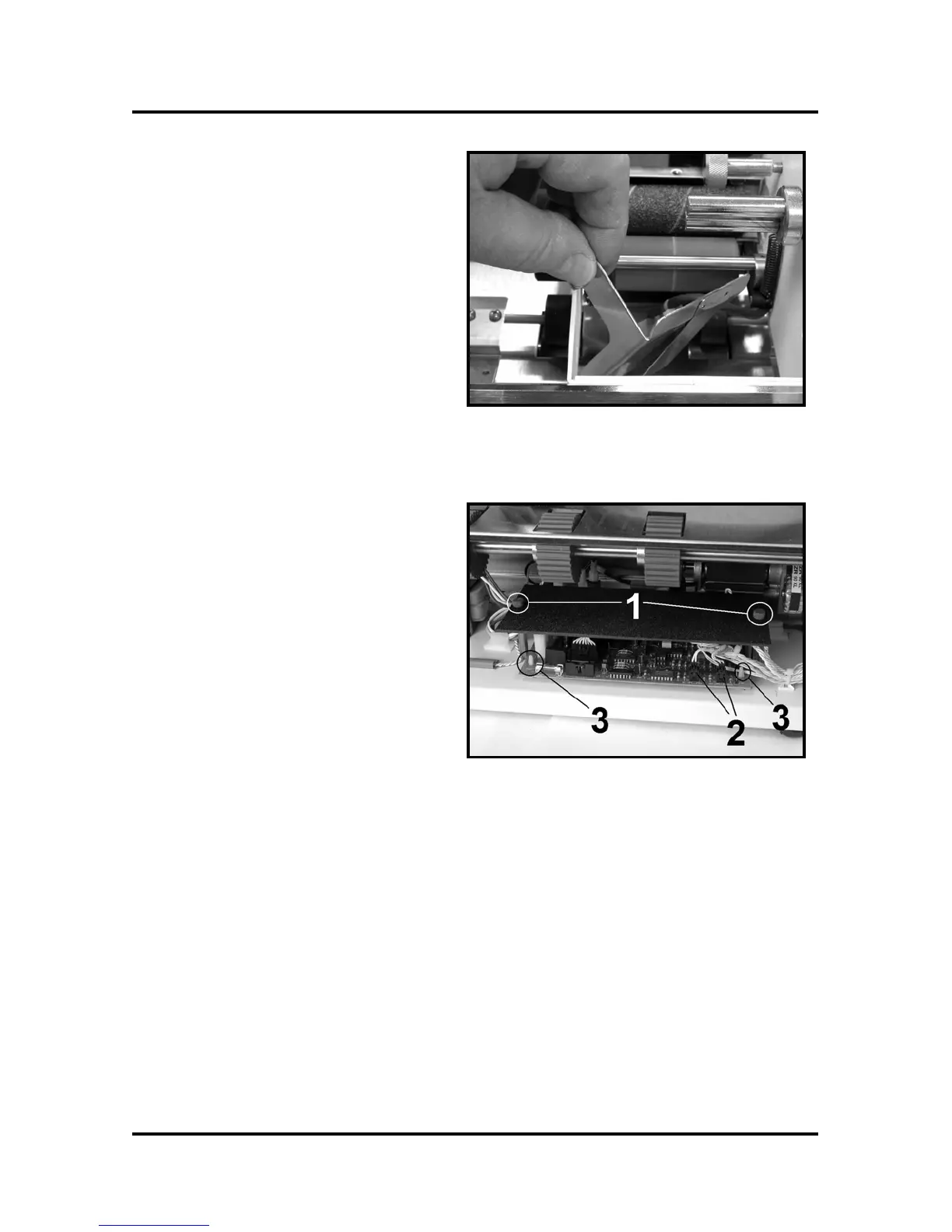
5. To remove the Media Sensor first
remove the adjusting knob and
washer from the Applicator Head
Assembly. Then pull the wiring
through the guides.
6. Lift the Media Sensor assembly
from the Applicator Head
Assembly as shown.
7. Reassemble in reverse order.
NOTE: Refer to the Adjustment
Section for calibrating the new
sensor.
8. Replace the rear cover.
Replacing the PC Board
1. Unplug the machine, then remove
the front, rear, and feed end cover.
2. Remove the two Knobs [1] and
the Splash Guard Cover.
3. Unplug all of the Connectors [2]
on the PC Board.
4. Push in on the four lock tabs on
the PC Board Supports [3] and lift
the PC Board.
5. Replace in reverse order.
6. Check the calibration on the Tab
and Media sensors, run some tabs.
7. Replace the covers.



 To Next Page