DISASSEMBLY AND ASSEMBLY
23
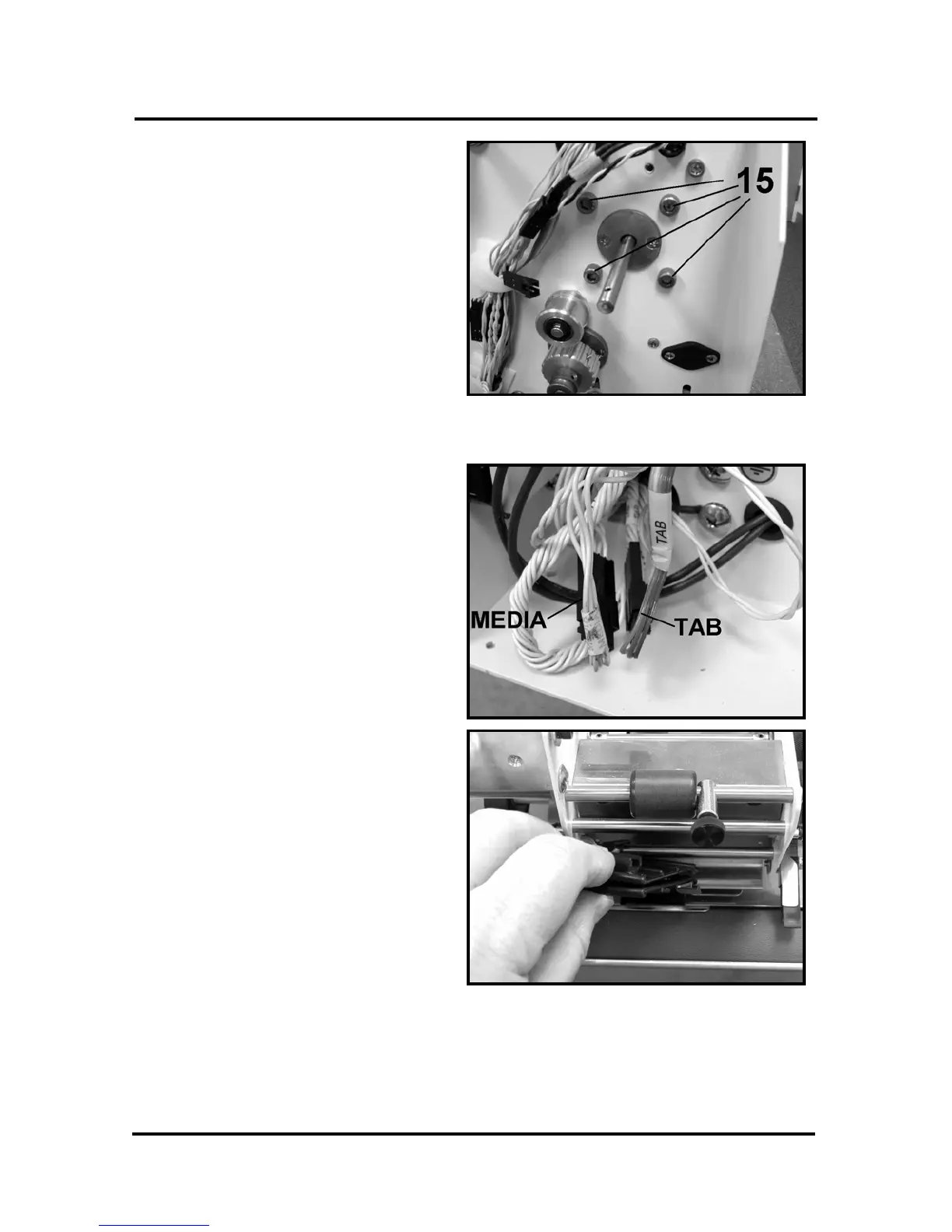
15. Remove the four allen screws [15]
that attach the brake coil to the
side frame, disconnect the wires
and remove the brake.
16. Reassemble in reverse order, and
then adjust the brake per the
Adjustment Section of this
manual.
Replacing the Tab and Media Sensor
1. Unplug the machine and remove
the rear cover.
2. Disconnect the tab and/or the
media sensor connectors located
at the lower left hand side of the
machine.
3. To remove the Tab Sensor pull it
away from the top rail and then
lift it out of the machine. Then
pull the wiring through the guides.
4. To install perform the steps in
reverse order.
NOTE: Refer to the Adjustment
Section for calibrating the new
sensor.



 To Next Page