DRIVER CORRECTION DEVICES AND AIDS
3
212 - Driving
Operating principle
Thesystemisfordetectinganemer
gency braking situation. In this case,
thebrakingassistanceimmediatelyde
velopsmaximumpowerandmaytrig
ger ABS regulation.
ABS braking is maintained as long as
the brake pedal is applied.
Brake lights come on
Depending on the vehicle, these may
flashintheeventofsuddendecelera
tion.
Braking anticipation
Depending on the vehicle, when you
rapidly release the accelerator, the
systemanticipatesthebrakingma
noeuvre in order to reduce stopping
distances.
When using the cruise control:
– if you use the accelerator pedal,
when you release it the system may be
triggered;
– if you do not use the accelerator, the
system will not be triggered.
Operating faults
When the system detects an operating
fault, the "WARNING: Check Braking
System" appears on the instrument
panel along with the warning
light.
Consult an approved dealer.
Traction control
If fitted on the vehicle, traction control
makes it easier to control the vehicle
on low grip surfaces (soft ground, etc.).
"Automatic" mode
The default "Automatic" mode enables
optimaluseundernormalroadcondi
tions (dry, wet, light snow, etc.).
"Automatic" mode uses traction control
functions.
The function is reactivated
automaticallywhentheigni
tion is switched on or when
a speed of approximately 25 mph
(40 km/h) is exceeded.
"Soft ground" mode
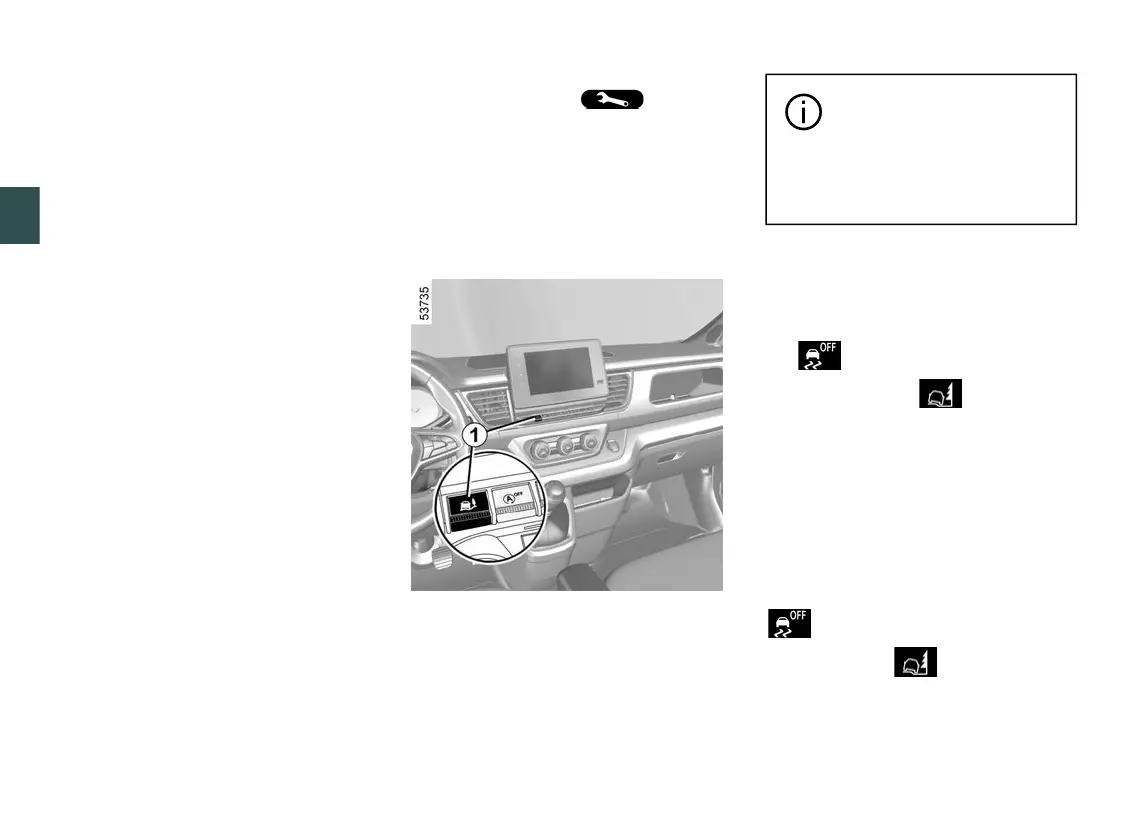
Press and hold switch
1
: the "Soft
ground mode activated" message is
displayed on the instrument panel and
the warning light or, depending
on the vehicle, the warning light
come on.
This position enables optimal usage on
soft ground (mud, sand, dead leaves,
etc.). In this position, engine speed is
leftunderthedriver'scontrol.Thesys
temautomaticallyswitchesto"Auto
matic" mode when the speed exceeds
approximately 25 mph (40 km/h).
If the switch
1
is pressed again, the
warning light and, depending on
the vehicle, the warning light(s)
is/are switched off and the "Automatic
mode activated" message is displayed
on the instrument panel to warn you.











 To Next Page