ADDITIONAL DRIVING AID FUNCTIONS
3
224 - Driving
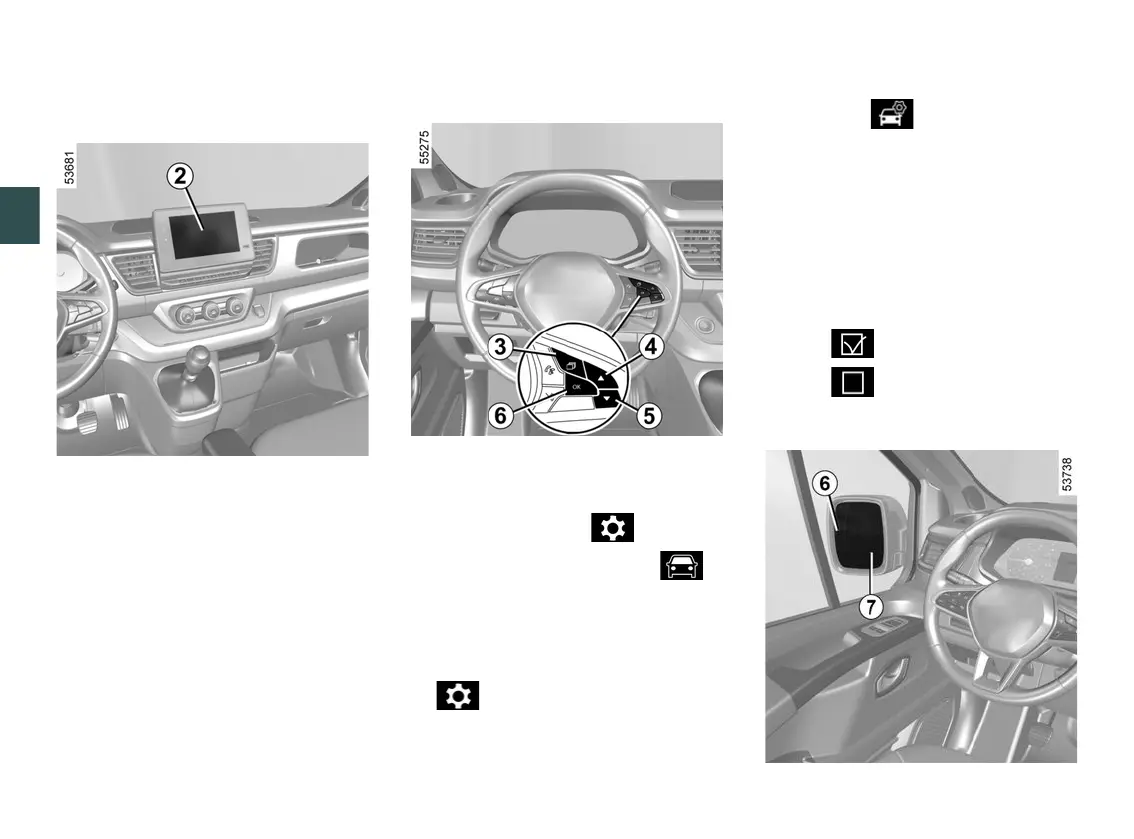
Activating and deactivating the
alerts from the multimedia screen
2
To activate or deactivate the function,
refer to the multimedia instructions.
Select "ON" or "OFF".
Vehiclesnotfittedwithamultime
dia screen
Withthevehiclestationary,todeacti
vate/activate the function:
– press the switch
3
as many times as
required to reach the " " tab or,
depending on the vehicle, the " "
tab;
or
Warning light
6
press switch
3
and repeatedly
press control
4
or
5
to reach the
tab;
–
depending on the vehicle, press the
switch
6
OK;
–
repeatedly press control
4
or
5
to
reach the menu, then press
the switch
6
OK;
–
repeatedly press control
4
or
5
to
reach the "DRIVING AIDS" menu,
then press the switch
6
OK;
–
repeatedly press control
4
or
5
to
reach the "Blind spot warning"
menu, then press switch
6
OK;
–
press switch
6
OK again to activate
or deactivate the function:
–
function activated;
–
function deactivated.
–











 To Next Page