ADDITIONAL DRIVING AID FUNCTIONS
3
230 - Driving
Each time the vehicle is
started,thefunctioncontin
ues the mode saved the
last time the engine was stopped.
Operation
Themeasurementisdis
played for information:
thesystemdoesnotcar
ry out any action on the
vehicle.
This function is not designed for
use in urban conditions or for a
dynamic driving style (sudden
cornering, acceleration, braking,
etc.), but rather for stable driving
conditions.
The function does not interact
with the braking system.
The camera should be kept clean
and free of any modifications in
ordertoensuretheproperopera
tion of the system.
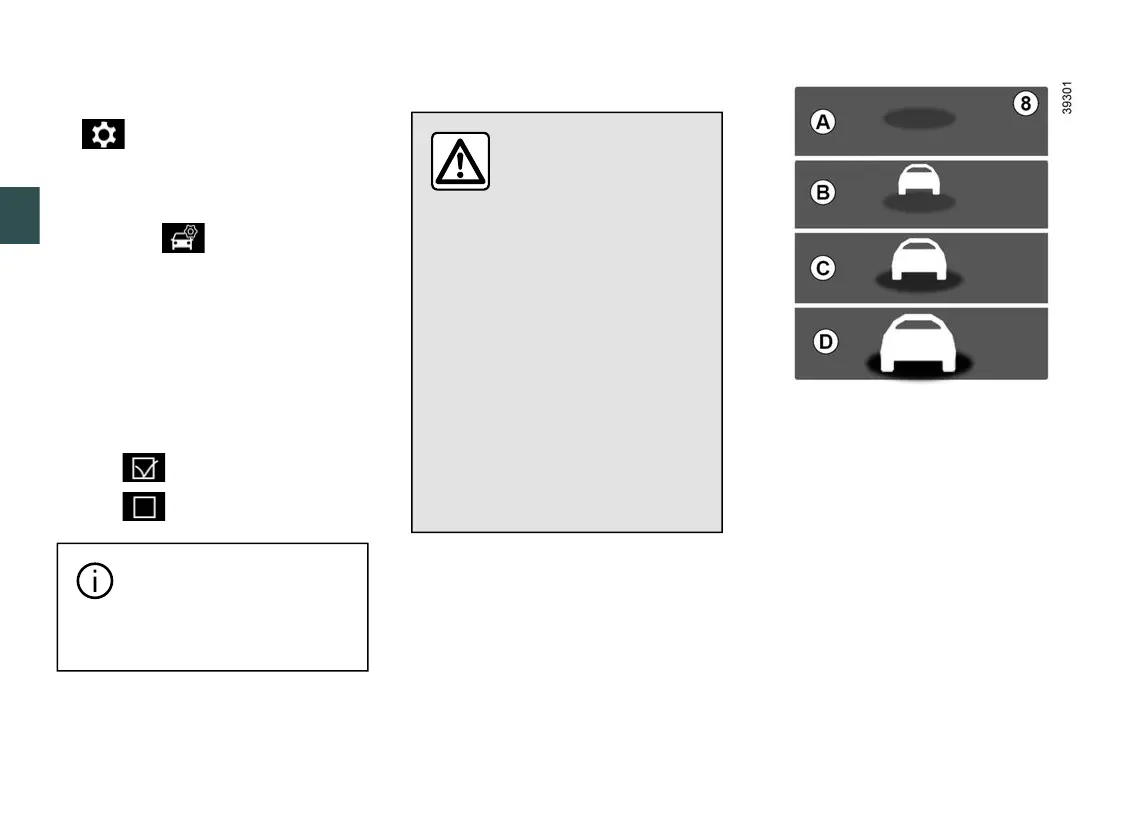
With the function activated, the
8
indi
cator is displayed on the instrument
panelandinformsthedriverofthedis
tance between their vehicle and the
vehicle in front.
A
(grey): function not operational.
(green): no vehicle detected.
B
(green): the time interval is greater
than or equal to around two seconds
(distance between the two vehicles
adapted to your speed).
C
(yellow): the time interval is between
approximately one and two seconds
(insufficient distance between the two
vehicles).
D
(red): the time interval is less than
or equal to approximately one second
press switch
3
and repeatedly
press control
4
or
5
to reach the
tab;
–
depending on the vehicle, press the
switch
6
OK;
–
repeatedly press control
4
or
5
to
reach the menu, then press
the switch
6
OK;
–
repeatedly press control
4
or
5
to
reach the "DRIVING AIDS" menu,
then press the switch
6
OK;
–
repeatedly press control
4
or
5
to
reach the "Distance warning" menu,
then press the switch
6
OK;
–
press switch
6
OK again to activate
or deactivate the warning:
–
alert activated;
–
alert deactivated.
–











 To Next Page