DOORS AND OPENING ELEMENTS
2
48 - Getting to know your vehicle
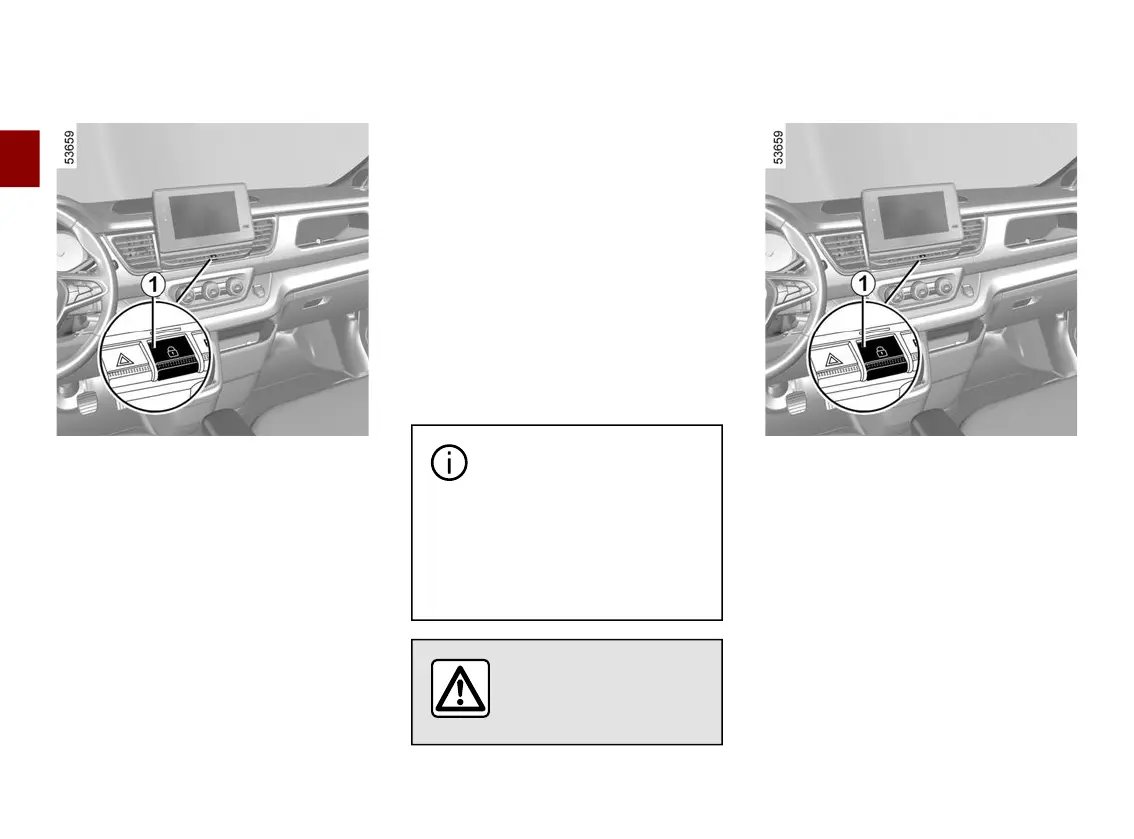
Interiorlocking/unlockingdoorcon
trol
The switch
1
controlsallthedoorssi
multaneously.
If a door is open or not properly
closed, the doors lock and then quickly
unlock.
Iftransportinganobjectwiththetail
gate open, you can still lock the other
doors: with the engine stopped,
press and hold switch
1
for more than
five seconds to lock the other doors.
Locking the opening elements
without the card or the key
Forexample,intheeventofadis
chargedbatteryorthecardorkeytem
porarily not working etc.
With the engine off, the rear doors
closed and a front door open, press
the switch
1
formorethanfivesec
onds.
Make sure you have your key or card
with you before leaving your vehicle.
When the door is closed, all the doors
and tailgate will be locked.
Unlocking from the outside can only be
done using the key or the card.
After locking/unlocking the
vehicle using the buttons
on the card, the "hands-
free"lockingandunlockingisde
activated.
To reactivate the "hands-free"
mode, restart the vehicle.
Never leave your vehicle
withthekeyorcardin
side.
Doors and tailgate status indicator
light
When the ignition is on, the indicator
light integrated in switch
1
informs you
ofthelockingstatusoftheopeningel
ements:
– when the warning light is on, the
doors and luggage compartment door
are locked;
– indicatorlightoff,thedoorsandtail
gate are unlocked.
When the ignition is off, the indicator
light remains lit and then goes out
when you lock the doors.











 To Next Page