23
24
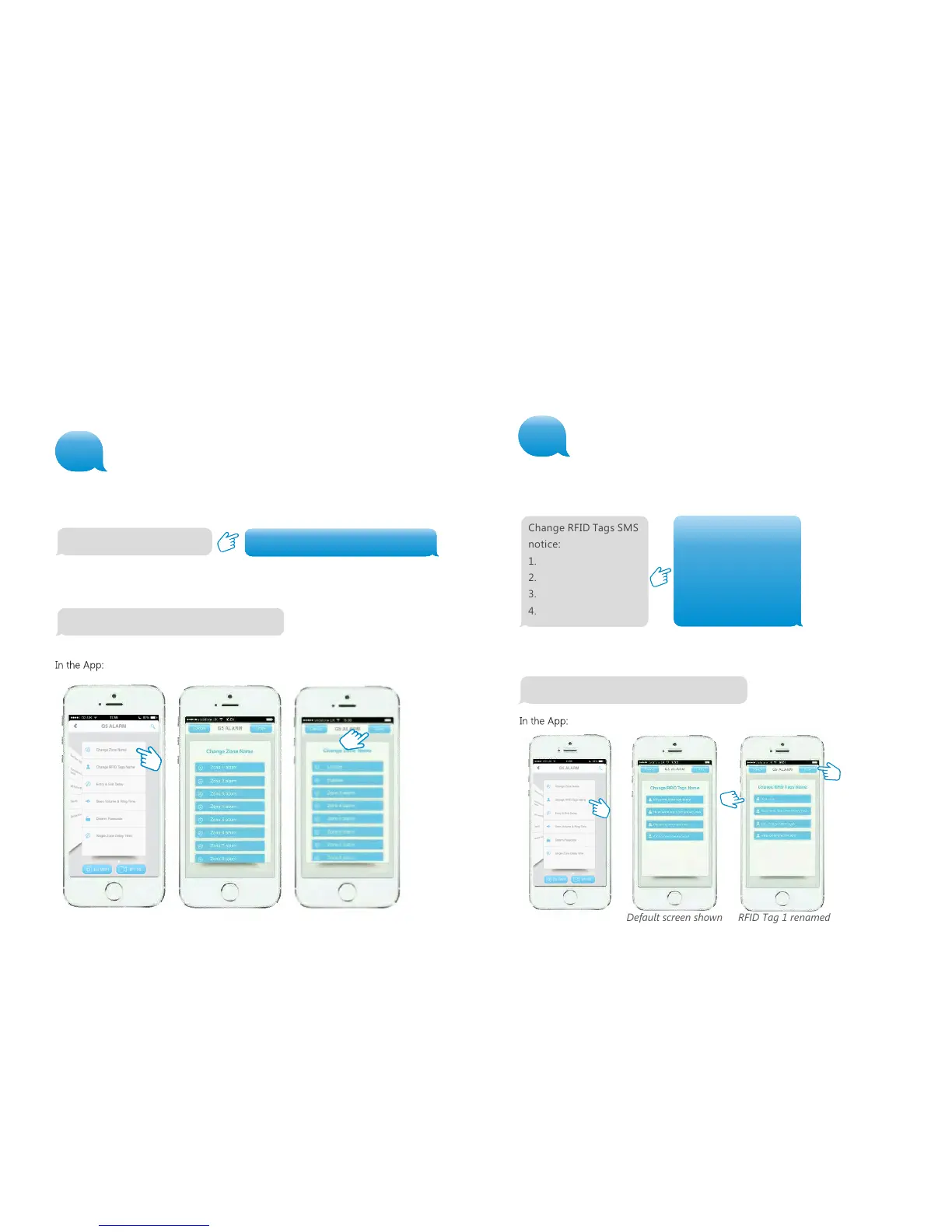
Change RFID Tag name
The Control Panel can be set to notify the nominated SMS number when the first 4 RFID
Tags are used to disarm the system. With this menu you can set the names of the first 4
RFID Tags. If the TAG’s name remains unchanged the text message will say “Unnamed
key tag has armed/ disarmed the system.” 10
Change RFID Tags SMS
notice:
1. Vicky
2. Mabel
3. Gillian
4. Jack
Change RFID tags SMS notice successfully
Renaming Sensors
Each Sensor is on a zone. The names of the first 9 zones (1-9) can be changed
according to personal preference. Each name can be up to 30 characters.
The names of zone 10 and higher cannot be changed. When sending a text message
with ‘91’, ‘92’, ’93’ to ‘99’ you will receive a message back with the zone number and
name. For example: 91 = Zone 1, 92 = Zone 2 …… 99 = Zone 9.
Zone 1 name: Entrance door sensor
To change the name of the zone copy the received text message and replace
‘Zone 1 alarm’ with the name of your choice, as shown below:
After sending this message you will receive the following message from the Control
Panel to confirm the new settings:
Zone 1 name: Zone 1 alarm
Change RFID Tags SMS
notice:
1.
2.
3.
4.
10
You will receive the text
message shown below.
Copy the message and change the names
against each RFID Tag number, as shown in the
example below.
After sending this sms you will receive the following message from the Control
Panel to confirm the new settings:
Change zone name successfully
91
Default screen shown RFID Tag 1 renamed


 To Next Page