39
40
IMPORTANT: The triangle on the Transmitter and the triangle on the
Magnet must face each other.
Electric Lock Output
The connector of PUSH and GND of the Electric Lock must be connected to the output
connector of PUSH and GND at the back of the Control Panel. Refer to diagram on
page 8.
When disarming a system with an Electric Lock connected to the Control Panel, the
Control Panel will send a signal and the lock will automatically open.
Note: A door which is equipped with an electric lock may open automatically if there is a power
failure. It is suggested that a backup power supply should be fitted to an electric lock to ensure
operation in the event of a power failure.
LED Indicator
Blink once
Blink once per 3 seconds
: Door/window open detected
: Low battery indication, please change the batteries
immediately.
Note: When the battery level is low the administrator will receive a SMS notification.
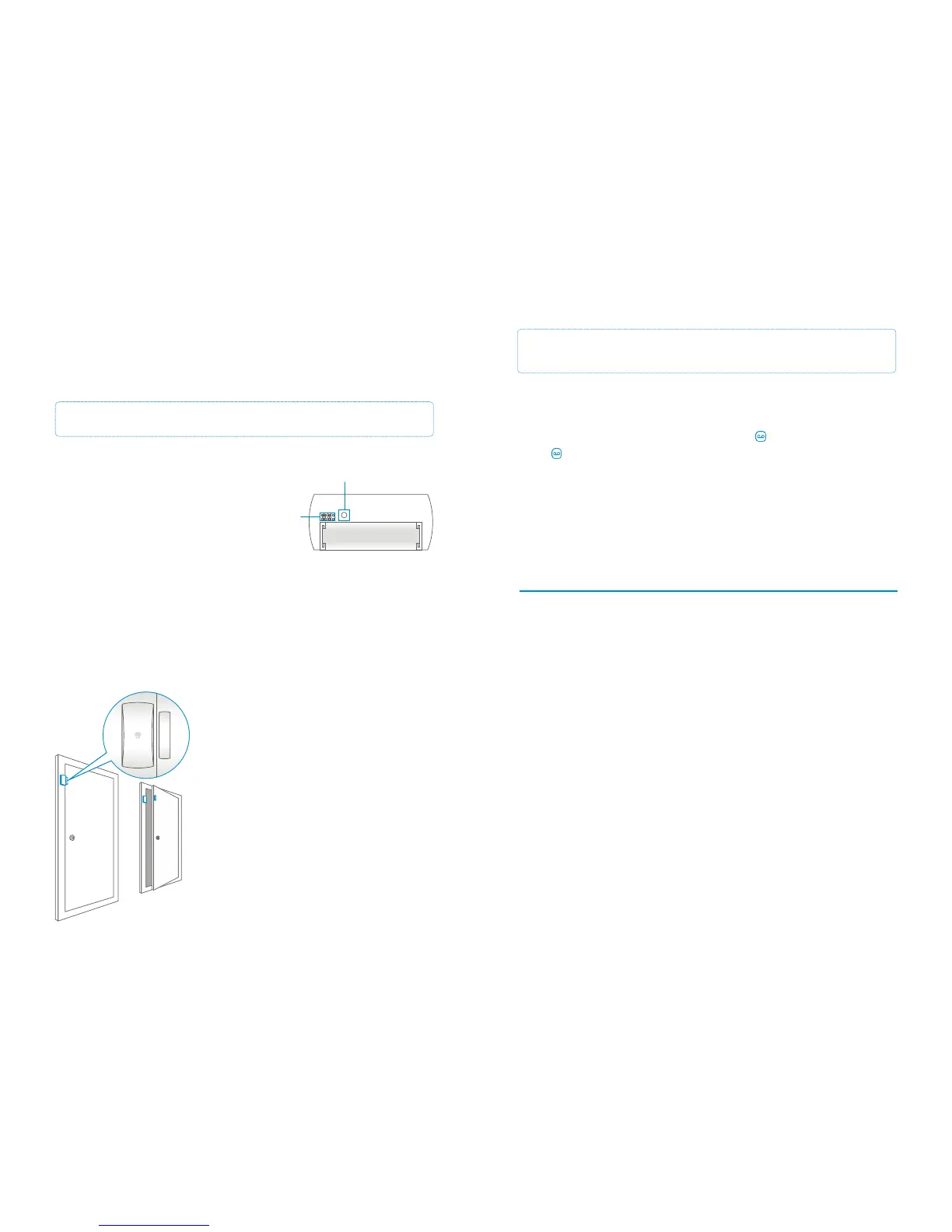
Door/Window Sensor (inside)
When opening the housing of the door/window
sensor the tamper switch will be triggered and it
will send a signal.
If the Control Panel is set to Test Mode the Control
Panel will beep only (it will not be triggered).
Tamper switch
Group setting
AA 1.5V LR6
Installation tips
The door/window sensor can be installed on doors, windows or any other objects that
can be opened or closed. When installing on a window or door the transmitter (large
part) should be applied to the frame and the Magnet to the window itself.
The LED indicator will blink once when the transmitter
and magnet are separated by more than one
centimetre.
The distance between the transmitter and magnet
must not be over one centimetre in the closed position.
Apply both parts with the double-sided tape provided.
Avoid placing the door/window contact in an area
where there is a lot of metal present as this may affect
performance. Always check if the LED indicator blinks
when opening the door or window.
1. Make sure the Magnet is placed next to the Transmitter (within 1 centimetre)
2. Enter the password on the Control Panel and press button
3. The button will light up
4. Separate the Transmitter and Magnet more than 1 centimetre from each other
5. The Sensor will be triggered
The Control Panel will beep once when connection is successful.
If the System beeps twice the Sensor has already been connected.
Connecting a Door/Window Sensor to the Control Panel


 To Next Page