5.5 Opening the device
The following steps are necessary in order to be able to use and clamp the grinding jar.
• Connect the device to the mains.
• Switch on the main switch at the back of the device.
• Press the button.
The safety lock opens and the lid can be lifted up
5.6 Closing the device
It is only possible to lock the grinding chamber if the device has been connected to the power
supply and the main switch at the back of the device has been switched on.
• Shut the housing lid.
– A sensor detects the closing pin of the housing lid and the motorised lid
closing mechanism is switched on.
– The housing lid is locked automatically.
5.7 Emergency Unlocking
Emergency Unlocking
Drive continuing to run
– There is a substantial risk of injury if the drive and associated device parts
run on a long time without being braked!
• Activate the emergency unlocking only when the machine has come
to a complete stop and is disconnected from the power supply.
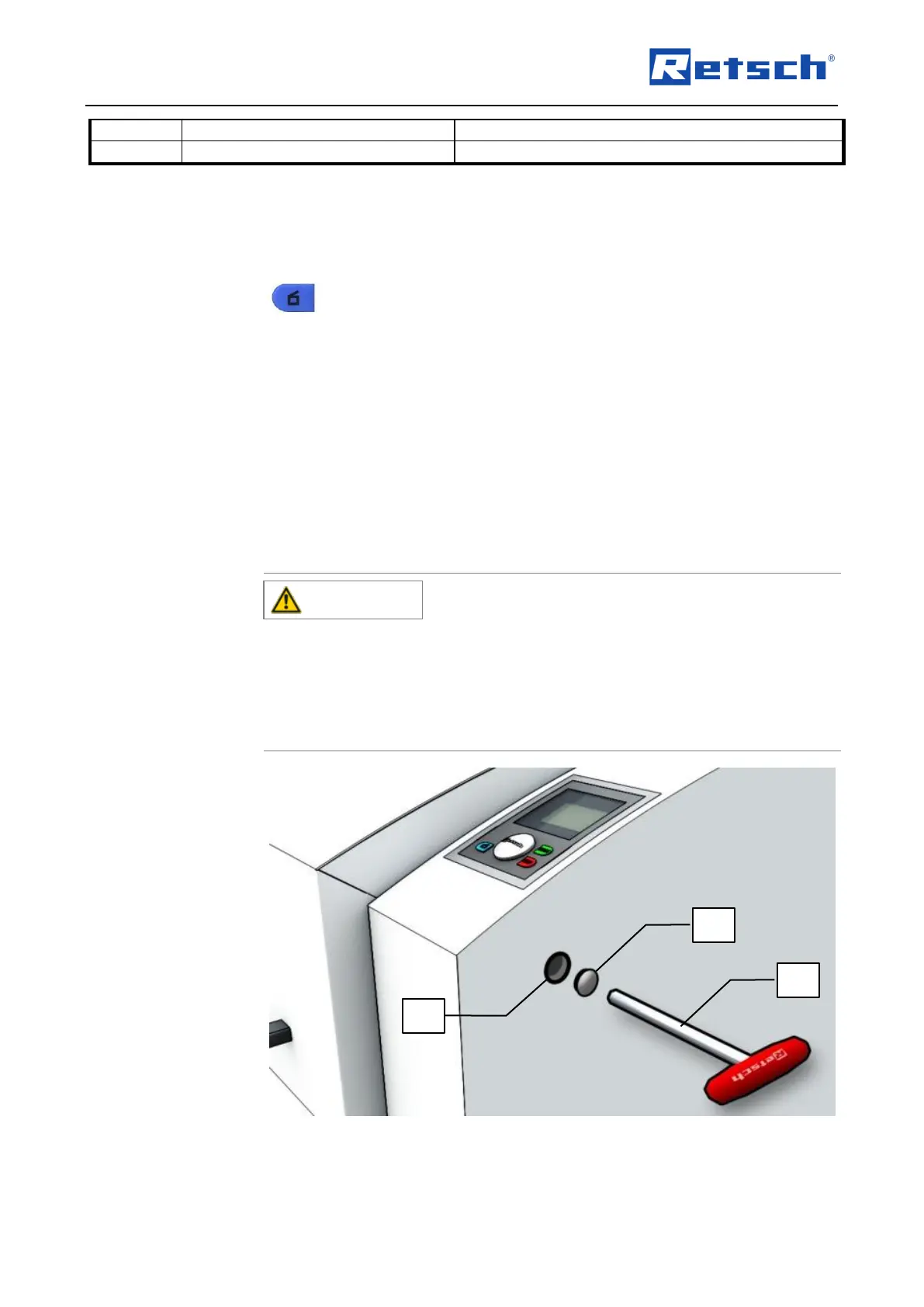
: Emergency release
A key is provided with device delivery. This can be used to open the device manually in the
case of a power failure .
• Remove the cap (AK).



 To Next Page