Press4D button then press (JL™] button, and CDI is
cen-
tered.
The new calculation as aircraft leading TO the station
is shown in the Course Display.
Auto CDI FROM:
Press€D button then press fe^5) button, and CDI is
cen-
tered.
The new calculation as aircraft leading away FROM
the station is shown in the Course Display.
Exit CDI Mode:
Press ••button then press 0
PV0B
1
button to exit CDI mode
and accept other airband frequency.
1
£5
f IU.JUU
tr
° CDI TO
2<
\<4<44 +
>k>>»>\
| |
e ©
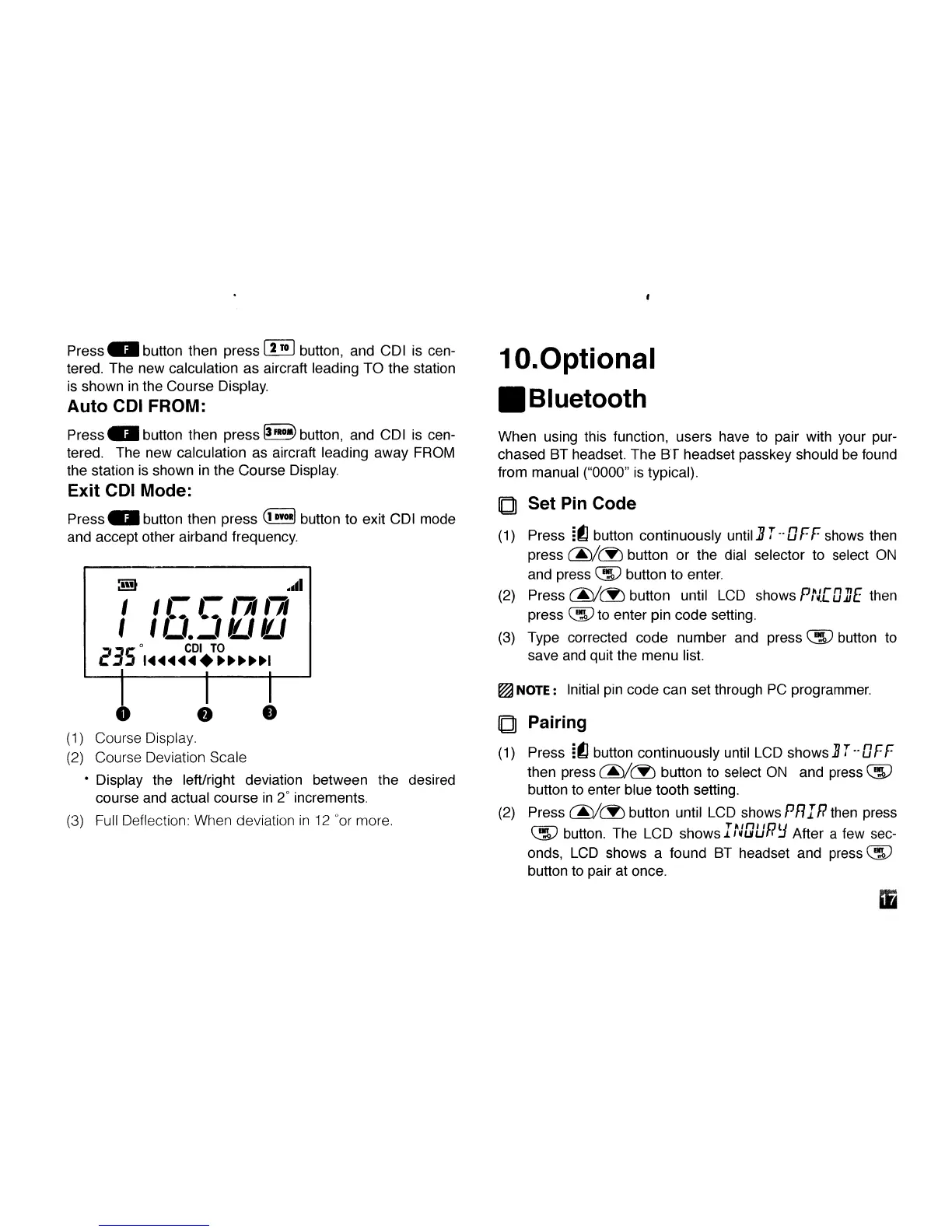
(1) Course Display.
(2) Course Deviation Scale
• Display the left/right deviation between the desired
course and actual course in 2° increments.
(3) Full Deflection: When deviation in 12 °or more.
10.
Optional
•Bluetooth
When using this function, users have to pair with your pur-
chased BT headset. The BT headset passkey should be found
from manual ("0000" is typical).
Q Set Pin Code
(1) Press It] button continuously until
J?
T- DFF shows then
press (3^/(2) button or the dial selector to select ON
and press QS? button to enter.
(2) Press (j£)/(Jb button until LCD shows PULQUE then
press QIP to enter pin code setting.
(3) Type corrected code number and press Qjjp button to
save and quit the menu list.
^
NOTE:
Initial pin code can set through PC programmer.
Q Pairing
(1) Press [(C button continuously until LCD shows BT~QFF
then press (j£)/(3b button to select ON and press QIP
button to enter blue tooth setting.
(2) Press (7^/(S) button until LCD shows PR IP then press
QIP button. The LCD showsINuuP
L
J After a few sec-
onds,
LCD shows a found BT headset and press CS?
button to pair at once.
iMMA
n



 To Next Page