g^NOTE: If LCD appears "NO FOUND" that means other BT
device can not be found, please make desired par-
ing headset goes into pairing mode.
Q Turn On Bluetooth
(1) Press -I] button continuously until LCD shows
2T-DFF.
(2) Press f^/flh to select On/Off, QUI will flash in 2 sec-
onds.
If RHP-530E is connected with BT headset suc-
cessfully, IBTI becomes stable. It is convenient to oper-
ate if set hot-key on side button( refer to side button D).
g^NOTE: The BT dongle is optional.
ffl
NOTE:
Both microphone and speaker level of BT can be set
by PC programmer.
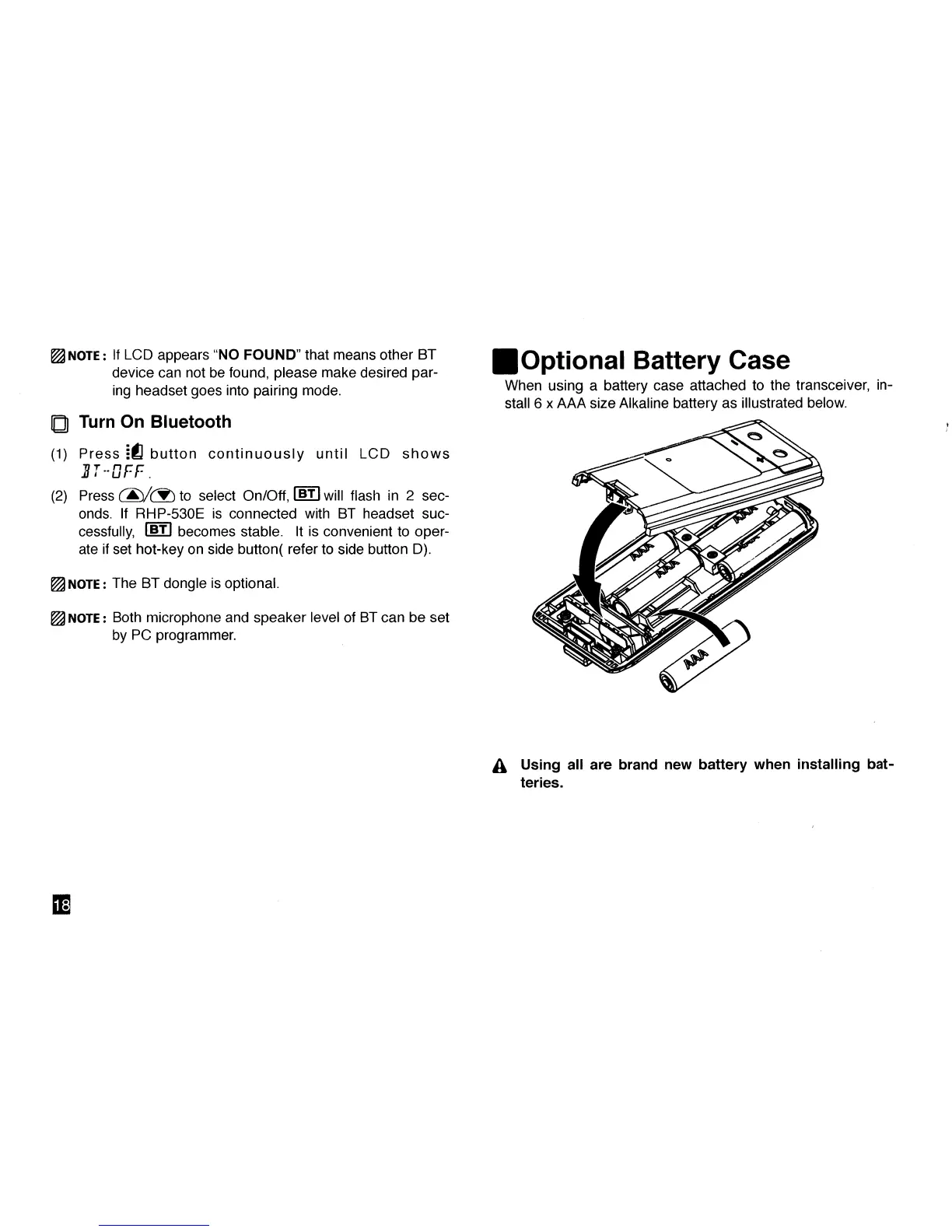
•Optional Battery Case
When using a battery case attached to the transceiver, in-
stall 6 x AAA size Alkaline battery as illustrated below.
A Using all are brand new battery when installing bat-
teries.
EE



 To Next Page