1.
Parts Name & Functions
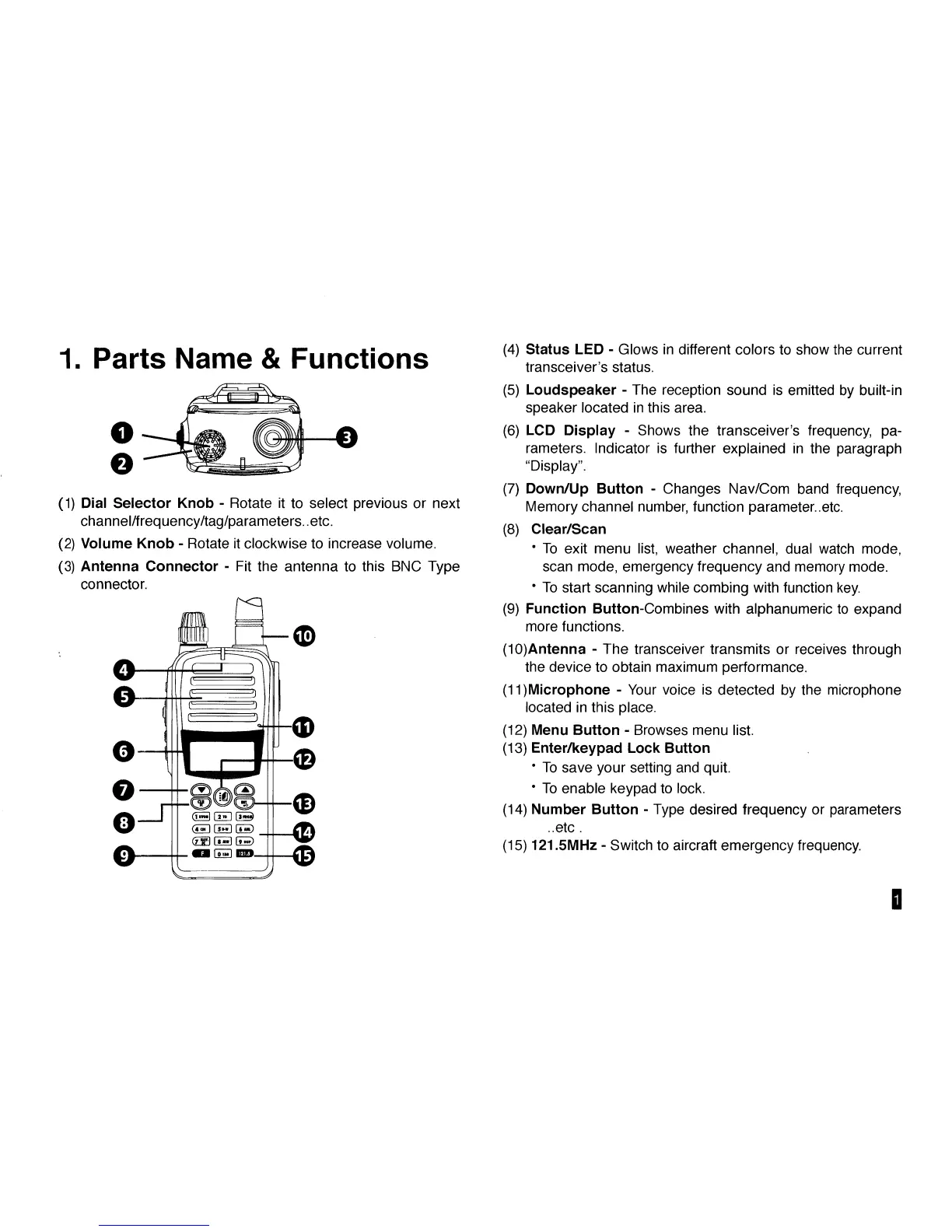
(1) Dial Selector Knob - Rotate it to select previous or next
channel/frequency/tag/parameters..etc.
(2) Volume Knob - Rotate it clockwise to increase volume.
(3) Antenna Connector - Fit the antenna to this BNC Type
connector.
o nz] r»^3>
1531
-0
4HD
(4) Status LED - Glows in different colors to show the current
transceiver's status.
(5) Loudspeaker - The reception sound is emitted by built-in
speaker located in this area.
(6) LCD Display - Shows the transceiver's frequency, pa-
rameters. Indicator is further explained in the paragraph
"Display".
(7) Down/Up Button - Changes Nav/Com band frequency,
Memory channel number, function parameter..etc.
(8) Clear/Scan
• To exit menu list, weather channel, dual watch mode,
scan mode, emergency frequency and memory mode.
• To start scanning while combing with function key.
(9) Function Button-Combines with alphanumeric to expand
more functions.
(10)Antenna - The transceiver transmits or receives through
the device to obtain maximum performance.
(11)Microphone - Your voice is detected by the microphone
located in this place.
(12) Menu Button - Browses menu list.
(13) Enter/keypad Lock Button
• To save your setting and quit.
• To enable keypad to lock.
(14) Number Button - Type desired frequency or parameters
..etc .
(15) 121.5MHz - Switch to aircraft emergency frequency.
D



 To Next Page