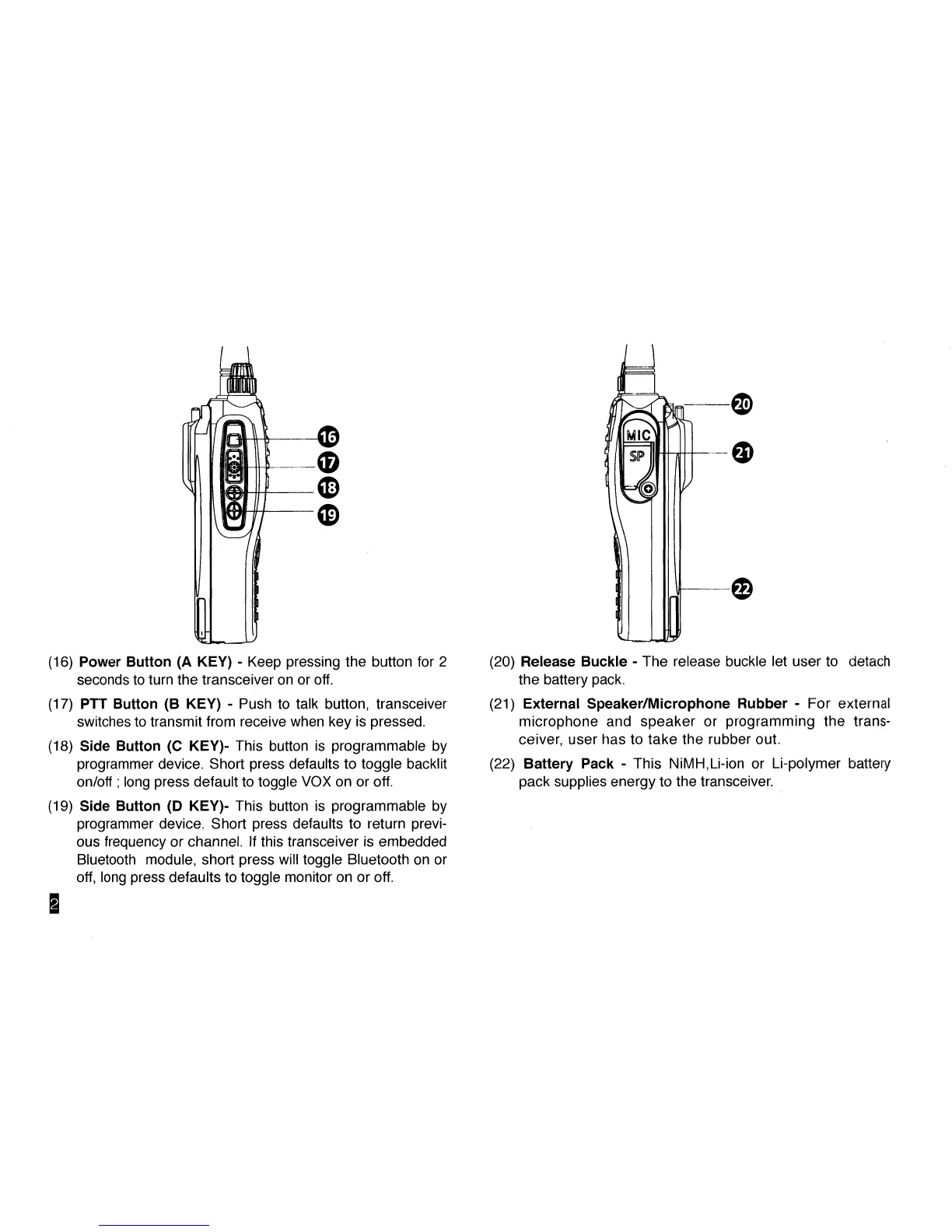
(16) Power Button (A KEY) - Keep pressing the button for 2
seconds to turn the transceiver on or off.
(17) PTT Button (B KEY) - Push to talk button, transceiver
switches to transmit from receive when key is pressed.
(18) Side Button (C KEY)- This button is programmable by
programmer device. Short press defaults to toggle backlit
on/off; long press default to toggle VOX on or off.
(19) Side Button (D KEY)- This button is programmable by
programmer device. Short press defaults to return previ-
ous frequency or channel. If this transceiver is embedded
Bluetooth module, short press will toggle Bluetooth on or
off, long press defaults to toggle monitor on or off.
(20) Release Buckle - The release buckle let user to detach
the battery pack.
(21) External Speaker/Microphone Rubber - For external
microphone and speaker or programming the trans-
ceiver, user has to take the rubber out.
(22) Battery Pack - This NiMH,Li-ion or Li-polymer battery
pack supplies energy to the transceiver.



 To Next Page