EasyManua.ls Logo

REXON RHP-530E - Page 22

REXON RHP-530E
26 pages
Print Icon
To Next Page IconTo Next Page
To Previous Page IconTo Previous Page
Loading...
KEY
(S
53
HE)
SB
| 8MW]
1
9
PUP)
Co™]
ISO
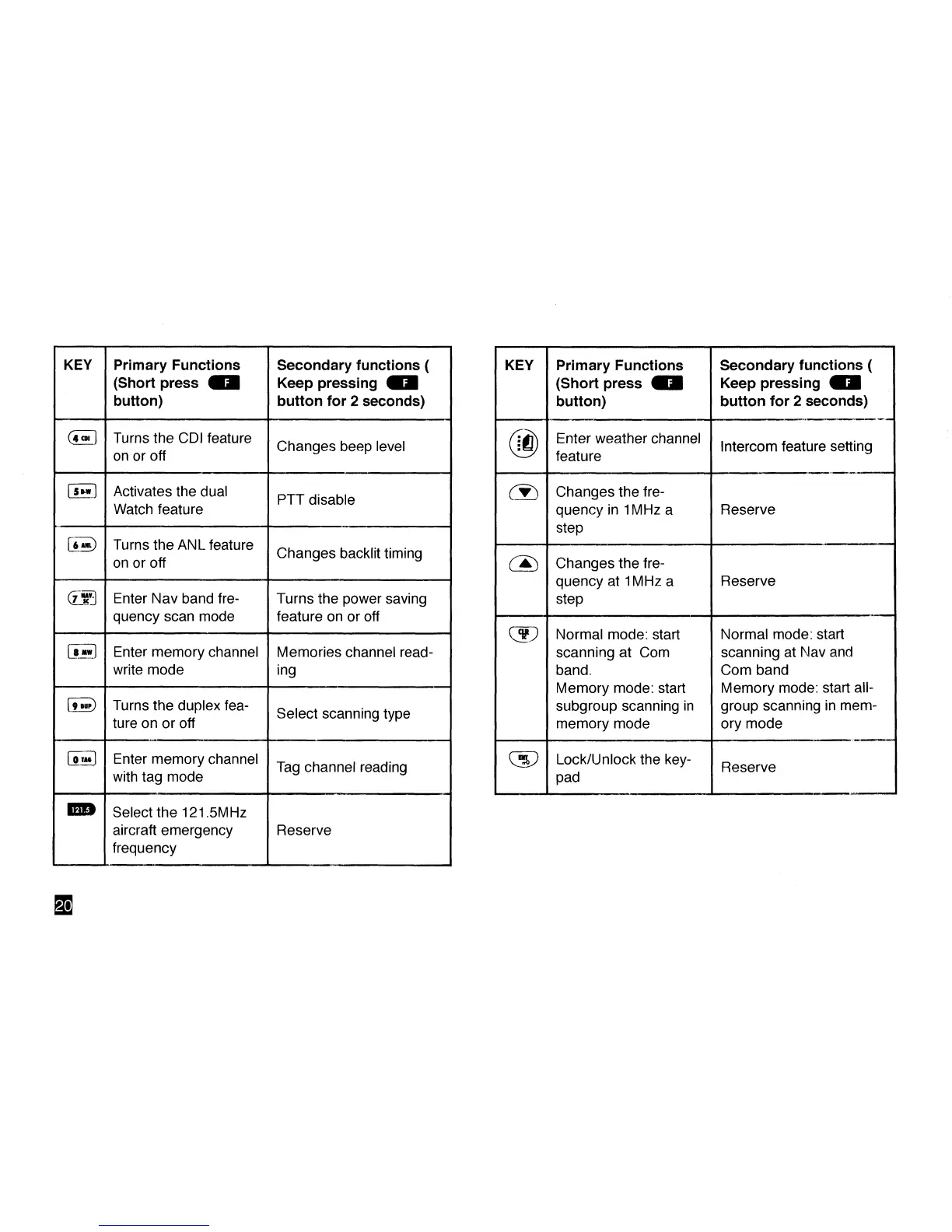
Primary Functions
(Short press U
button)
Turns the CDI feature
on or off
Activates the dual
Watch feature
Turns the ANL feature
on or off
Enter Nav band
fre-
quency scan mode
Enter memory channel
write mode
Turns the duplex fea-
ture on or off
Enter memory channel
with tag mode
Select the 121.5MHz
aircraft emergency
frequency
Secondary functions (
Keep pressing fli
button for 2 seconds)
Changes beep level
PTT disable
Changes backlit timing
Turns the power saving
feature on or off
Memories channel
read-
ing
Select scanning type
Tag channel reading
Reserve
KEY
®
(•}
&
<3?
Ca?
Primary Functions
(Short press 0
button)
Enter weather channel
feature
Changes the
fre-
quency in 1MHz a
step
Changes the
fre-
quency at 1MHz a
step
Normal mode: start
scanning at Com
band.
Memory mode: start
subgroup scanning in
memory mode
Lock/Unlock the key-
pad
Secondary functions (
Keep pressing MM
button for 2 seconds)
Intercom feature setting
Reserve
Reserve
Normal mode: start
scanning at Nav and
Com band
Memory mode: start all-
group scanning in mem-
ory mode
Reserve
M

Related product manuals