Catalog Explorer User Manual
______________________________________________________________________________
________________________________________________________________________________
Page 20 of 36
Visit our knowledgebase at: http://www.ricoh-usa.com/support/knowledgebase.asp
Copyright 2008 Ricoh Americas Corporation
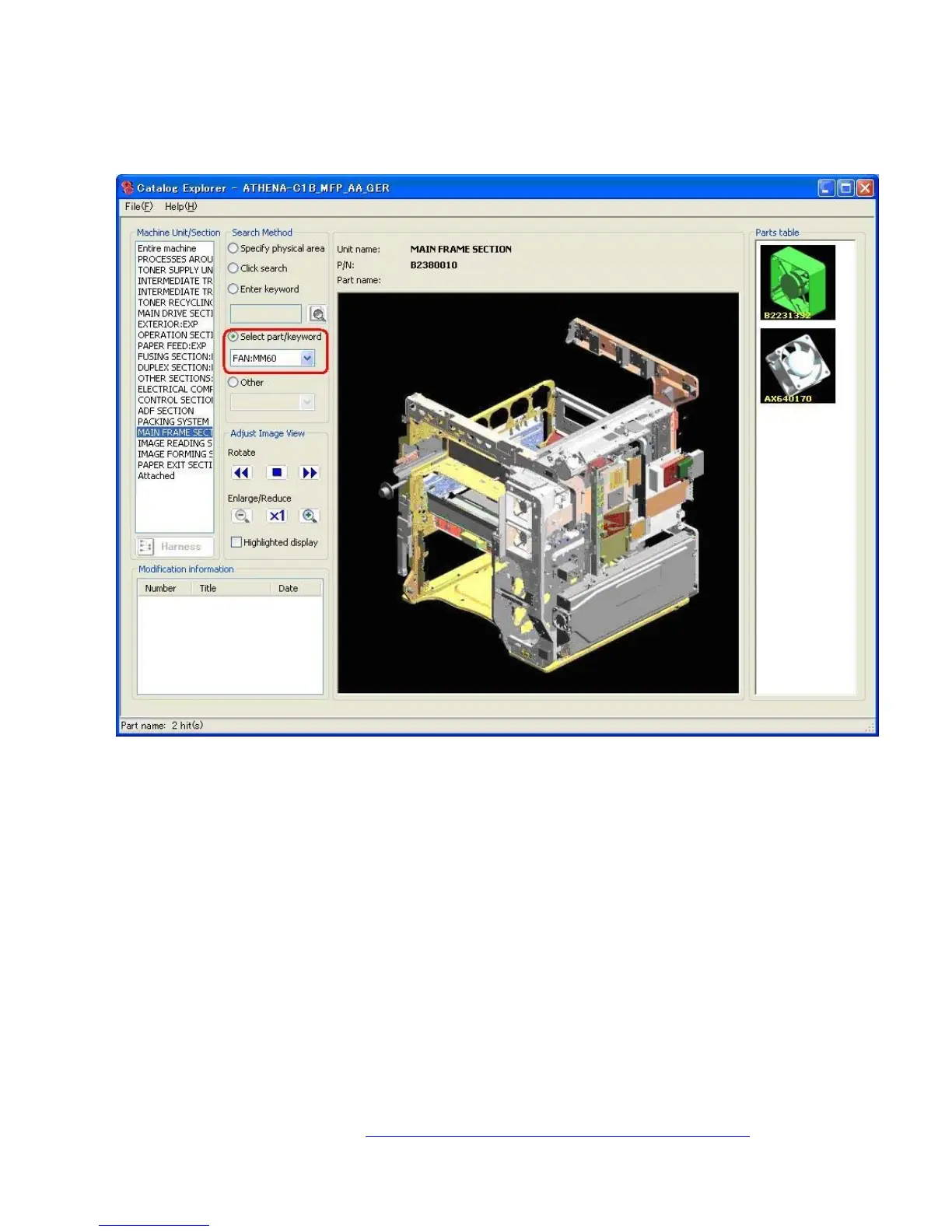
8.2.4 Select Part/Keyword
Search for the part by selecting from a list of registered part names.
Select the Select part/keyword radio button.
Select a part name from the list.
Result: All registered parts with that part name are then displayed in the individual parts
list.



 To Next Page