Catalog Explorer User Manual
______________________________________________________________________________
________________________________________________________________________________
Page 8 of 36
Visit our knowledgebase at: http://www.ricoh-usa.com/support/knowledgebase.asp
Copyright 2008 Ricoh Americas Corporation
3. Installing, Removing and Updating the Catalog Explorer
Installing the Catalog Explorer
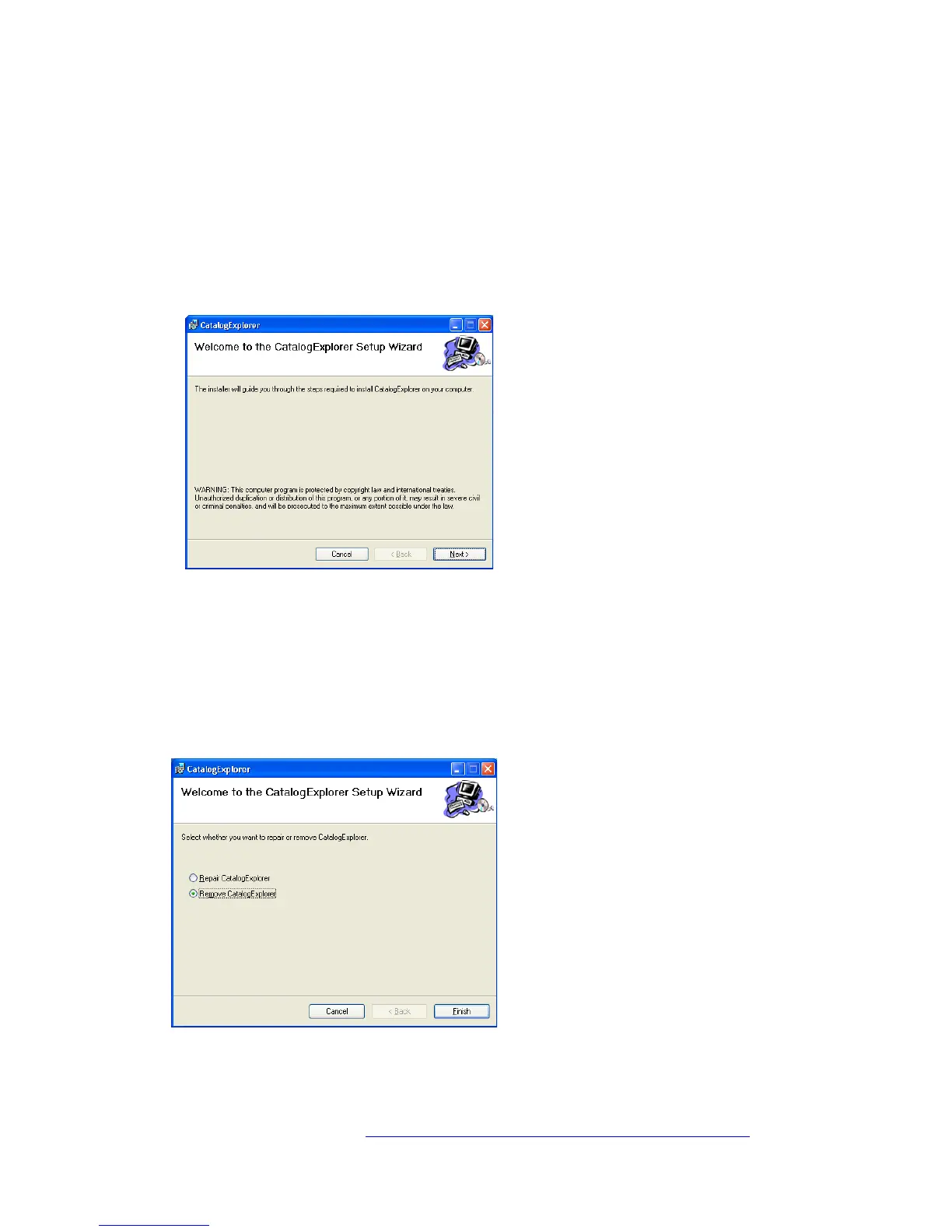
To start the Catalog Explorer Setup Wizard, double-click on the
“CatalogExplorerInstaller.msi“ file. Then, follow the instructions displayed on the screen to
complete the installation.
Removing the Catalog Explorer
3.2.1 From the Setup Wizard
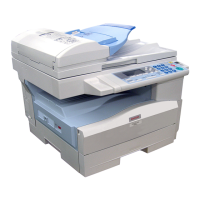
Start the Catalog Explorer Setup Wizard by double-clicking on the same file you used to
install the program (CatalogExplorerInstaller.msi).
Select the “Remove CatalogExplorer” radio button, and then click “Finish”. The removal
will automatically begin.



 To Next Page