Catalog Explorer User Manual
______________________________________________________________________________
________________________________________________________________________________
Page 25 of 36
Visit our knowledgebase at: http://www.ricoh-usa.com/support/knowledgebase.asp
Copyright 2008 Ricoh Americas Corporation
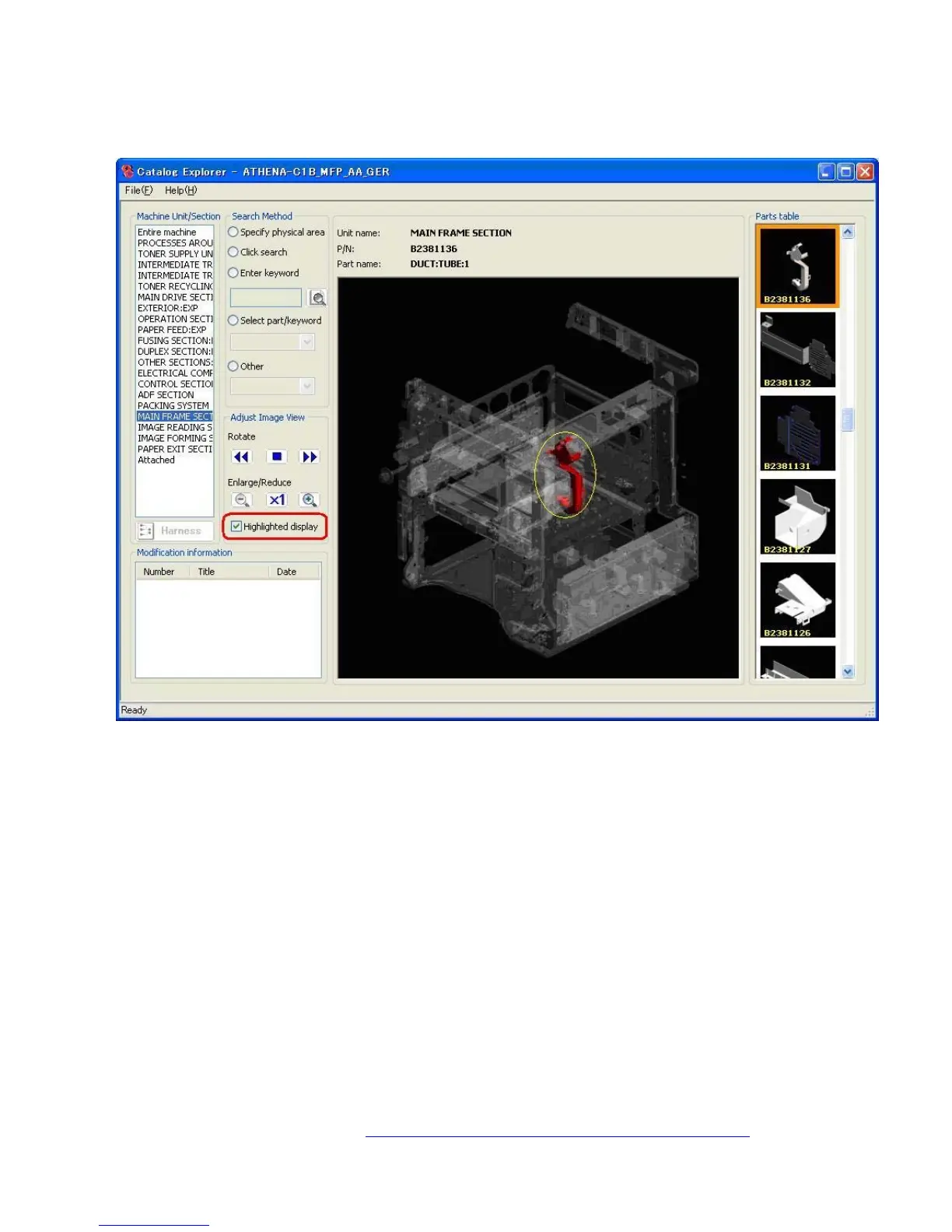
9.5 Highlighted Display
This feature is used to make the selected unit more visible in the main image.
Select the “Highlighted display” checkbox.
Select a part from the parts table. The part will then be circled in yellow in the main image.
Note:
- When this checkbox is “unchecked”, the image returns to the normal view.
- “Highlighted display“ cannot be used for old parts that have either been replaced or
deleted as a result of a parts modification (i.e. those marked by a green or red “X”).



 To Next Page