Catalog Explorer User Manual
______________________________________________________________________________
________________________________________________________________________________
Page 24 of 36
Visit our knowledgebase at: http://www.ricoh-usa.com/support/knowledgebase.asp
Copyright 2008 Ricoh Americas Corporation
9.4.2 Set as Center for Zoom
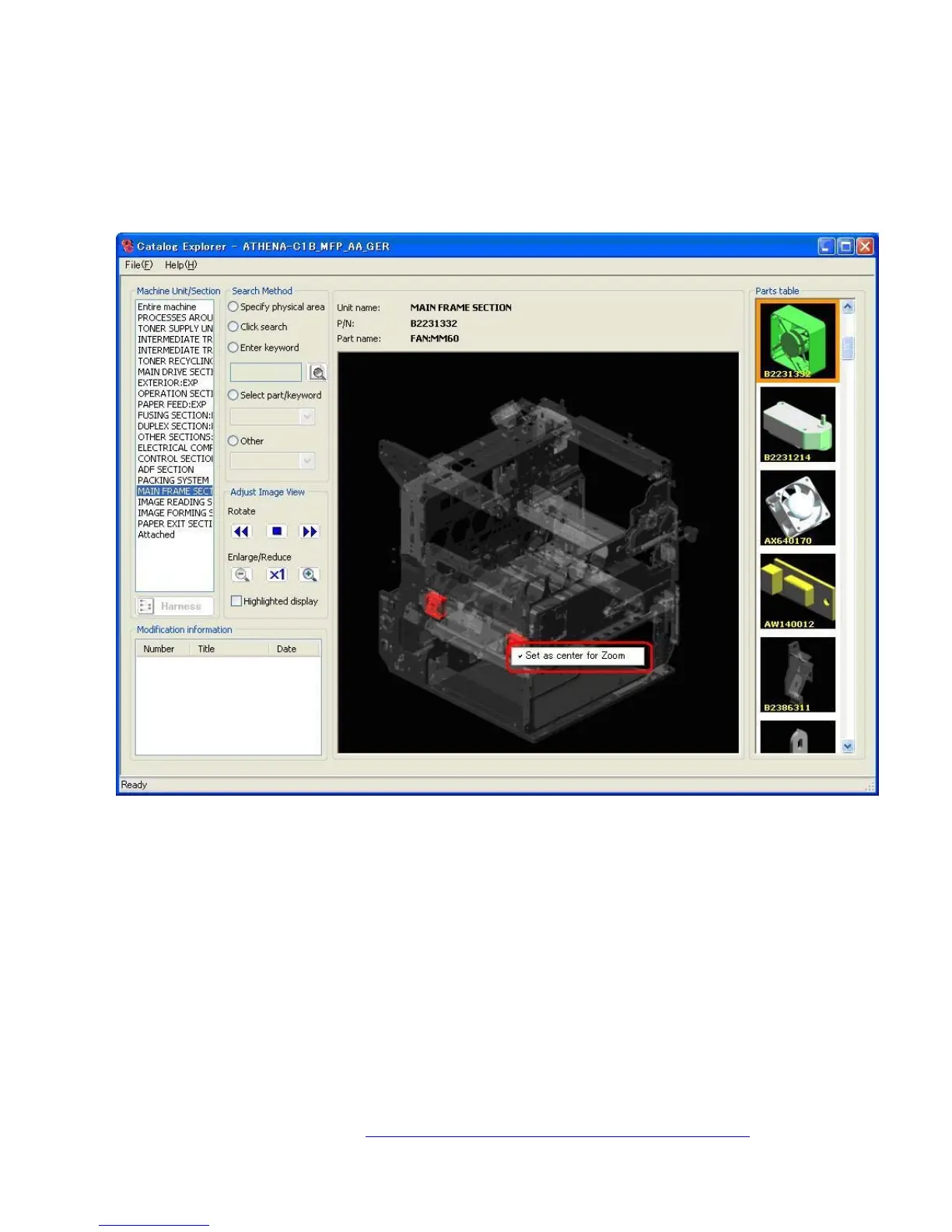
When a section contains more than one of a part that has been selected in the parts table,
each of the parts will be displayed and highlighted in the main image. It is then possible to
choose the part around which the main image will be centered during
enlargement/reduction.
Right click on the part you wish to set as the center of the image for enlargement/reduction.
Select “Set as center for Zoom”.
Note: After the selection is made, a checkmark appears to the left of “Set as center for
zoom”.



 To Next Page