Catalog Explorer User Manual
______________________________________________________________________________
________________________________________________________________________________
Page 26 of 36
Visit our knowledgebase at: http://www.ricoh-usa.com/support/knowledgebase.asp
Copyright 2008 Ricoh Americas Corporation
9.6 Viewing Smaller Parts Contained Within a Part (Assembly)
To view all of the parts that are contained within one of the parts (that is actually an
assembly) in the parts table:
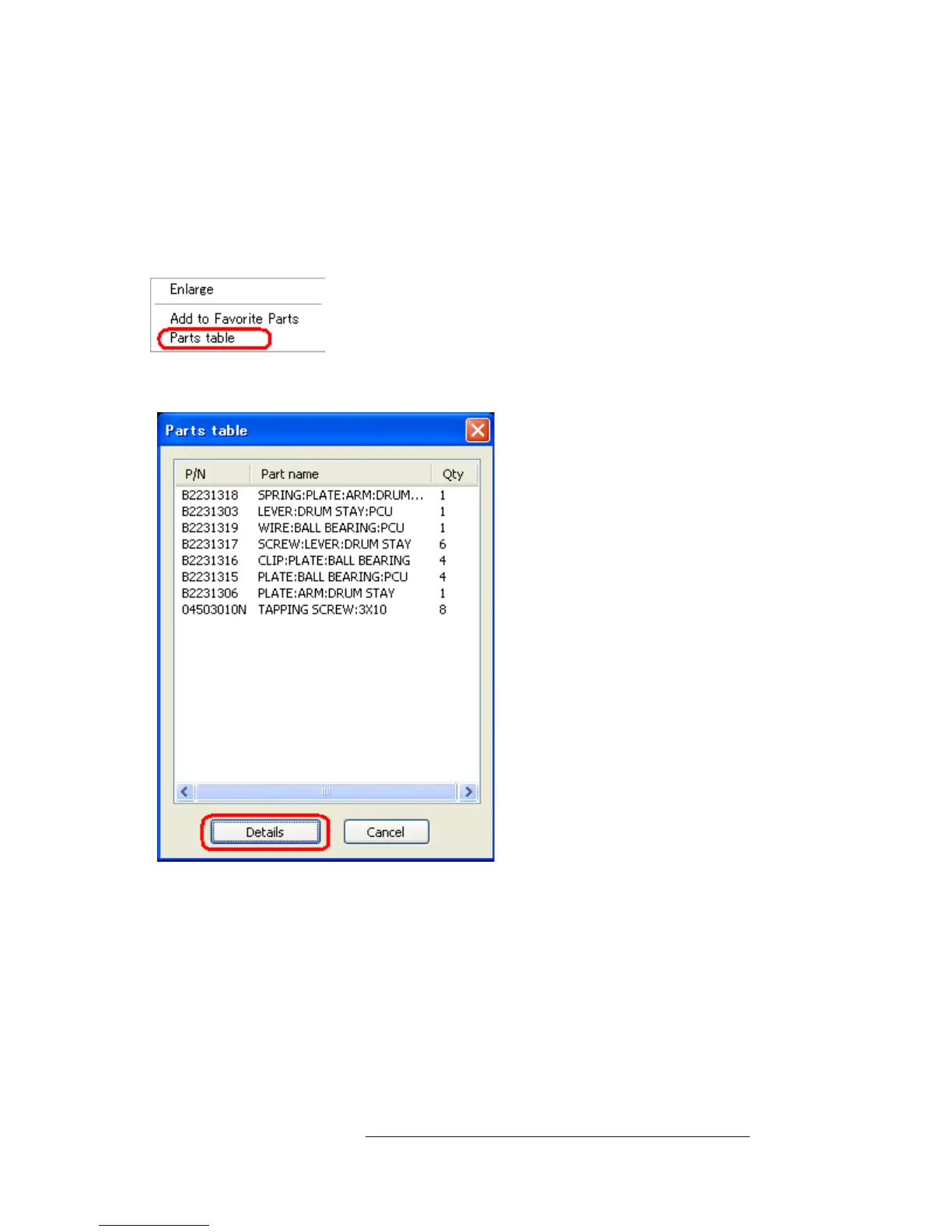
Right click on an assembly from the parts table
Select “Parts table.” The following list of component parts will then be displayed:
Note: This table displays the part number, part name and quantity for each part.



 To Next Page