Catalog Explorer User Manual
______________________________________________________________________________
________________________________________________________________________________
Page 35 of 36
Visit our knowledgebase at: http://www.ricoh-usa.com/support/knowledgebase.asp
Copyright 2008 Ricoh Americas Corporation
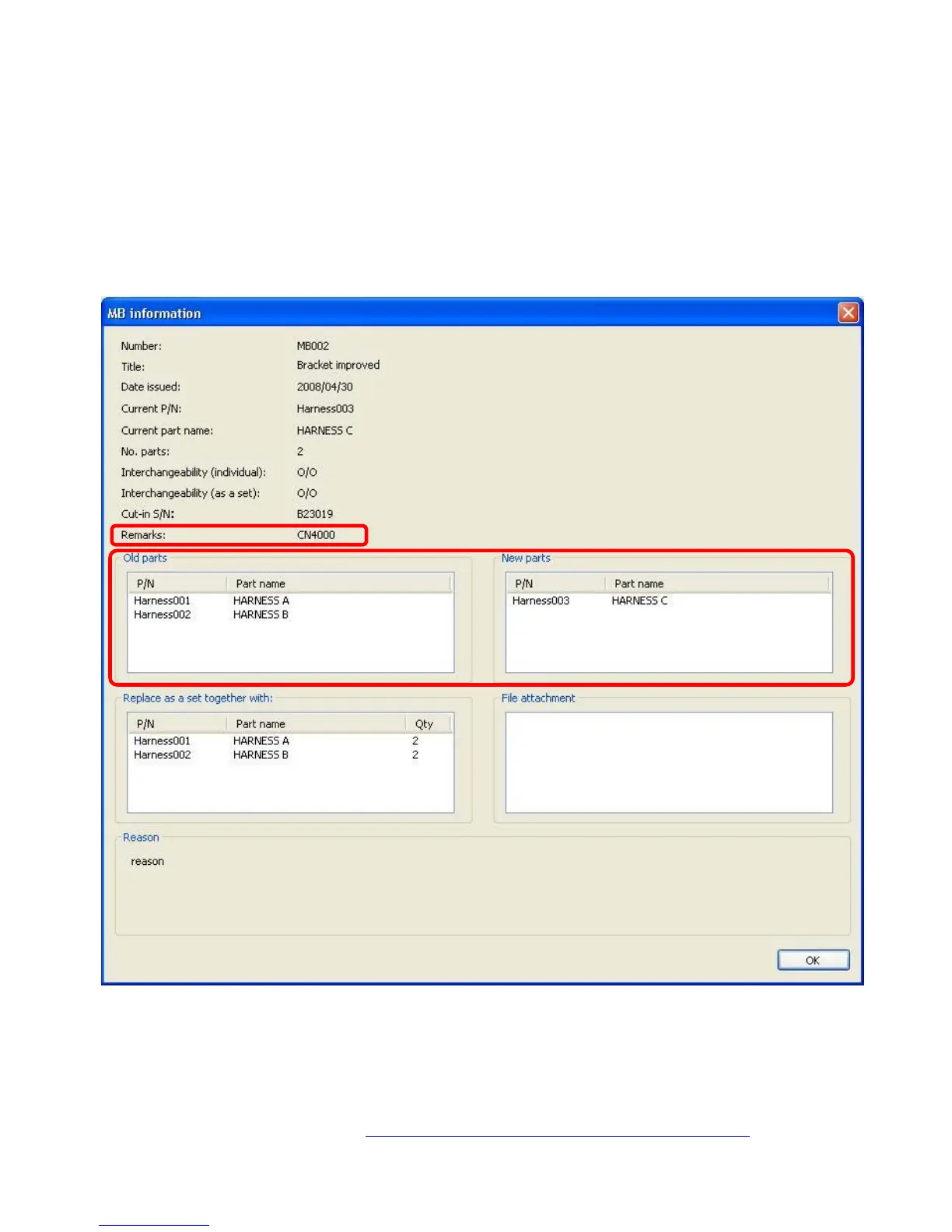
10.3.2 Displaying the Modification Details
The details of each modification listed in the Harness Layout Modifications screen can be
viewed by double clicking on the desired item. The screen that appears is different from the
Modification Information screen for machine parts in only two ways:
- An additional title appears: “Remarks”
- There is no tabled display of “Old Parts” versus “New Parts”



 To Next Page