x Clearing Misfeeds
39
4
x Clearing Misfeeds
CAUTION:
Important
r When clearing misfeeds, do not turn off the power switch. If you do, your
copy settings are cleared.
r To prevent misfeeds, do not leave any torn scraps of paper inside the ma-
chine.
r If paper misfeeds occur repeatedly, contact your service representative.
Note
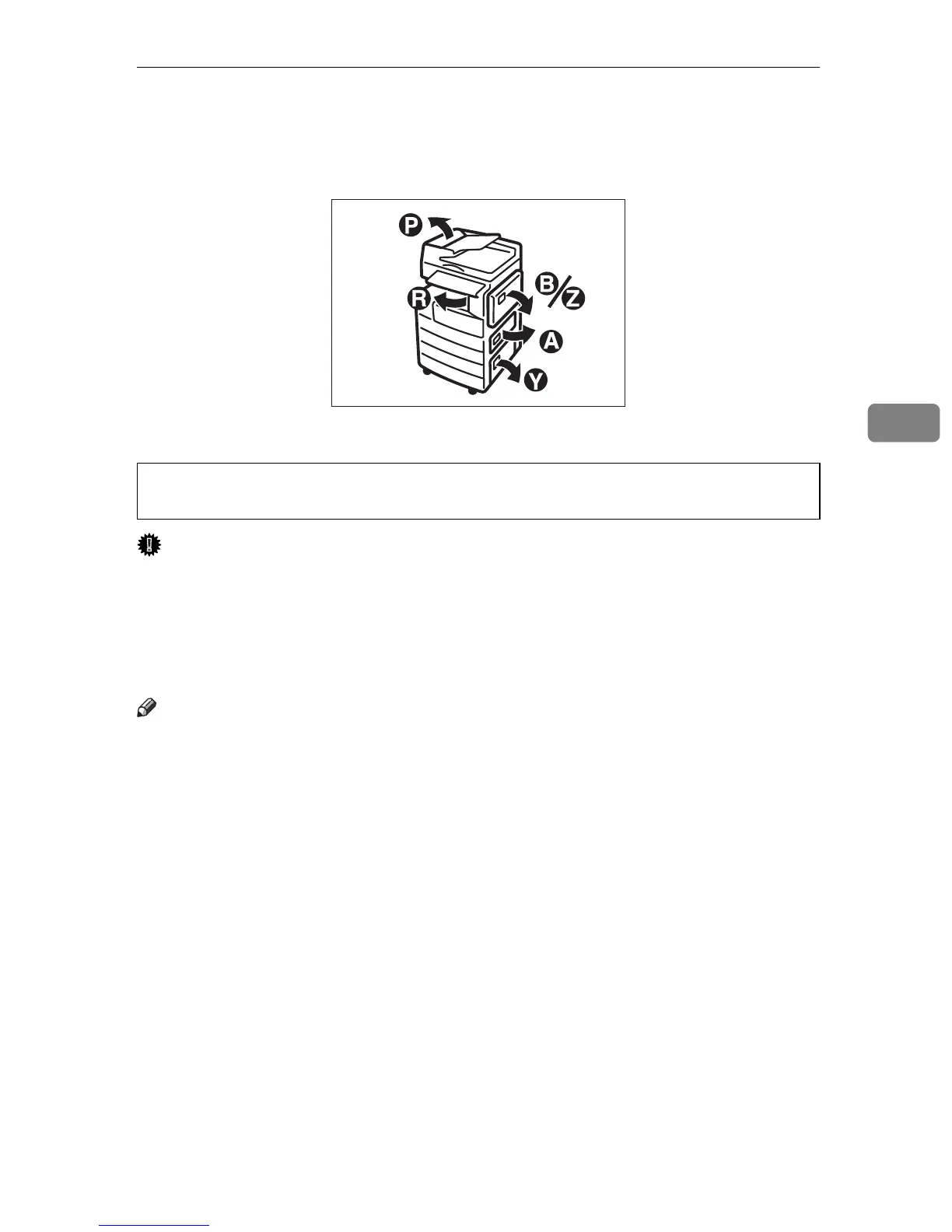
r More than one misfeed area may be indicated. If this is the case, check every
applicable area. Refer to the following charts: A, B, P, R, Y, Z.
r You can find a sticker explaining how to remove misfed paper inside the right
cover.
r When the machine instructs you to reset originals, reset them in the feeding
position. The display will show you the number of originals to return.
• The fusing section of this machine might be very hot. Caution should be tak-
en when removing misfed paper.
APE021S



 To Next Page