EasyManua.ls Logo

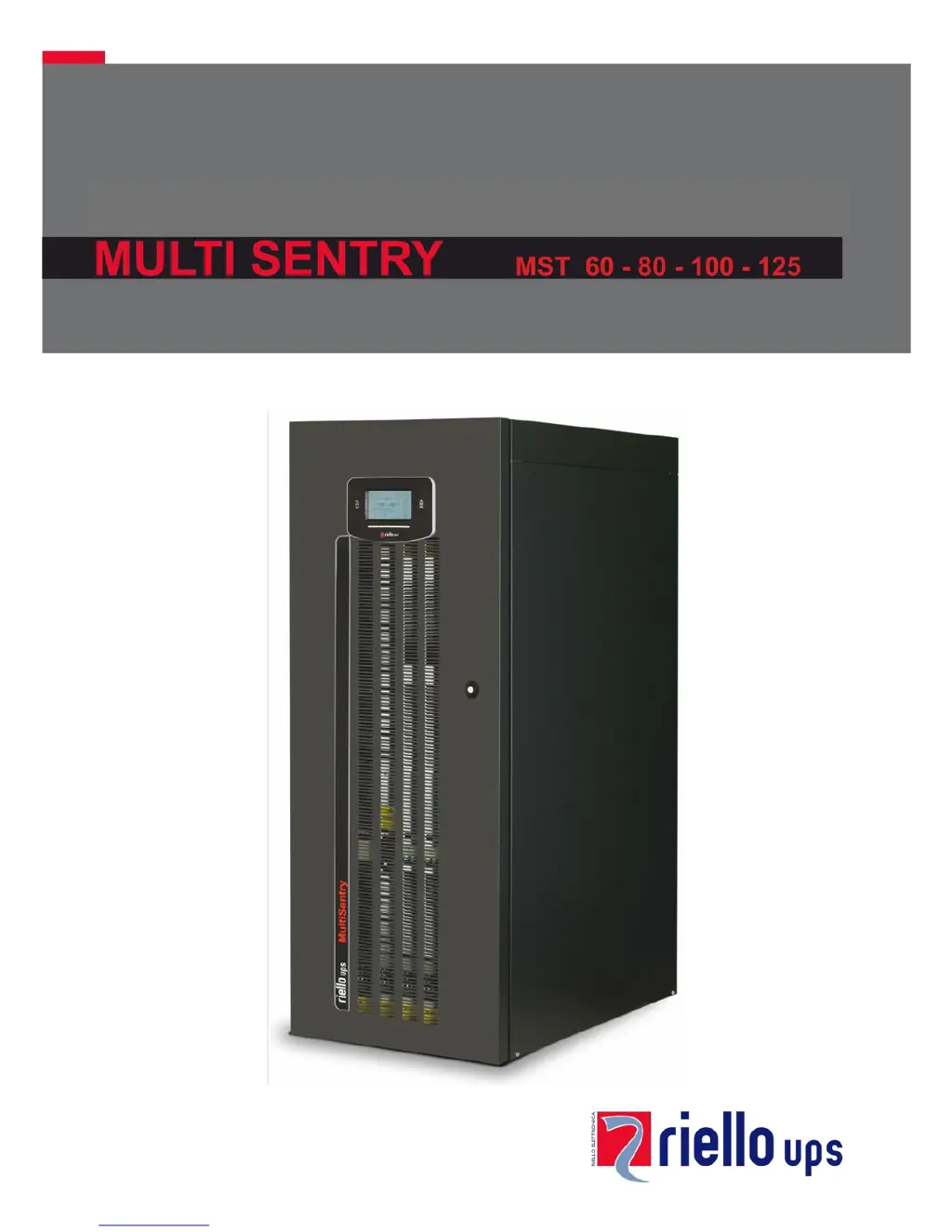
Riello MULTI SENTRY MST 60 - User Manual

Riello MULTI SENTRY MST 60
56 pages
Print Icon
To Next Page IconTo Next Page
Loading...

Table of Contents

Questions and Answers

  • M
    Matthew JensenSep 10, 2025
    What does it mean if my Riello MULTI SENTRY MST 60 UPS display shows error codes F09, F10?
    • T
      Timothy RiveraSep 12, 2025
      If your Riello UPS displays codes F09 or F10, it could indicate a UPS input stage malfunction. To resolve this, activate manual bypass (SWMB), switch off and re-start the UPS. Exclude manual bypass Contact the nearest service centre if this problem persists. Alternatively, phase 1 may have a voltage much lower than the other two phases. In this case, open the SWIN, switch on batteries, wait for sequence completion and close the SWIN.
  • G
    Gregory CampbellSep 9, 2025
    What do the error codes F37, L37 mean on my Riello MULTI SENTRY MST 60?
    • C
      Cynthia AndradeSep 9, 2025
      If your Riello UPS displays codes F37, L37, it could be due to several reasons: * Ambient temperature exceeding 40°C. * Sources of heat near the UPS. * Ventilation slits obstructed or too close to walls. * Temperature sensor or battery charger cooling system malfunction. Remove the cause of over-temperature. Insert manual bypass (SWMB) without switching off the UPS and wait for battery charger temperature to lower. Exclude manual bypass. Contact the nearest service centre if this problem persists.
  • D
    darlene43Aug 22, 2025
    Why is my Riello UPS operating on battery even with mains power?
    • K
      kennedyteresaAug 22, 2025
      If your Riello UPS is running on battery even when mains power is available, it could be due to upstream protection intervention. In this case, reset the protection, checking for any output overload or short circuit in the UPS. Alternatively, the input voltage may be outside the acceptable range. If so, wait for the mains voltage to return within the tolerance range, and the UPS will automatically switch back to mains operation.
  • K
    Keith GibsonSep 6, 2025
    Why won't my Riello MULTI SENTRY MST 60 UPS start up and shows codes A30, A32, A33, A34?
    • S
      Scott LesterSep 6, 2025
      If your Riello UPS displays codes A30, A32, A33, A34 and won't start, it could be due to the ambient temperature being below 0°C. Heat up the room, wait for the dissipater temperature to exceed 0°C, and then start up the UPS. Alternatively, there may be a temperature sensor malfunction on the dissipator. In this case, activate manual bypass (SWMB), switch off the UPS, re-start the UPS and exclude manual bypass. Call the nearest service centre if this problem persists.
  • R
    Richard CharlesSep 5, 2025
    What does it mean when my Riello UPS displays error codes L26, L27, L28?
    • E
      Eric PaceSep 5, 2025
      If your Riello UPS displays one or more of the following codes: L26, L27, L28, it indicates a short-circuit in the output. To resolve this, switch off the UPS, disconnect all utilities related to the short-circuited phase, switch the UPS back on, and then reconnect utilities once the fault has been identified.
  • D
    Dennis McgeeSep 4, 2025
    What do error codes F11, F14, F15, F16, F17, L06, L07, L08, L09, L14, L15, L16, L17, L18, L19, L20, L21, L22 mean on my Riello MULTI SENTRY MST 60?
    • B
      Brian TaylorSep 4, 2025
      If your Riello UPS shows one or more of the following codes: F11, F14, F15, F16, F17, L06, L07, L08, L09, L14, L15, L16, L17, L18, L19, L20, L21, L22, it may be due to the insertion of abnormal loads. Remove the load. Insert manual bypass (SWMB), switch off and re-start the UPS. Exclude manual bypass Call the nearest service centre if this problem persists. Another possibility is a UPS input or output stage malfunction. Activate manual bypass (SWMB), switch off and re-start the UPS. Exclude manual bypass Contact the nearest service centre if this problem persists.
  • B
    Barbara HillSep 2, 2025
    What do error codes F03, F04, F05, A08, A09, A10 mean on my Riello MULTI SENTRY MST 60 UPS?
    • S
      Scott VegaSep 2, 2025
      If your Riello UPS displays one or more of the following codes: F03, F04, F05, A08, A09, A10, the cause may be a missing connection on one or more phases. In this case, verify the terminal connections. Another possible cause is broken fuses inside protections on phases or input contactor. In this case, call the nearest service centre.
  • W
    William SchwartzSep 1, 2025
    What does it mean when my Riello MULTI SENTRY MST 60 UPS shows codes A13, A14, or A15?
    • O
      osimpsonSep 1, 2025
      If your Riello UPS displays codes A13, A14, or A15, it indicates a problem with the bypass line. This could be due to the bypass line upstream protection being open (with separate bypass only). Reset the upstream protection, checking for any output overload or short circuit to the UPS. Alternatively, the bypass switch (SWBYP with separate bypass only) may be open. In this case, close the switch located behind the door.
  • D
    Deborah BrooksAug 30, 2025
    What does it mean if my Riello MULTI SENTRY MST 60 UPS display shows C05?
    • P
      pflowersAug 30, 2025
      If your Riello UPS display shows C05, it could be due to the manual bypass switch (SWMB) being closed. If the switch (SWMB) located behind the door was not closed intentionally, open it. Alternatively, there may be no jumper on terminals for remote maintenance bypass (A3-A4, "UPS CONNECTIONS VIEW"). In this case, insert the jumper or, if an additional auxiliary contact is present, follow directions described in paragraph "Remote Maintenance Bypass".
  • H
    howardmadisonAug 28, 2025
    What does it mean when my Riello MULTI SENTRY MST 60 UPS shows error codes A22, A23, A24, F23, L23, L24, or L25?
    • S
      Steven FrenchAug 29, 2025
      If your Riello UPS displays codes A22, A23, A24, F23, L23, L24, or L25, it means the load applied to the UPS is too high. Reduce the load to within the threshold of 100% (or the user threshold for codes A22, A23, and A24).

Summary

UPS Component Views

Control Panel Explanation

Explains the control panel layout, LEDs, and function keys.

UPS Connection Points

Installation Procedures

Installation Setup Essentials

Details the initial steps and requirements for setting up the UPS.

Electrical Connection Guide

Connection Cable Sizing

Provides tables for selecting appropriate cable sizes for different UPS models.

Pre-Connection Operations

Outlines essential safety checks and preparatory steps before making electrical connections.

Hookup Instructions

Provides step-by-step guidance for connecting the UPS power cables.

Electrical System Connection Diagrams

Protection Devices

Short-Circuit Protection

Explains how the UPS handles output short circuits.

Input Line Thermal Magnetic Switches

Recommends external AC protection devices for the input line.

Battery Line Protection

Specifies surge protectors and fuses for the external battery line.

Differential Protection

Addresses the use and configuration of differential switches for safety.

Output Line Fuses;Switches

Recommends output protection devices for selectivity.

Remote Maintenance Bypass Installation

UPS Usage and Description

UPS Functional Description

Explains the UPS's primary function and block diagram components.

First Start-up Procedures

Guides on initial power-up, switch operations, and basic settings.

Switching On from Mains

Step-by-step guide to powering on the UPS from the mains.

Switching On from Battery (Cold Start)

Step-by-step guide to powering on the UPS using battery power (cold start).

UPS Shutdown Procedure

Instructions for safely shutting down the UPS.

Operating Mode Selection

Describes different UPS operating modes like ON LINE, ECO, and SMART ACTIVE.

Manual Bypass (SWMB) Operation

Explains the procedure for using the manual bypass switch.

UPS Configuration Settings

Detailed UPS Configuration Parameters

Provides detailed default and configurable settings for UPS operation.

Communication Ports

Acoustic Signal (Buzzer) Meanings

Software for UPS Management

Troubleshooting Common Issues

Status and Alarm Codes

UPS Fault Codes

Lists critical problems that can cause the UPS to lock quickly.

UPS Lock Codes

Explains UPS or component inhibits caused by failures.

Technical Data Specifications

Riello MULTI SENTRY MST 60 Specifications

General IconGeneral
Power Rating60 kVA
Frequency50/60 Hz
Phase3-phase
Form FactorTower
Operating Temperature0 to 40 °C
Rated Power (W)60000 W
Output Power Capacity60 kVA
Input Voltage400 V
Output Voltage400 V
Battery TypeValve-regulated lead-acid (VRLA)
Communication InterfaceRS232, USB
TopologyOn-line double conversion

Related product manuals