10 - AIR CONDITIONING SYSTEM297
10.1.2 Fan-coil control panel
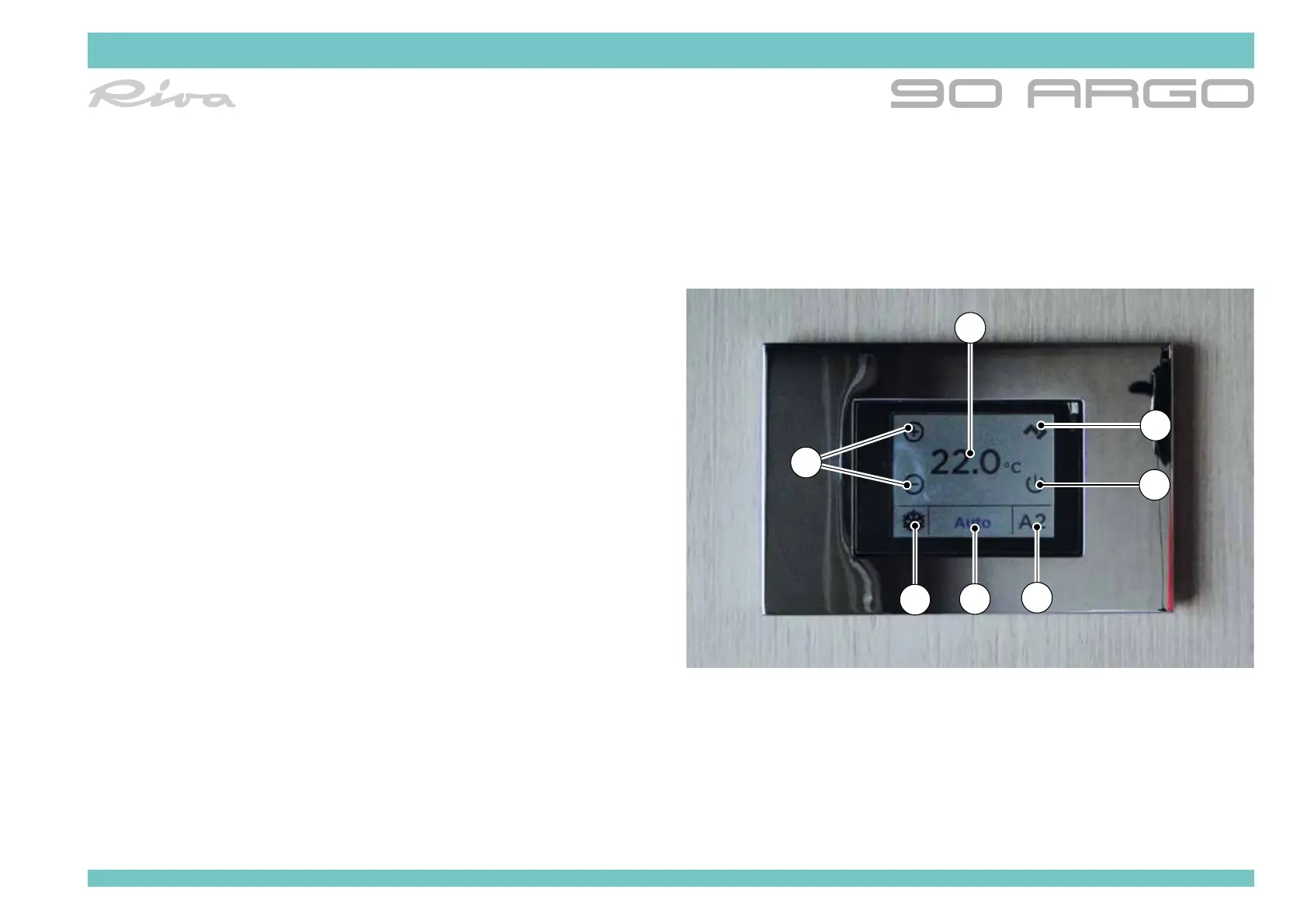
The new 2.4” colour LCD touch screen display facilitates user interaction.
The background colour (white or black), the unit of measurement (°C/°F) and
the brightness of the display can be easily set through the new user menu.
The main screen contains the following elements:
1. Ambient temperature read at the selected probe.
2. Active operating mode (HEATING, electric HEATING, cooling, fan only).
3. Fan speed (AUTO, MANUAL). By clicking on the symbol to access the
function menu:
• AUTO
• MANUAL
4. Disconnection of the fan-coil.
5. Fan-coil shutdown
6. Temperature reached. By pressing the symbols in the function menu:
• Cooling
• Heating
• Electric Heating
• Ventilation only
7. Temperature set keys
8. Conguration key
The system automatically switches over to heating or air conditioning, based
on the temperature detected.
For further information refer to the device manual.
1
6
5
3
2
4
7



 To Next Page