2: System Description
The RM One monitor is equipped with an on screen display to control
the screen brightness, contrast and geometry. The Menu button
allows access to the on screen display menu system. Thebutton
allows you to increment through the options in the on screen menu.
The
button decreases the value of the selected option and can
also be used to mute the built in speaker system. The +/
AUTO button
increases the value of the selected option and can also be used to
automatically set the best screen settings.
Monitor Tilt
The angle of the monitor can be adjusted to provide optimum user
comfort. To tilt upwards carefully push the top of the monitor whilst
pulling at the bottom. To tilt forwards carefully push the bottom of
the monitor whilst pulling at the top.
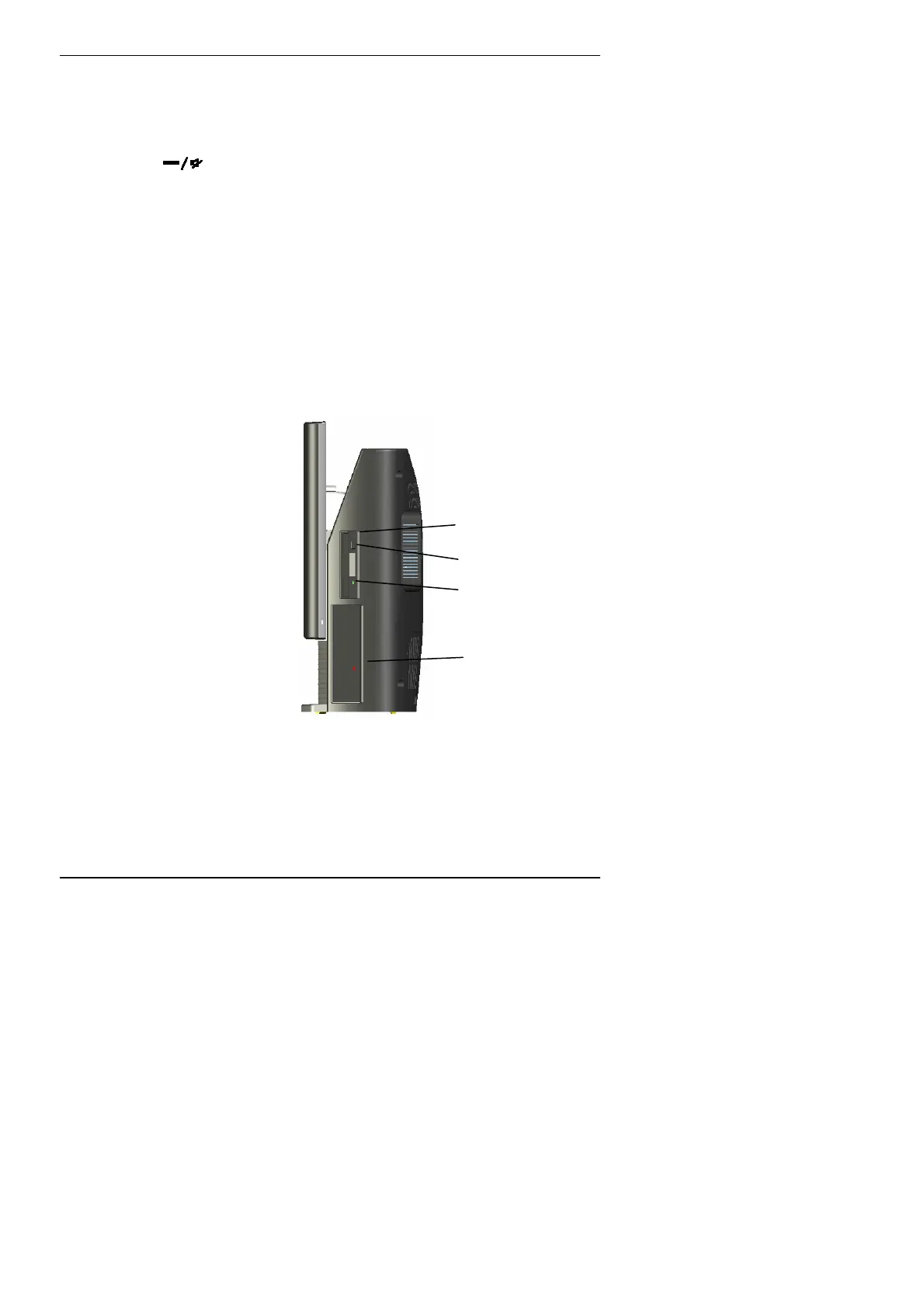
The Side of the Computer
3½” Floppy Drive
(if fitted)
Activity Indicator
Eject Button
Optical Drive
(if fitted)
3½ inch floppy disk drive (if fitted)
The floppy disk drive fitted in the computer uses standard 3½ inch
disks. To insert a disk, push it into the shuttered slot with the label
side facing you until it clicks into place.
19



 To Next Page