3: Fitting Hardware Options
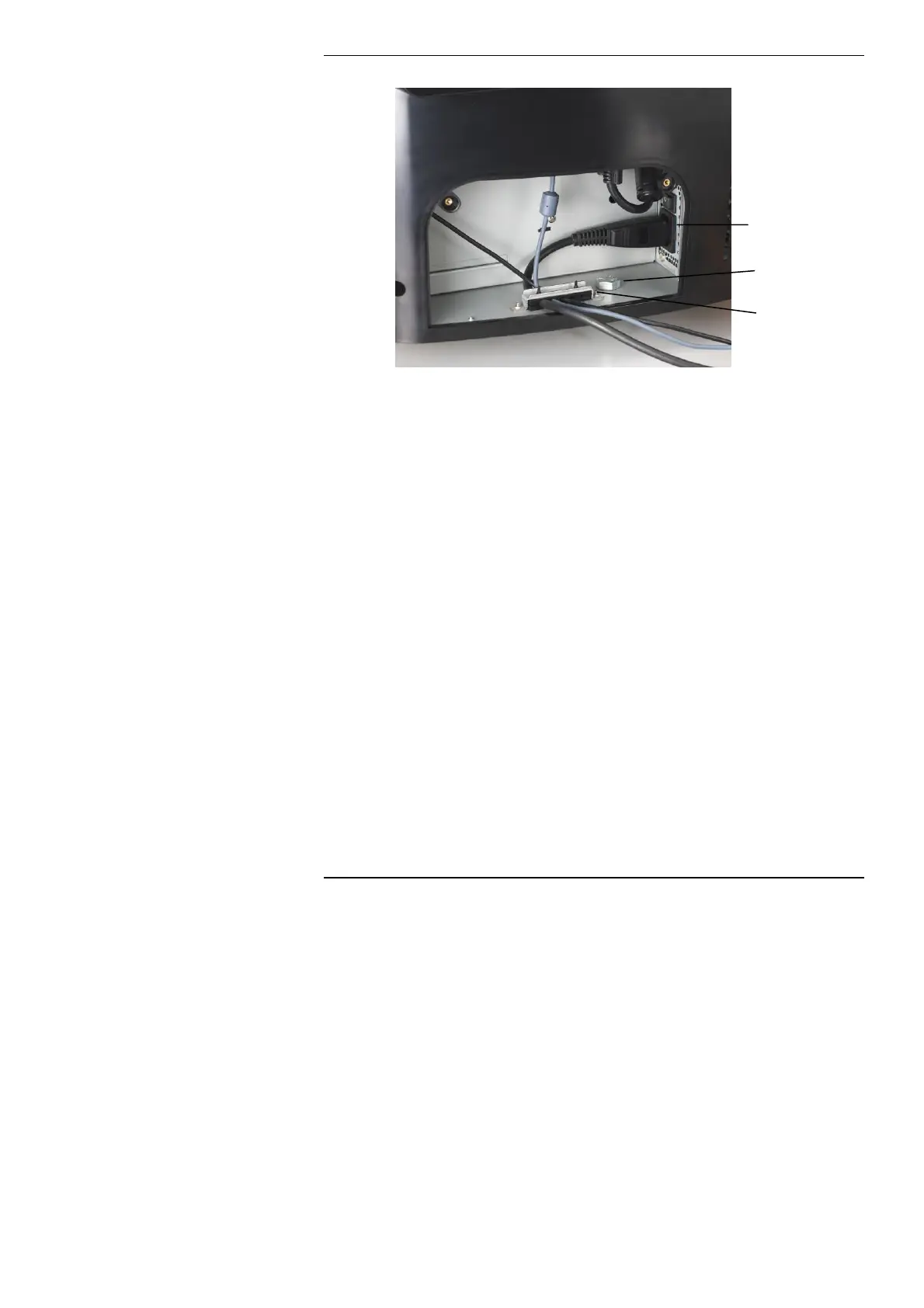
AC Mains Inlet
Security Bolt
Hole
Cable Clamp
AC Mains Inlet
Connect the RM One to the AC mains inlet using the supplied AC
mains cable. Some versions may have an additional power switch
next to the AC mains inlet. You should ensure this is set to the on
position.
Security Bolt Hole
The security bolt hole can be used to secure the RM One to the desk
using the RM One security kit.
Cable Clamp
The cable clamp can be used to secure the mouse, keyboard,
Ethernet and mains cables to prevent accidental disconnection.
22



 To Next Page