17
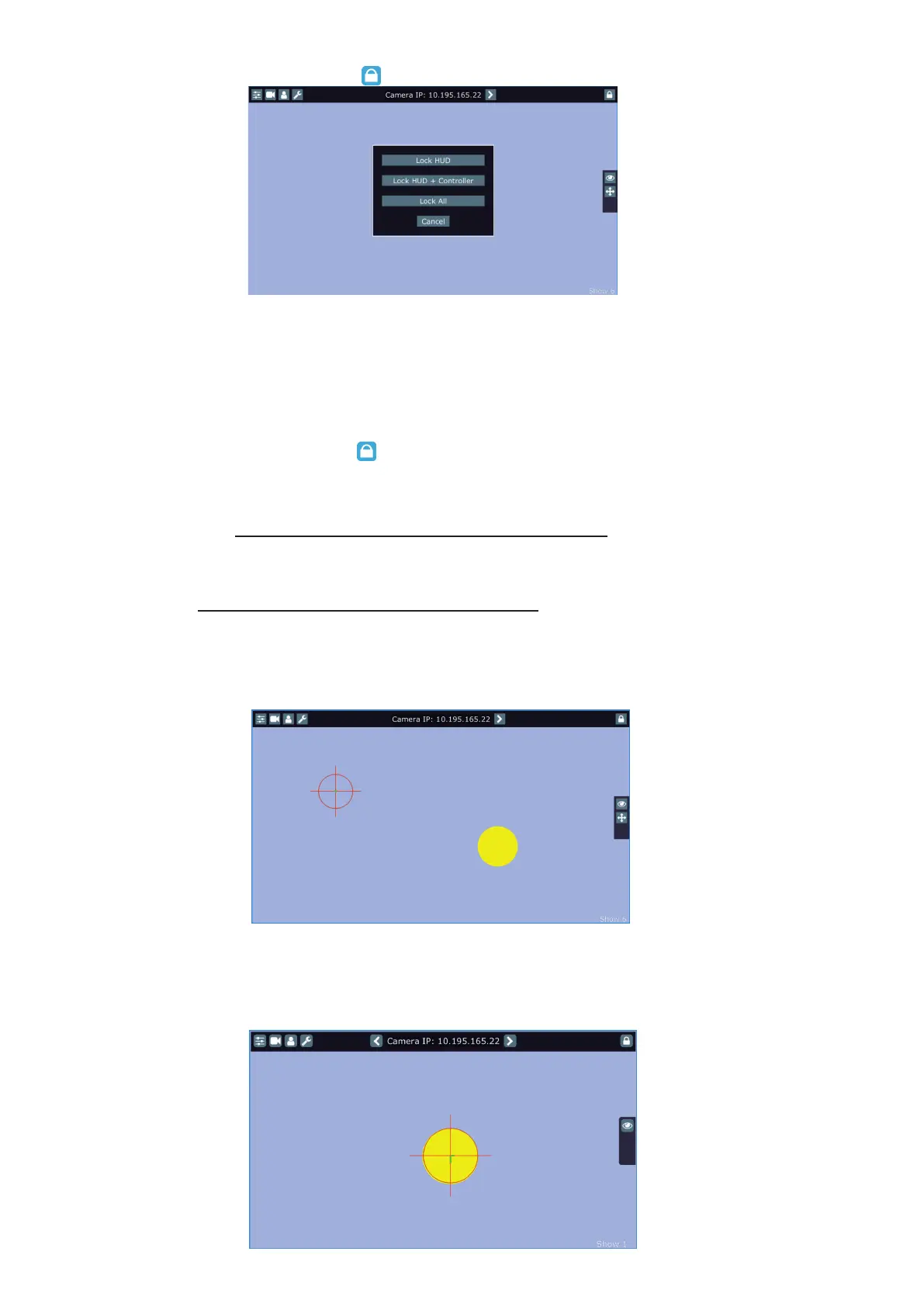
*** To lock the screen, touch the button . The following options will appear on the screen:
Lock HUD - this option locks the LCD monitor screen. Positions buttons and pan/tilt movement
by means of the control handlebars are available.
Lock HUD + Controller - this option locks the LCD monitor screen and the FollowSpot Controller
display. The FollowSpot Controller presets and Jog-wheels are available (Jog-wheels have
to be activated before locking the FollowSpot Controller display).
Positions buttons and pan/tilt movement by means of the control handlebars
are also available.
Lock ALL - this option locks all RoboSpot system
To unlock the screen, touch the button and the software touch keyboard will appear. Type a correct pass-
word (the password is the same as the password for the FollowSpot Controller, default password is 5242) and
conrm it by touching the key ENT. Touch the key X to close the keyboard.
Note: the message "Not correct camera settings! Reset camera settings?" informs you that the RoboSpot
software and the camera settings are not accordance.
Use the option "Yes" to set correct camera settings.
The option "Yes" has the same eect as the option "Factory reset " in the Camera button menu.
The message " Last used camera not present. Wait for camera?" informs you that the RoboSpot cannot nd
last used camera. If you select Yes, the RoboSpot will still search for last used camera, if you select No, the
RoboSpot will use another founded camera.
After switching the ROBIN BMFL FollowSpot lamp on and adjusting its beam (zoom, focus, dimmer....), aim the
beam to desired position by means of the pan/tilt handles.
Touch and move the position circle on the beam image and set its size in order to match to beam image. Now,
when you move with the control handles, both beam image and position circle on the screen will move syn-
chronously. In case that the light output from the xture is closed, you know the position of the light beam by
means of the position circle.
Note: if you change a camera zoom, you have to move and adjust the position circle on the beam image again.















 To Next Page