18
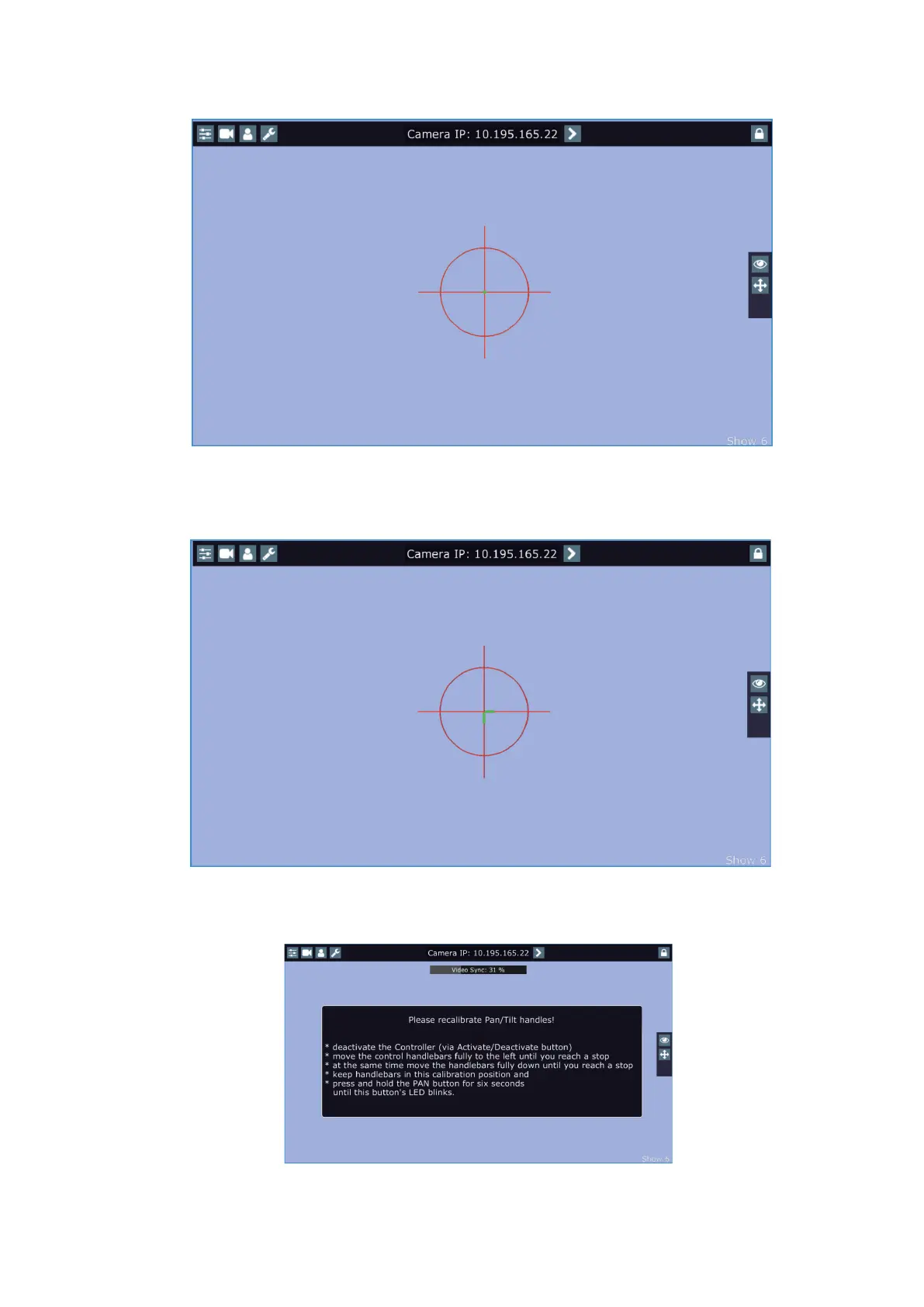
The green lines in the position circle give pan and tilt position of the control handles.
The green point in the centre of the position circle signals the middle position of the control handles.
If you move with control handles, the distance between the green lines and the red circle will give available
range of pan and tilt movement of the control handles. The red circle poses a " limit" of pan/tilt movement.
Note.
If the pan/tilt control handles requires recalibration, the following screen will appear.
In this case please do a calibration of pan/tilt handles as described in the article "5.5 RoboSpot handles calibration".















 To Next Page