29
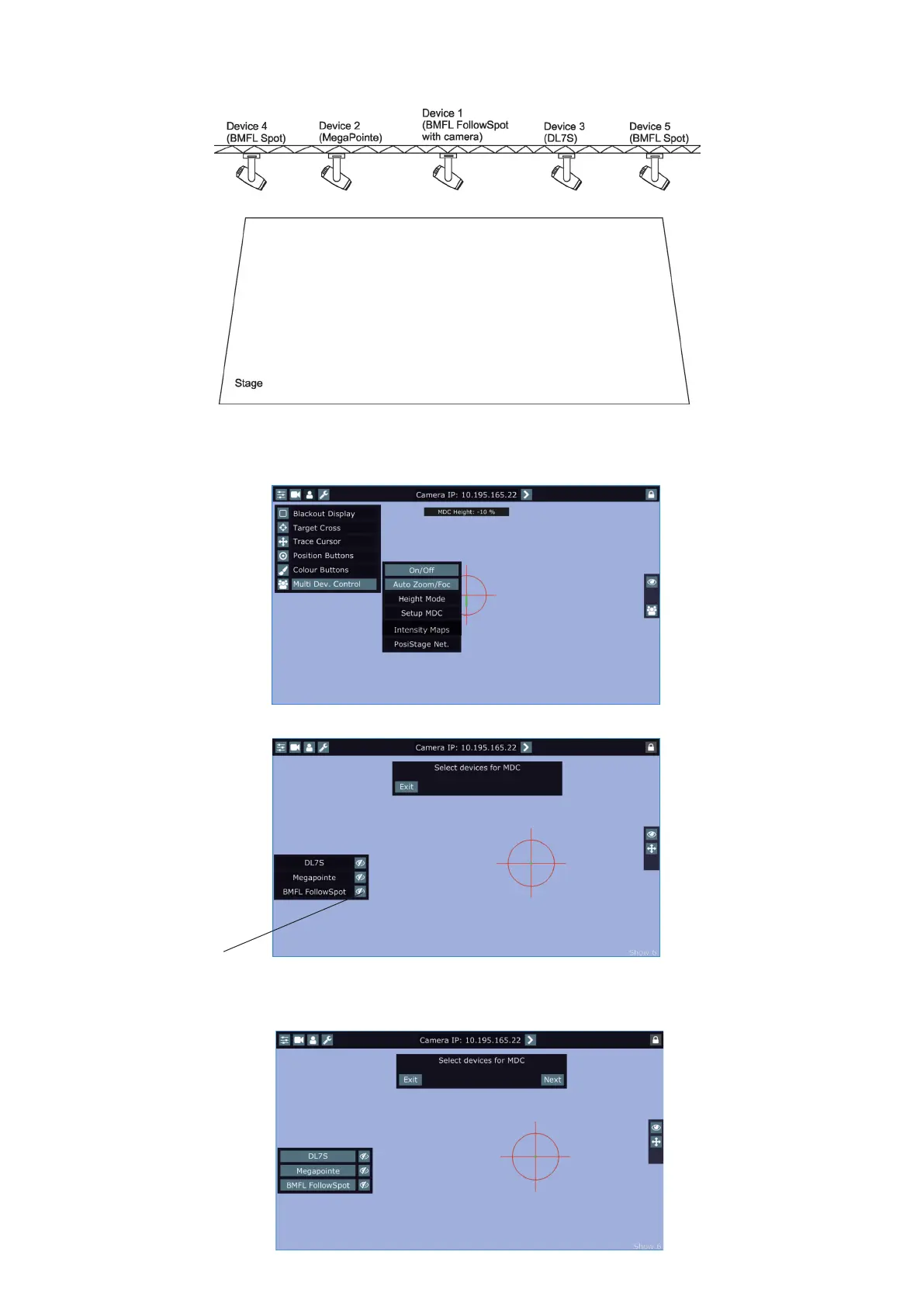
There is an example how to create the follow spot operation for three xtures and two position points.
The stage is lighted by the ve devices in a row and three of them will be used for the follow spot operation.
1. Enter the "Multi Dev. Control" menu on the screen and select the option "Setup MDC".
Note: If you use the RoboSpot Motion Camera, set the red positioning circle to the centre of the screen before
starting the MDC setup.
2. After entering the item " Setup MDC" the following message will appear on the screen:
Note: The message "Please Map Zoom and Focus channel to wheels!" reminds you that both zoom and focus
have to be mapped jog-wheels of the FollowSpot Controller.
Select xtures which will be used for the multi device control (e. g. DL7S, MegaPointe, BMFL FollowSpot).
blackout buttons
Exit -cancels Setup MDC
Next - goes to next step
Selected xtures are
highlighted















 To Next Page