38
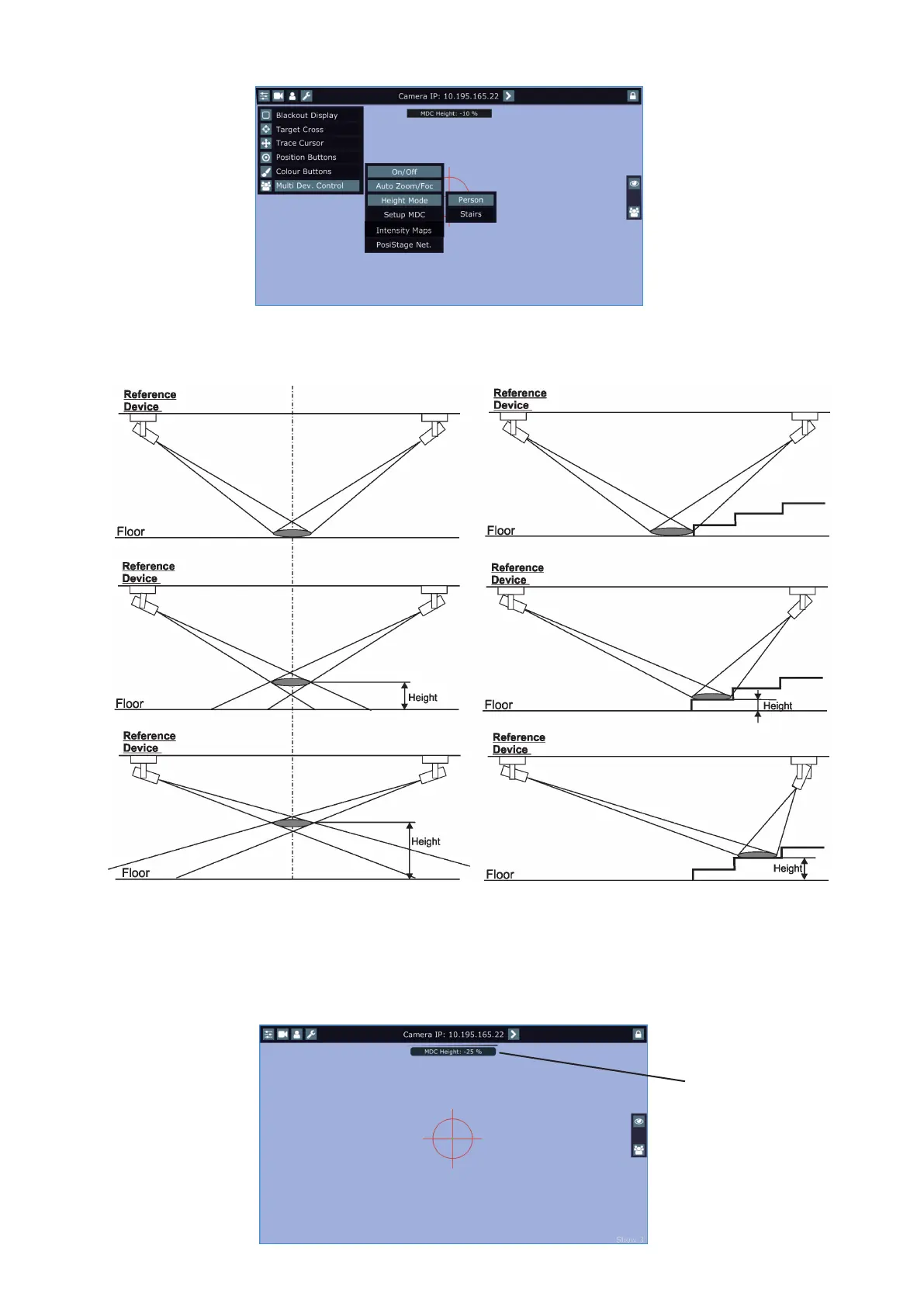
9. When the Multi Device Control is on, select suitable Height Mode.
Note: the item Height has to be mapped to some fader or jog-wheel in order to control it during multi device
operation.
Person mode Stairs mode
Setting a height range in a multi device control
When you move with a control element (fader or jog-wheel) to which a height is mapped, the height bar with
the actual height in % from a stage is displayed on the screen (if the fader or jog-wheel is exactly in the 0%
position, the height is not displayed).
Note. The height level range can be set in range of +100%- -100%. Max. value of height (100%) corresponds
to the height of the reference device above the stage, 0% corresponds to the stage oor, -100% corresponds
to the height "under stage".
Height bar.















 To Next Page