39
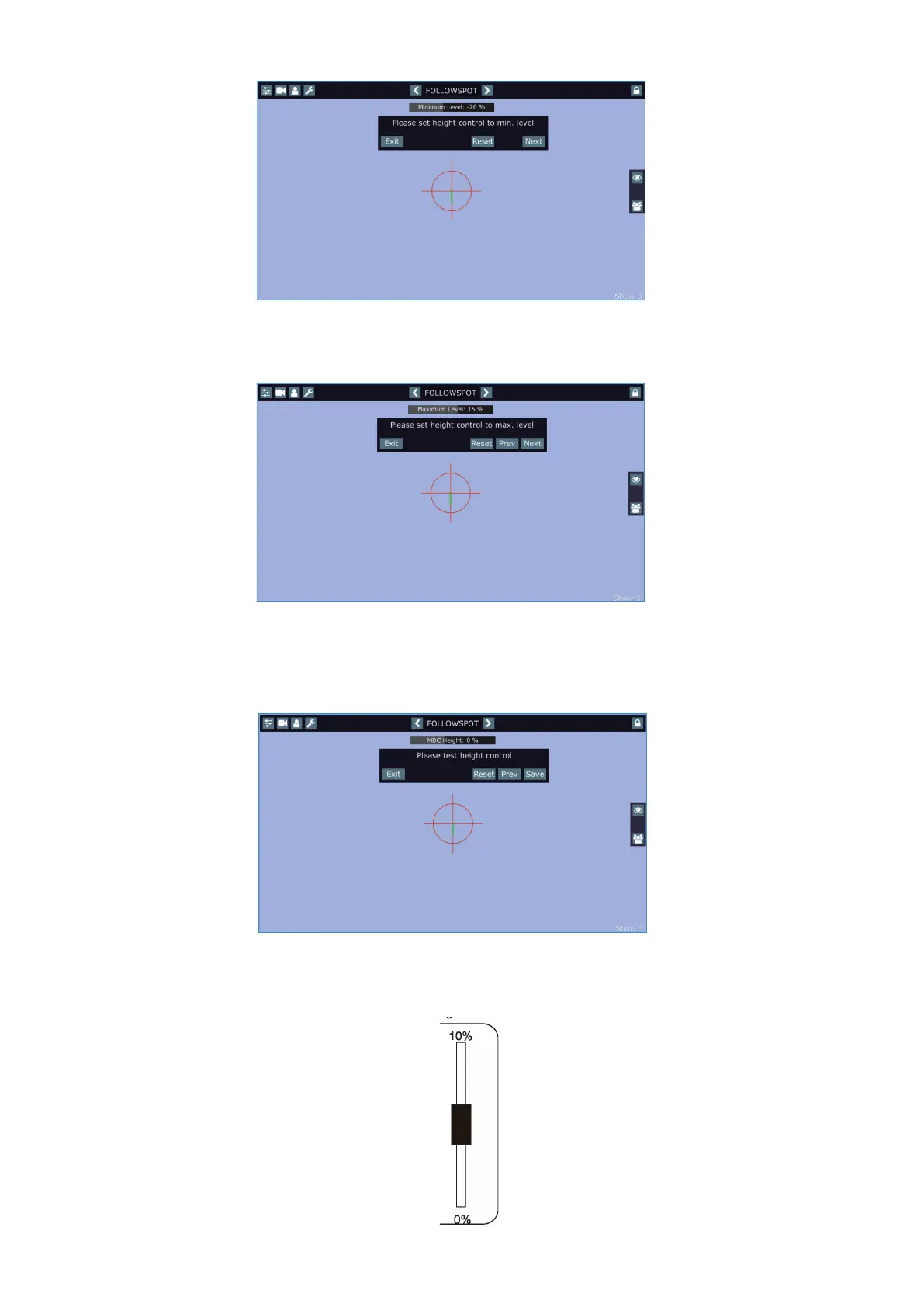
To set the height level range, touch and hold your nger on the height bar until the following message will appear.
Use the he fader or jog-wheel (according to the height mapping) to set minimum height level and touch the
Next button.
The following message will appear.
Use the he fader or jog-wheel to set maximum height level. Dierence between max. and min. height level has
to be 5% or more, from the reason you cannot set the max. level at value < 5% compared to min. level.
Touch the Next button, the test screen with the following message will appear.
Use the he fader or jog-wheel to test the height level range, if it is OK, touch the Save button to save the height
level range.
Note. The fader (or jog-wheel) uses its full track for control of the height level range.
E.g. Height level range is set 0% - 10%
Reset button - resets the
height range to 0-100%
and calls the test screen
up.
Reset button - resets the
height range to 0-100%
and calls the test screen
up.
Prev button - moves one
step back
Reset button - resets
height level to 0-100%.
Prev button - moves
one step back















 To Next Page