42
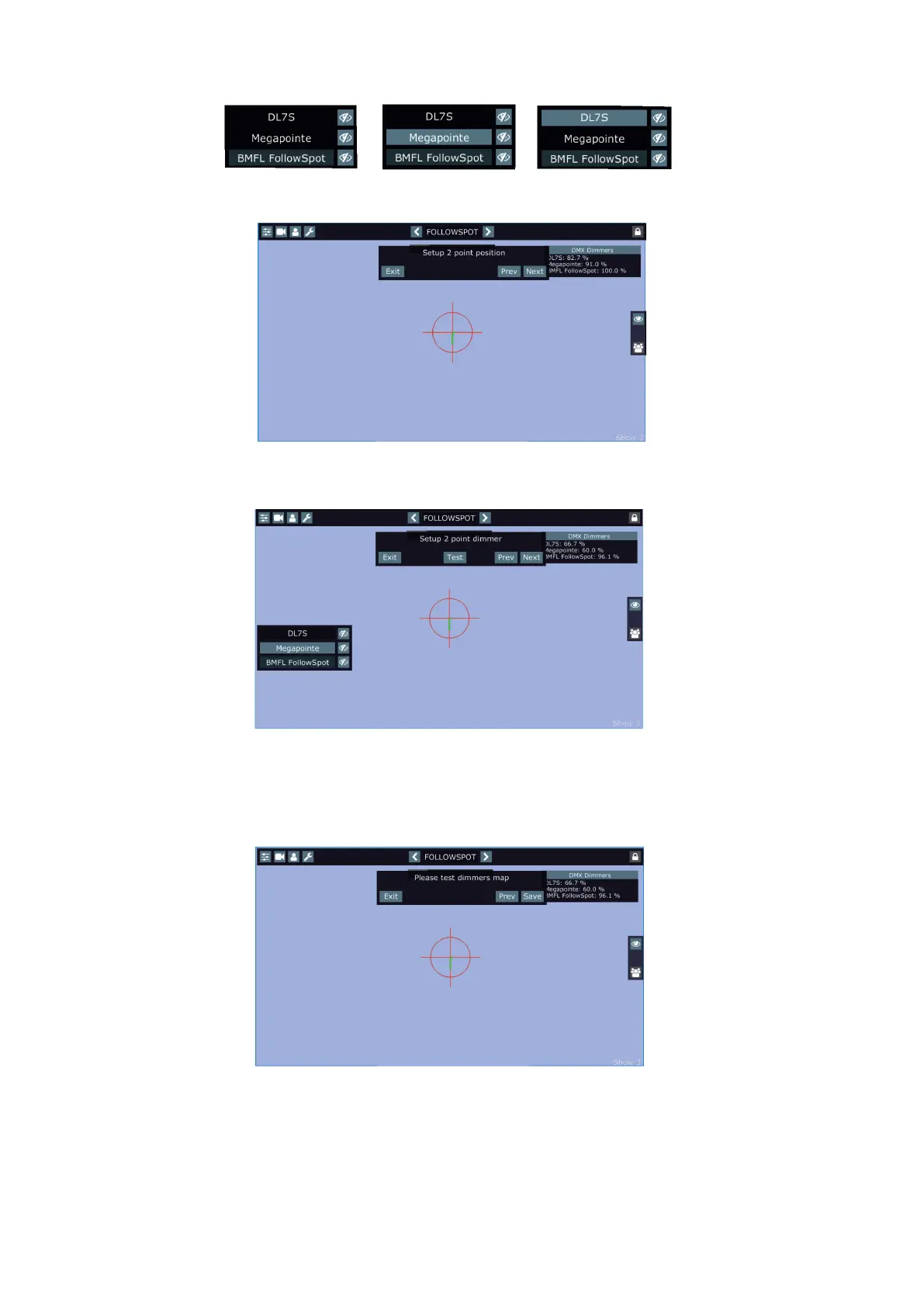
Now set desired light intensity for each xture (activate xtures one by one by touching it).
E.g.
After setting the light intensities, touch the "Next" button. The screen for the second point will appear.
Use the RoboSpot´s handles to aim xtures to desired second position point and touch the "Next" button. The
following screen will appear.
Set desired light intensity for each xture (activate xtures one by one by touching it).
In this way you can select up to 20 position points and set the light intensity in them.
After setting light intensity in last position point (e.g. point 4), touch the "Test" button and the following screen
will appear.
Move the light beam to desired positions (by means of the RoboSpot´s handles) and test the light intensity in
these positions. If it is OK, touch the "Save" button to save set values to the RoboSpot.
Test button - activates
dimmer settings which you
have made in the current
step and previous step(s).
Prev button - moves one
step back















 To Next Page