45
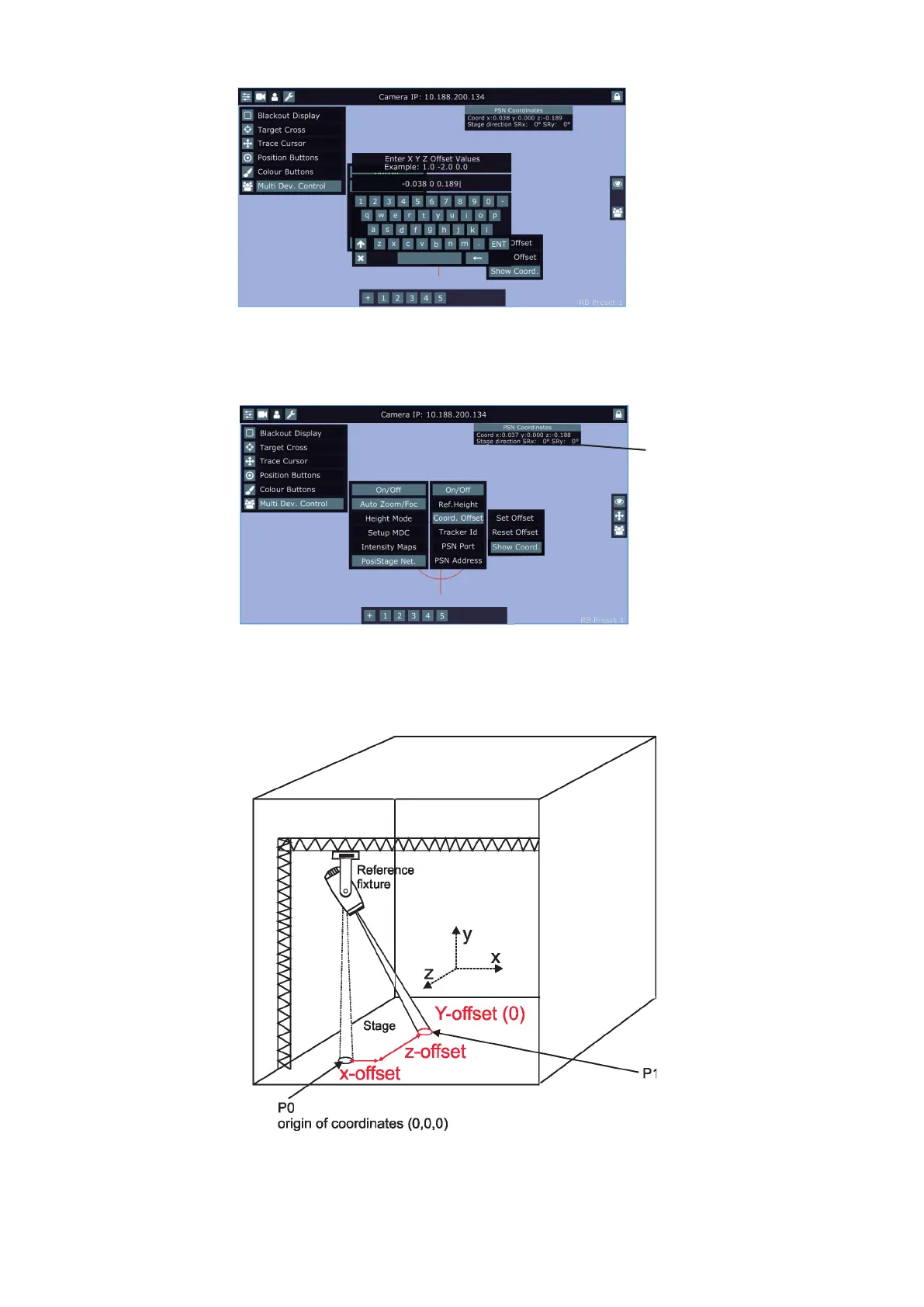
The item "Set Oset" allows you to set oset of the new origin of coordinates.
The values in the eld XYZ oset (e.g. -0.038 0 0.189) have to be separated by a space.
The item "Show Coord." allows you to display PSN coordinates on the screen.
Example: if you want to set origin of coordinates from point P0 to point P1, do the following steps:
1. Use the option "Reset Oset" to reset existing oset.
2. Activate the option "Show Coord."
Stage direction SRx(SRy)-
virtual inclination of
the stage surface in x axis
(y axis).















 To Next Page