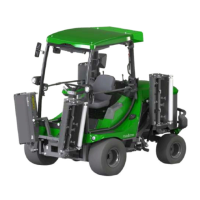
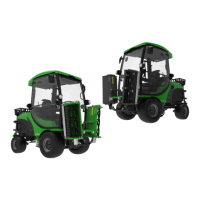
1. Take place on the seat and fasten the seat belt.
2. Put the ignition key in the ignition. (See Driver's compartment on page 20).
INFO: Do not use the foot pedal while starting the engine.
3. Apply the parking brake.
4. Put the mowing switch in the NEUTRAL position.
5. Place the hand throttle in IDLE position.
6. Turn the ignition key until the engine starts.
INFO:
• The starter motor may be damaged if it is used for more than 15 seconds. If the engine does not start, wait 30
seconds before trying again.
• In the event of a cold start (< 5° C), allow the engine and hydraulic installation to idle in low revolutions the first
minutes.
7. Release the ignition key.
7.1.3 Turning off the engine
1. Place the foot pedal in the NEUTRAL position.
2. Place the hand throttle in the IDLE position.
3. Put the mowing switch in the NEUTRAL position.
4. Apply the parking brake.
5. Allow the engine to cool down.
6. Turn the ignition key to the OFF position.
7.2 Driving
CAUTION!
• Make sure bystanders are at a safe distance before driving forwards or in reverse.
• Turn off the mowing units before driving in reverse.
• Stop the machine before switching from the mowing speed to the driving speed or vice versa. The driver
can be thrown forwards if a different driving speed is selected while driving the machine.
Driving forwards
1. Start the engine.
2. Release the parking brake.
3. Place the hand throttle in the FULL SPEED position.
4. Push the foot pedal forwards.
5. Stop the machine by slowly releasing the foot pedal.
Driving in reverse
NOTICE Turn off the mowing units before driving in reverse.
1. Start the engine.
2. Release the parking brake.
3. Place the hand throttle in the FULL SPEED position.
4. Push the foot pedal backwards.
5. Stop the machine by slowly releasing the foot pedal.
7.2.1 Cruise control
Use the cruise control to save a driving speed and keep driving without using the foot pedal. The cruise control has the
following options:
Operating 30


 To Next Page