14
Customising your speaker
In addition to storing your favourite radio stations in the presets, your
speaker allows you to create customised lists of stations which can appear
in two special menus called 'My Favourites' and 'My Added Stations'.
Your speaker uses a database which is accessed via the Internet in order
to fi nd out which radio stations are available and how it should connect to
them. You are able to add your personal selections to this database. These
are confi gured using a web browser on your device or on a PC. You can
choose the stations which will appear in the 'My Favourites' menu from
the large selection already listed. Additionally, if you fi nd a radio station
that is not listed then you may also add the Internet address (URL) of the
station's audio stream to your selection. It will then appear in UNDOK via
the 'My Added Stations' menu item.
Registering an account
1. Open the web site http://www.wifi radio-frontier.com using a web
browser. Click on the ‘Register here’ link and follow the on-screen
instructions to register an account. During the registration process the
web site asks for an access code. This allows it to uniquely identify
your speaker from the many others that it also provides data for. To
obtain the access code, please follow these steps.
2. Using the UNDOK app select Internet radio as the music source for
your S1 or S2 speaker.
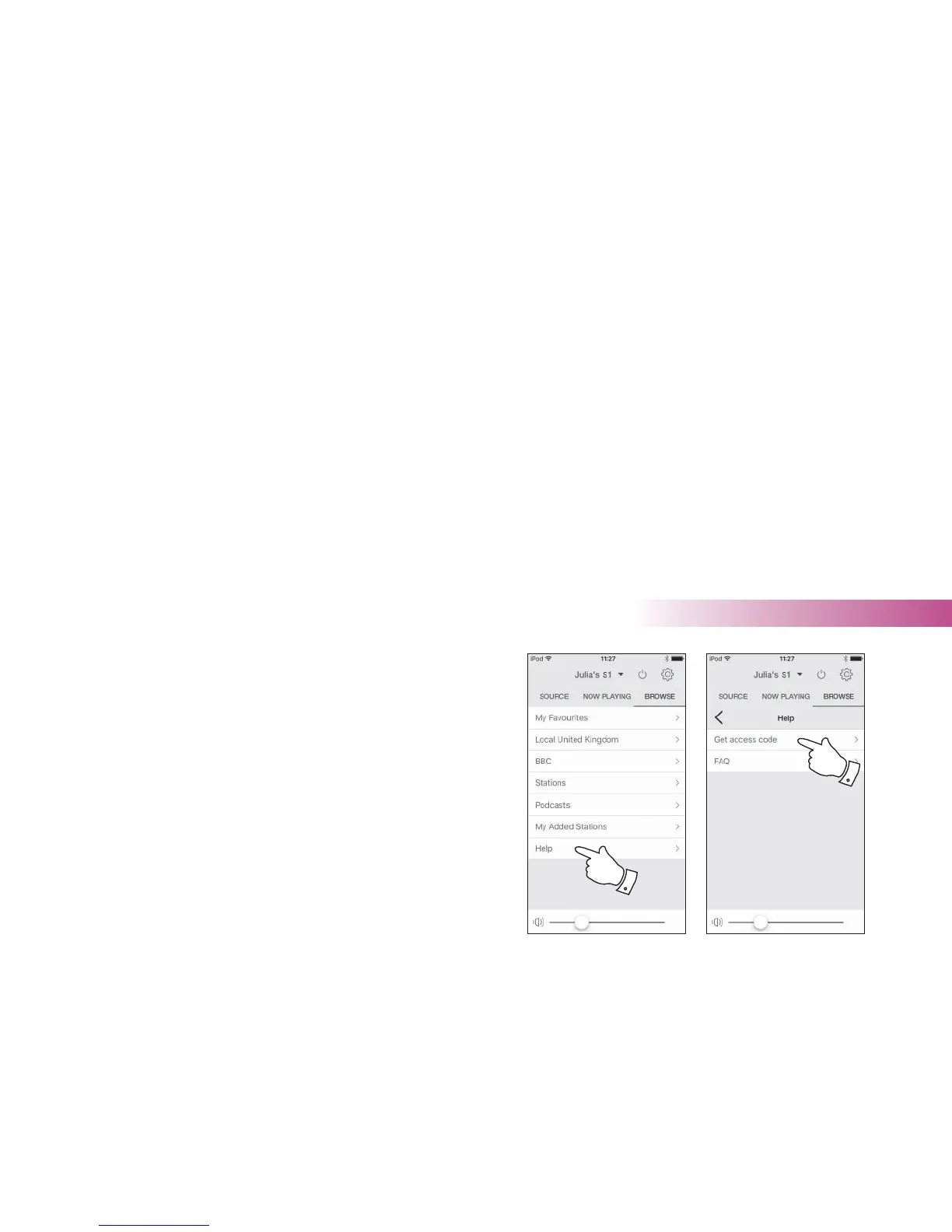
3. Select the 'Browse' screen and then select the item called 'Help'.
4. In the Help menu, select the menu item 'Get access code'. Provided
that the speaker is connected to the Internet, a code will be displayed
of typically seven characters (upper case letters and numbers). Make
a note of this code for the next step. If you need to re-register later
you must repeat this process to get a fresh access code.
5. You should then use the code displayed to fi ll in the Access Code fi eld
on the web page when you set up your account.
Once you have your account set up, if you have other speakers which use
the same database, you may also add them to your account. You will need
to get an access code for each product in order to add it to the account.
They may then share your favourite and added radio station details.
3
4
Internet Radio



 To Next Page