24
5
5
Controlling Spotify on your speaker
The music can be controlled using either the UNDOK app or any Spotify
Connect enabled device.
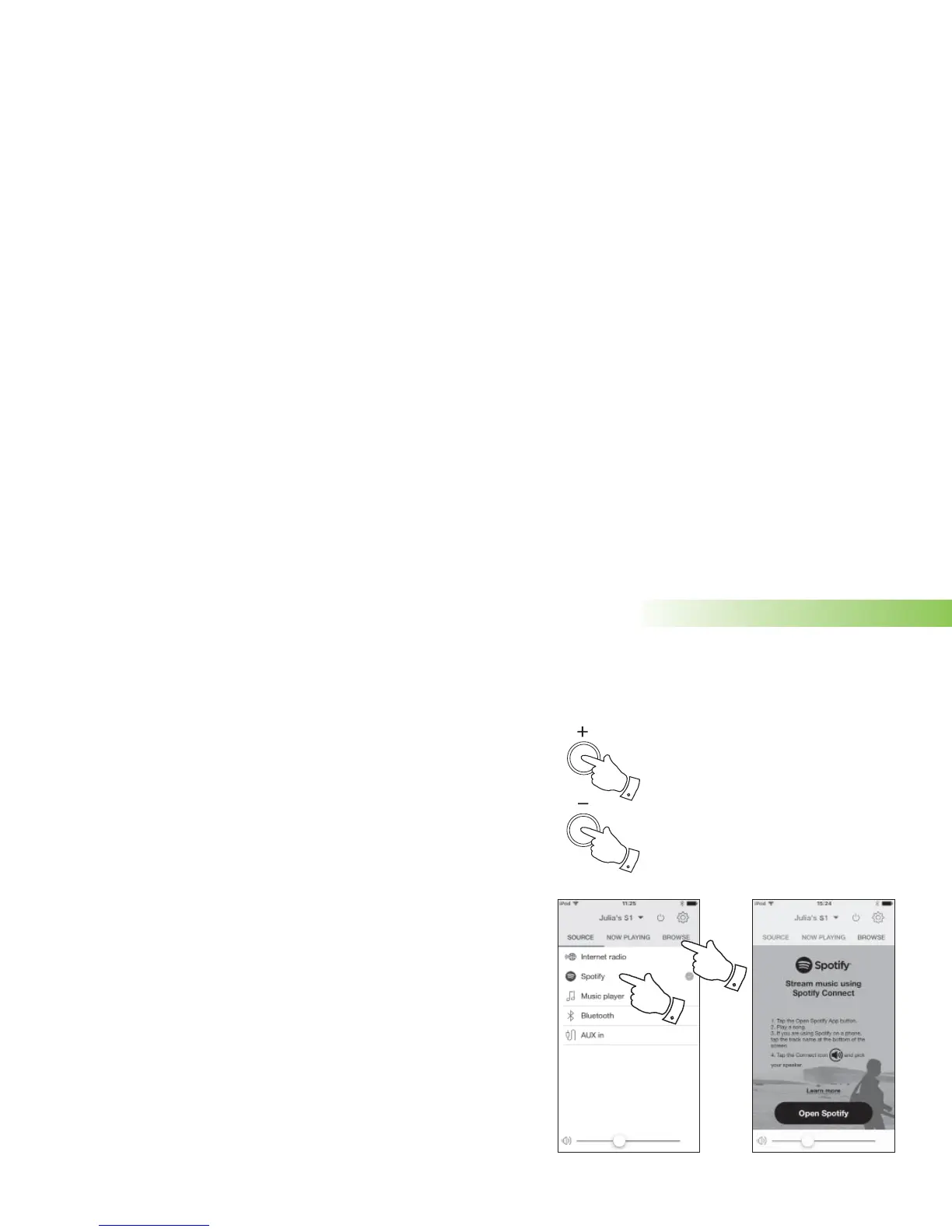
The volume may also be controlled using the buttons on your speaker.
1. Press and release the Play / Pause icon to pause playback of the current
track.
2. Press and release the Play / Pause icon, playback will resume from the
point where it was paused.
3. Press the Next icon to start playback of the next track in the current Spotify
playlist.
4. Press the Previous icon to start playback of the previous track in the current
Spotify playlist.
5. Press the Volume Up or Down buttons on the speaker to set the required
volume level. The volume may also be controlled either from UNDOK or
from within the current Spotify app.
Using the UNDOK app to select Spotify
1. Ensure your speaker is switched on and select Spotify as the music source.
2. UNDOK is not able to access your Spotify account directly. Selecting 'Browse'
will provide a link page which you can then use to access Spotify.
Spotify Connect
1
2



 To Next Page