34
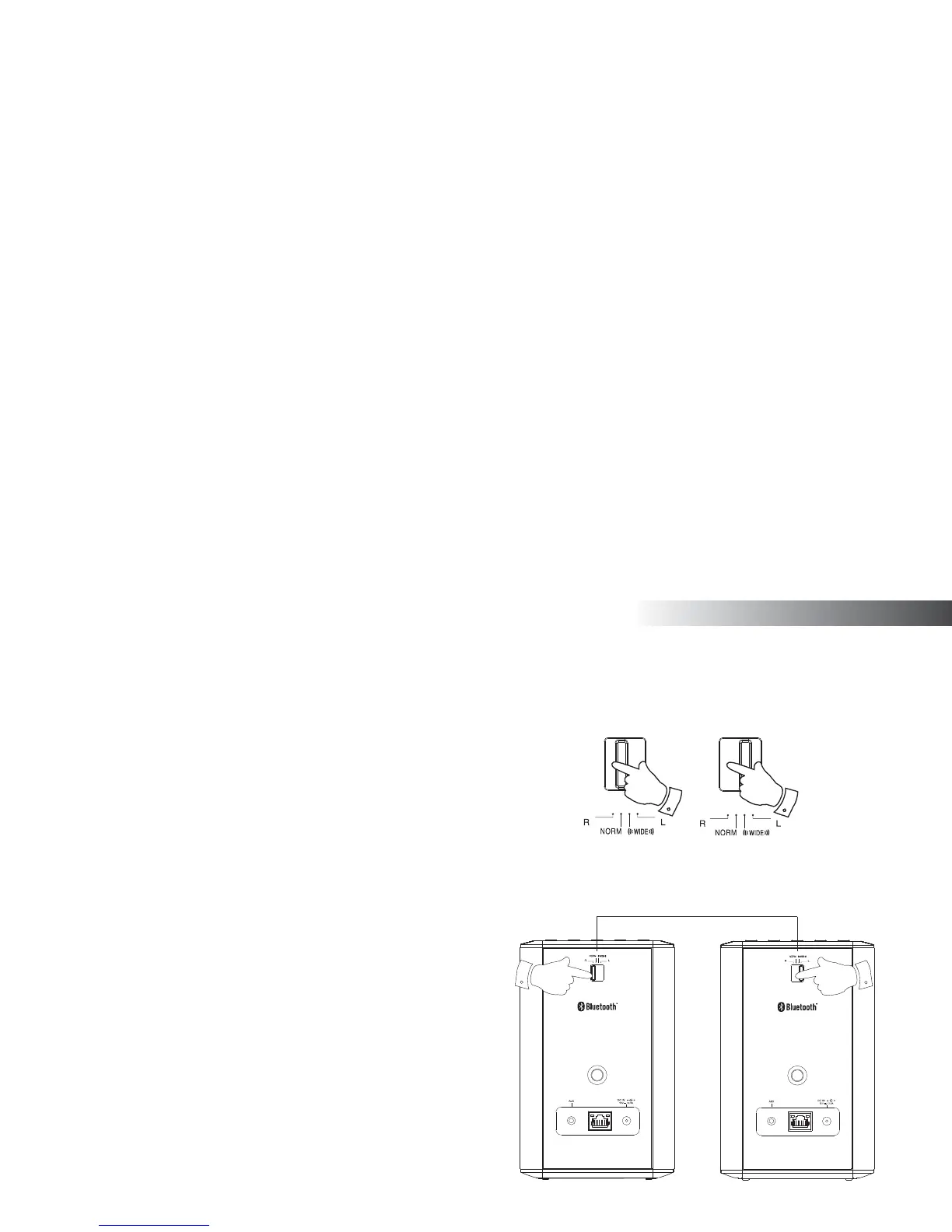
Stereo mode switch
You can confi gure your S1 or S2 as a stand alone stereo speaker or as a
left or right speaker in a stereo setup when you have two speaker's within
the same multi-room group.
Create a stereo sound with your S1 or S2
1. Switch the Stereo mode switch to the 'NORM' position to listen in
normal sound
2. Switch the Stereo mode switch to the 'WIDE' position to listen to a
wider stereo image.
Create a stereo pair of speakers within a
multi-room group
If you have two such products in the same room and they are both connected
to the network and within the same multi-room group you may combine
the two speakers into a stereo pair.
1. Set the Stereo mode switch on one of the speakers to the left and
the other one to the right.
2. The speakers will then operate as a stereo pair.
Stereo pair of speakers
12
LeftRight
Multi-room



 To Next Page