®
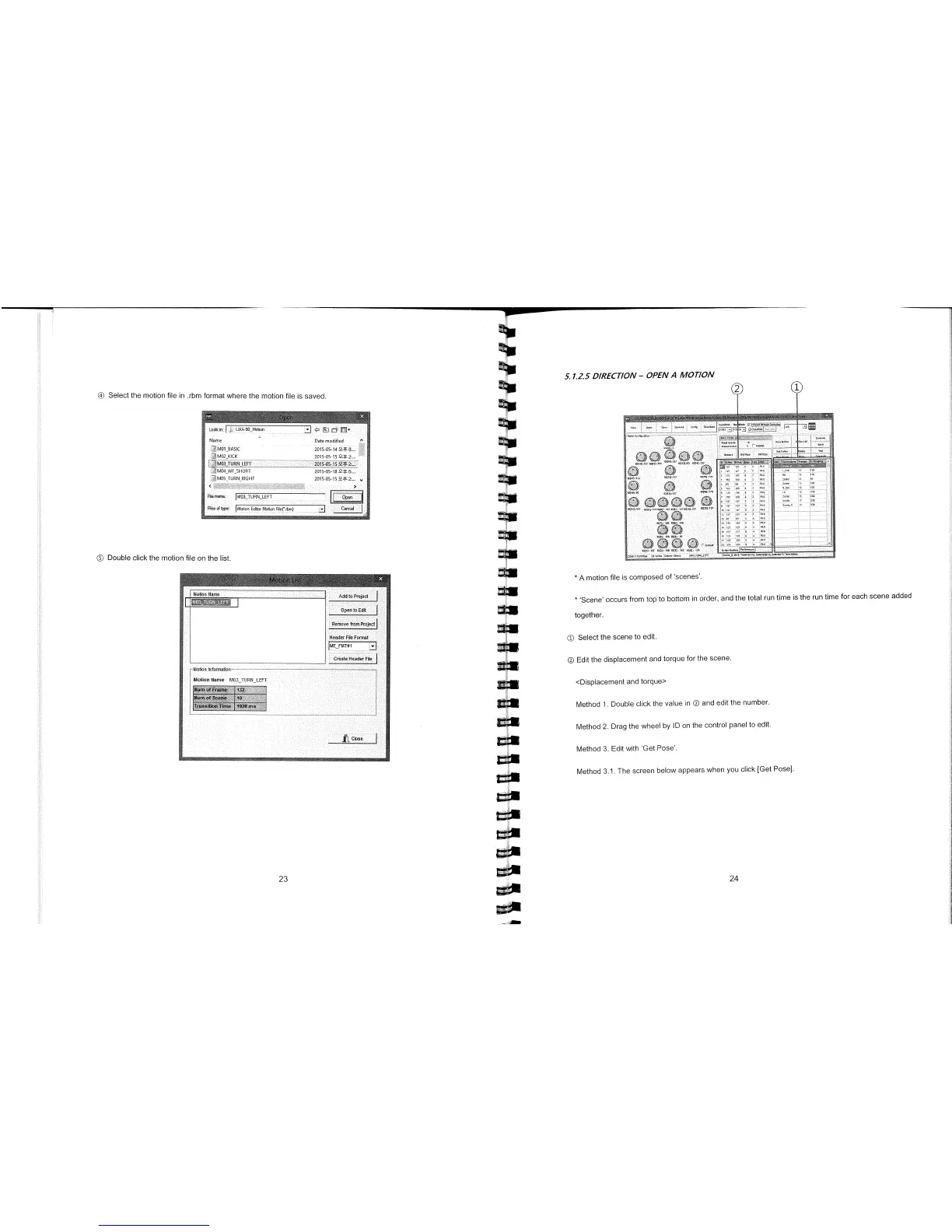
Select the motion file in .rbm format where the motion file is saved.
Look in
j
UXA
50 Motion
i
<1r
c
1
Flame
Date modified
A
1401 BASIC
2015-05-14 2.; 8..
M02_DCK
2015-05 15 2.;3...
1
RN_LEFT
201505159*2...
M04_WF_HORT
015-05-18.2.; 5_.
M05-TURN-RIGHT
201505
File name.
1t40
3
TURN_LEFT
Ii
Op
1
Flea of typo
]Mot
i
on
Eddor Motion
Rleçibm)
Cancel
©
Double click the motion file on the list.
5. 1.25 DIRECT/ON
-
OPEN A MOTION
*
A motion file is composed of scenes'.
*
Scene' occurs from top to bottom in order, and the total run time is the run time for each scene added
together.
©
Select the scene to edit.
® Edit the displacement and torque for the scene.
<Displacement and torque>
Method 1. Double click the value in ® and edit the number.
Method 2. Drag the wheel by ID on the control panel to edit.
Method 3. Edit with Get Pose'.
Method 3.1. The screen below appears when you click [Get Pose].
23
24



 To Next Page