Robotiq Hand-E C10 Gripper Instruction Manual
TIP
Built-in features like object detection and force control use the fingers' electrical current readings. The user
does not need to create these features.
4.5. Picking Features
As stated in previous sections, object picking is done via a simple "Go To" command, rGTO bit calls for movement, while rPR byte
is the aimed position, rSP and rFR will be the desired speed and force settings respectively. This section describes key features in
object picking applications:
l
Force control
l
Re-grasp
l
Object detection
l
Object contact loss
4.5.1. Force control
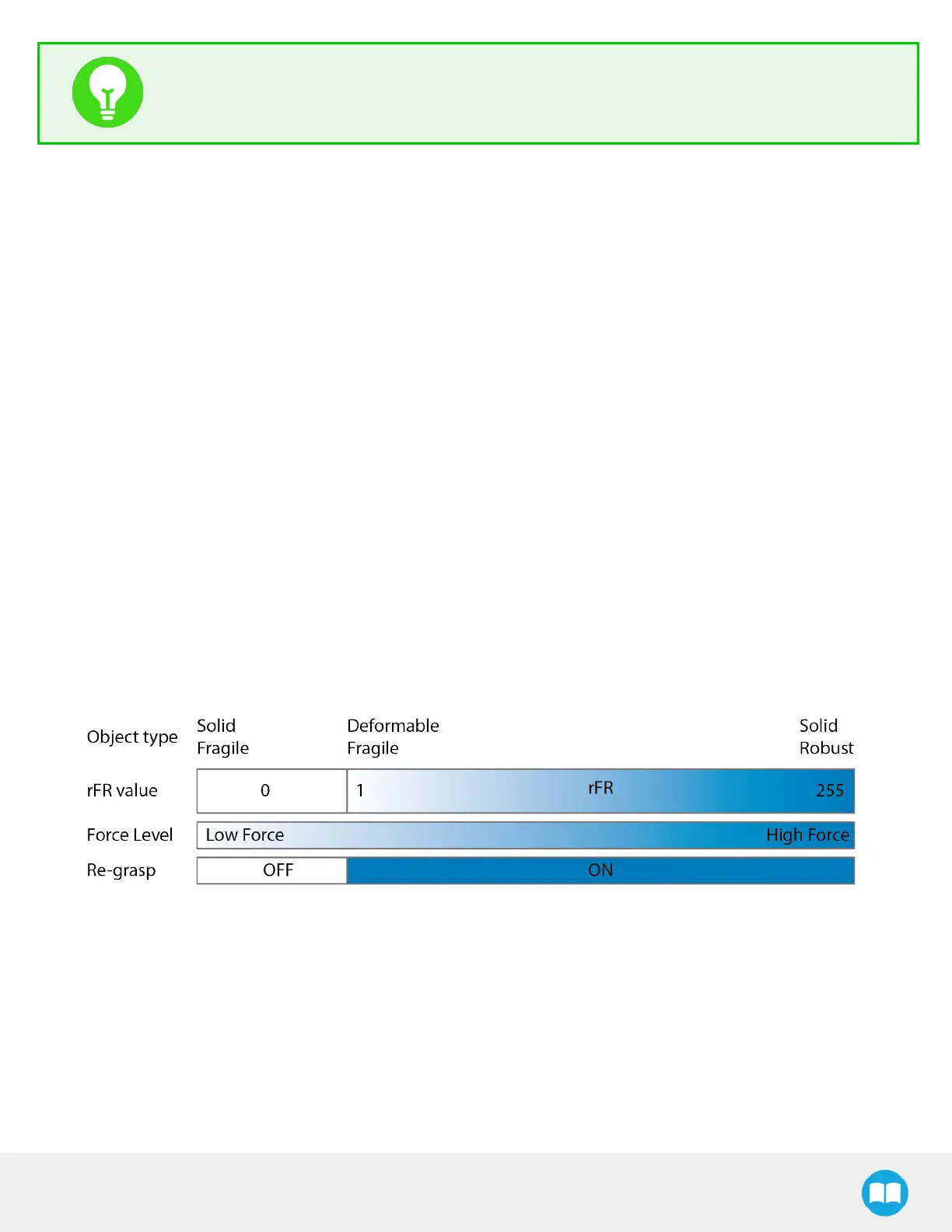
The gripping force is controlled via the rFR byte (please refer to the Robot Output Registers &Functionalities section).The gripper
behavior will change according to the rFR forcerequested.
l
rFR = 0 : Very fragile objects
l
Lowest force
l
Re-grasp feature is off
l
1 rFR 255 : Fragile to robust objects
l
Re-grasp feature is on
4.5.2. Re-Grasp
Re-grasp feature is a built-in feature meant to prevent object lost due to slipping or inaccurate initial grip. The Re-grasp feature
allows the gripper to initiate movement when an object is slipping or dropped. When Re-grasping, the gripper will attempt to
close until it reaches the position request (rPR).
l
This feature is automatically set according to the force request rFR.
50



 To Next Page