Robotiq Hand-E C10 Gripper Instruction Manual
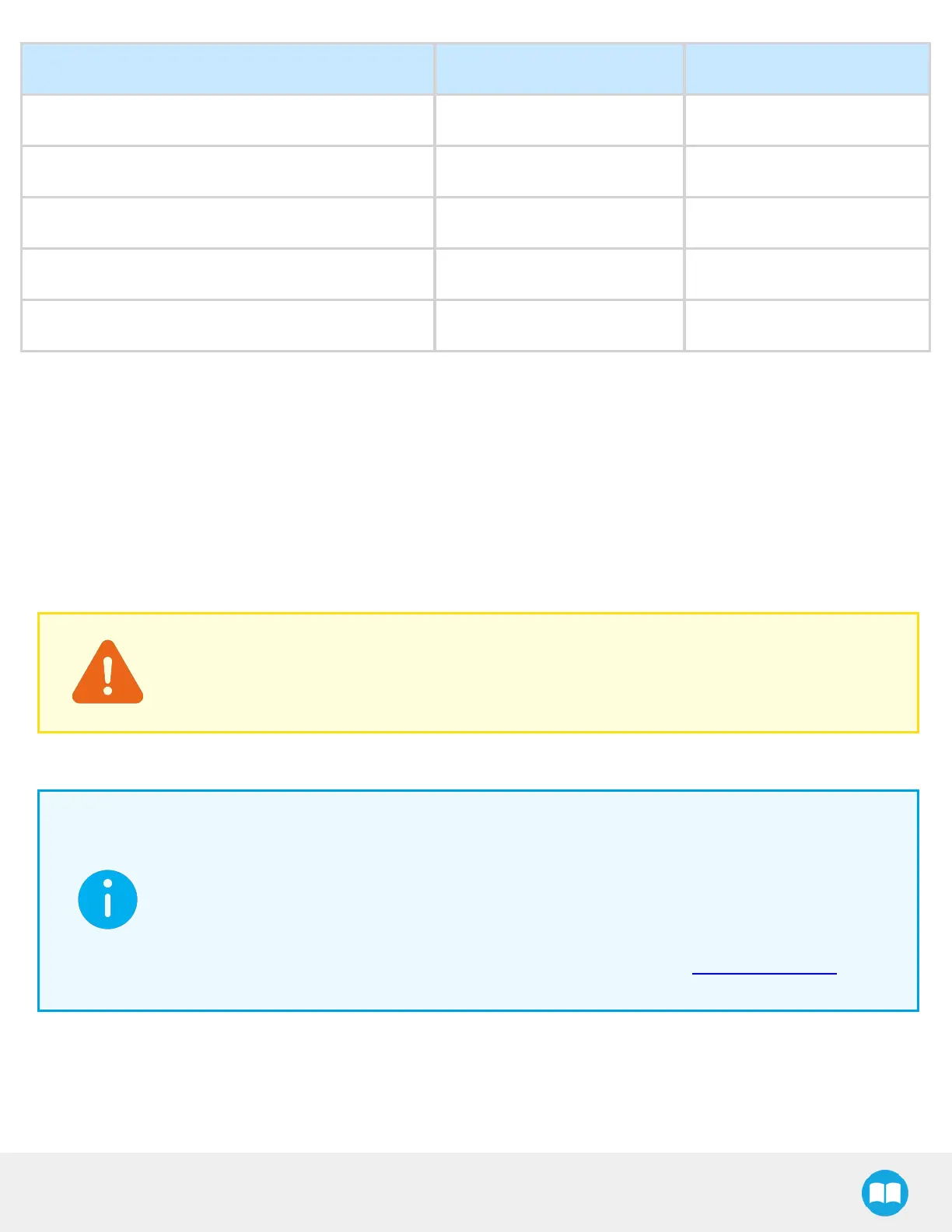
Steps (> 10 ms between) Digital Input 0 Digital Input 1
1 Low Low
2 High -
3 Low -
4 - High
5 - Low
4.9. Control over Universal Robots
4.9.1. Control with the Standard Coupling Kit
The URCap package contains many features to program and control the gripper. The package provides:
l
Gripper Toolbar: The Gripper Toolbar is automatically installed with the URCaps package. It allows jogging and testing of the
gripper. It is a great tool to try grasps with the gripper while programming.
l
Gripper node: The URCaps package adds a Gripper node that is used to add a Gripper command. A node can make the gripper
move to a specific opening, grasp an object and modify the speed and force applied by the gripper.
CAUTION
Starting from Gripper URCap version 1.0.2, the gripper activation script command (rq_activate() or rq_
activate_and_wait()) must be preceded by the reset command (rq_reset()). This will force the gripper's
activation routine. If the gripper was already activated, it will activateagain.
4.9.2. Control with the Wrist Connection Kit (I/O Coupling)
INFO
A Gripper firmware update is required to use your gripper with the I/O Coupling. Make sure you have the
latest version installed. If an update is necessary on the I/O Coupling or the gripper, the Robotiq User
Interface (RUI) will warn you and request the update.
To avoid confusion between the two URCaps, make sure to delete the old Gripper URCap before using the
I/O Coupling URCap.
Make sure your Polyscope version is compatible with the URCap version. Visit robotiq.com/support for
details.
66



 To Next Page