Robotiq Hand-E Gripper Instruction Manual
For e-Series
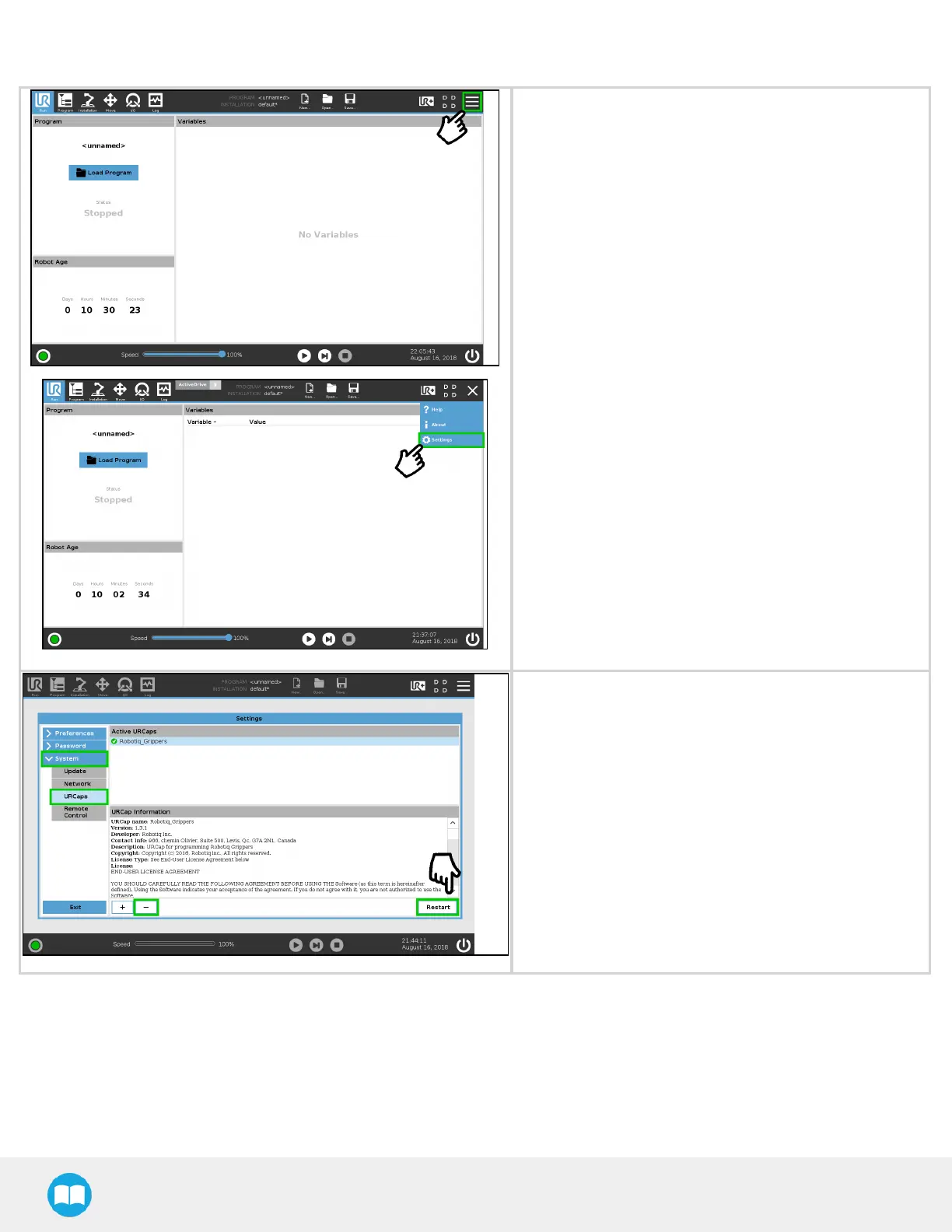
l On the teach pendant, tap the triple bar icon in the upper
right corner of the screen.
l Tap Settings.
l Tap the System button in the navigation pane on the left.
l Select URCaps in the dropown list.
l Select the URCap to uninstall.
l Press the minus (-) button to remove the URCap.
l Tap the Restart button to deactivate the URCap.
42



 To Next Page