14
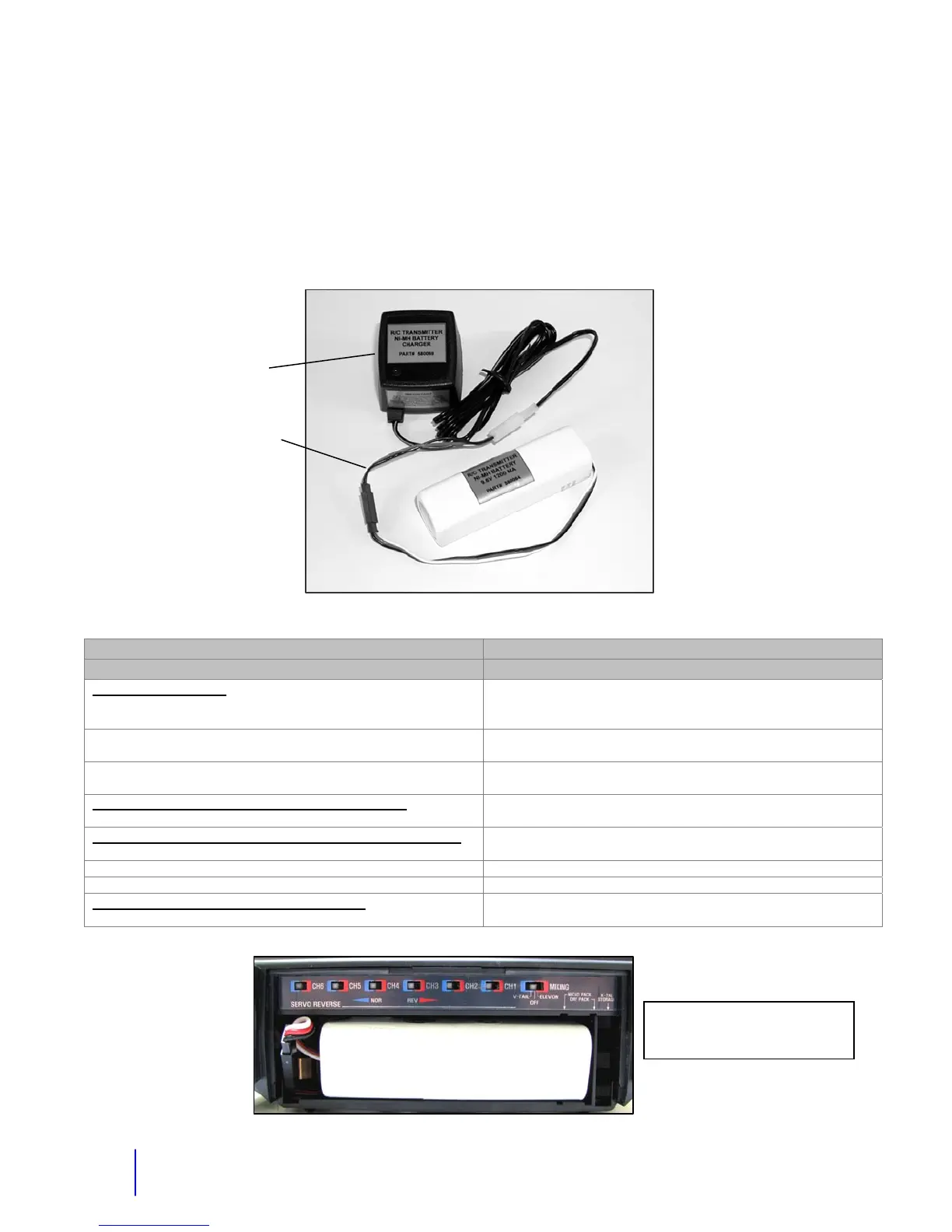
Adapter for Charging an Extra NI-MH RC Transmitter Battery
If you have an extra NI-MH RC battery, you can charge this outside the RC. You may need to
do this while you are using the robot or if you need to charge both batteries at the same time.
The adapter needed to do this is in the control case or it is on your charger. It has a white
connector on one side and a connection on the other end that will go directly to your battery. If
the barrel adapter is currently on the charger, disconnect it and connect the other adapter. The
charging time is still about 14 hours.
Problem/Cause Action
Radio Control System
No robot operations
1. Switches in RC battery compartment moved in to the
middle.
1. Put all switches in normal position except for mixing which
should be off. See the battery compartment picture below.
2. Crystal bad 2. Replace transmitter and receiver crystal or send RC in for
repair.
3. Wire is not plugged in correctly to the receiver. This is
typically a red-black-white wire.
3. Hitec Receiver has a channel labeled B/8. This is the
correct position.
One or two functions on the robot not working.
1. Typically not the RC unless a switch or wire is broken.
1. Look for any broken or loose wiring inside the RC.
RC not maintaining power. Power meter will not go up.
1. Bad RC battery.
1. Try a new RC battery.
2. Charger not working. 2. Make sure your charger light is coming on.
3. If power goes on and off, could be a bad connection in RC. 3. Send your RC in for repair or replace it.
Joystick functions not working correctly.
1. Trim adjustments not in the center.
1. Put trims (sliders) in the middle.
Charging Adapter
Switches must stay in the normal
position except for mixing which
should be off.
NiMH RC Battery
Char
e



 To Next Page