42
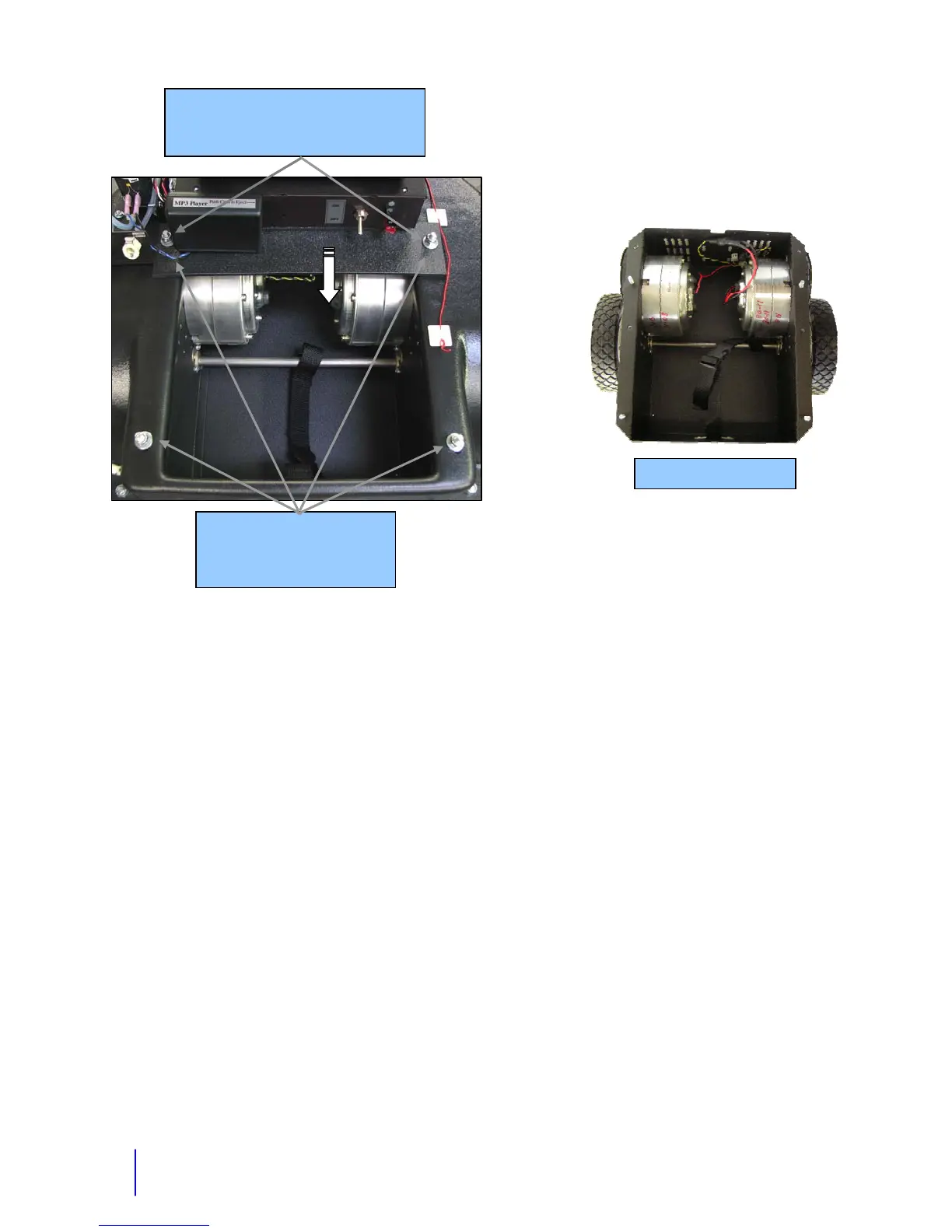
Removing the drive base from the plastic frame (Increases access to the motors):
1. Remove the 4 nuts holding the drive base to the plastic frame.
2. Disconnect the drive motor wires at the in line connection. These wires are blue and yellow
wires going to each drive motor.
3. Lift the back of the robot up and roll the drive base out from under it.
Installing the drive base back into the frame:
1. Lift the back of the robot up enough to roll the drive base under and into position.
2. Line up the 4 threaded studs with their holes and lower the robot onto them.
3. You may need to put the electronics panel on now.
4. Put the nuts back on which hold the metal drive base on to the frame.
Reverse steps for disassembly or assembly.
Removal of Main Box
Remove 2 nuts, lift plate up to clear studs,
and slide main box back to remove.
Removal of Drive Base
Remove these 4 nyloc nuts to
remove the drive base
(7/16” socket)
Drive Base Removed
Lift



 To Next Page