5
CAUTION
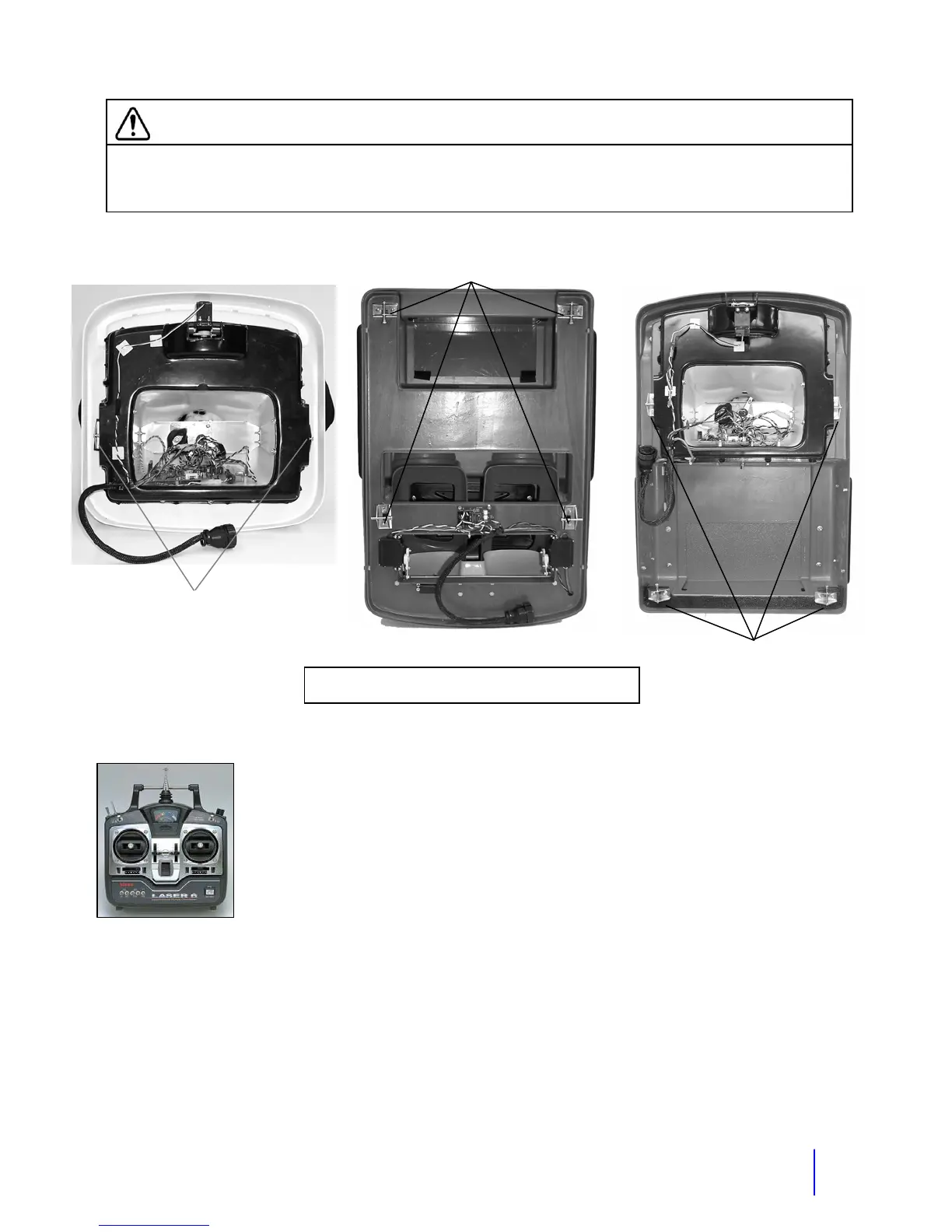
Before operating the robot or transporting the robot on the cart or in a vehicle, the upper
robot must be properly latched to the lower by pushing the latch pins in. Failure to do
this could cause damage to the upper robot if it fell off.
4 Powering up
The radio control transmitter will be referred to as the “RC” in this manual.
Turn the RC "ON" first and then turn the robot "ON". Check that the RC
battery level meter reads to the right. The "ON/OFF" switch for the robot is
located inside the rear door or trunk on the main electronics panel. Push the
switch up to turn the robot on. On some robots there is a hinged rear door to
access this switch. Tip: There is a hook on the RC that you can attach a
neck strap to. You can use a RC or camera type neck strap.
5 Set the volumes
Check that the volume of the voice and MP3 player are at the level that your want. The volume
for the robot’s voice is can be adjusted on the UHF Wireless Receiver in the robot or on the
level adjustment on the Nady UB4 transmitter. If you have the tape player, adjust the volume on
the player itself.
Tip: If you want to change your voice volume quickly, move the mic closer or further from your
mouth.
Body Latches
Body Latches
Bod
Latches
Location of Body Latches for each style of top
Getting Started



 To Next Page