Robustel M1200 User Guide
RT_UG_M1200_v.1.0.2 9 Apr., 2018 44/78
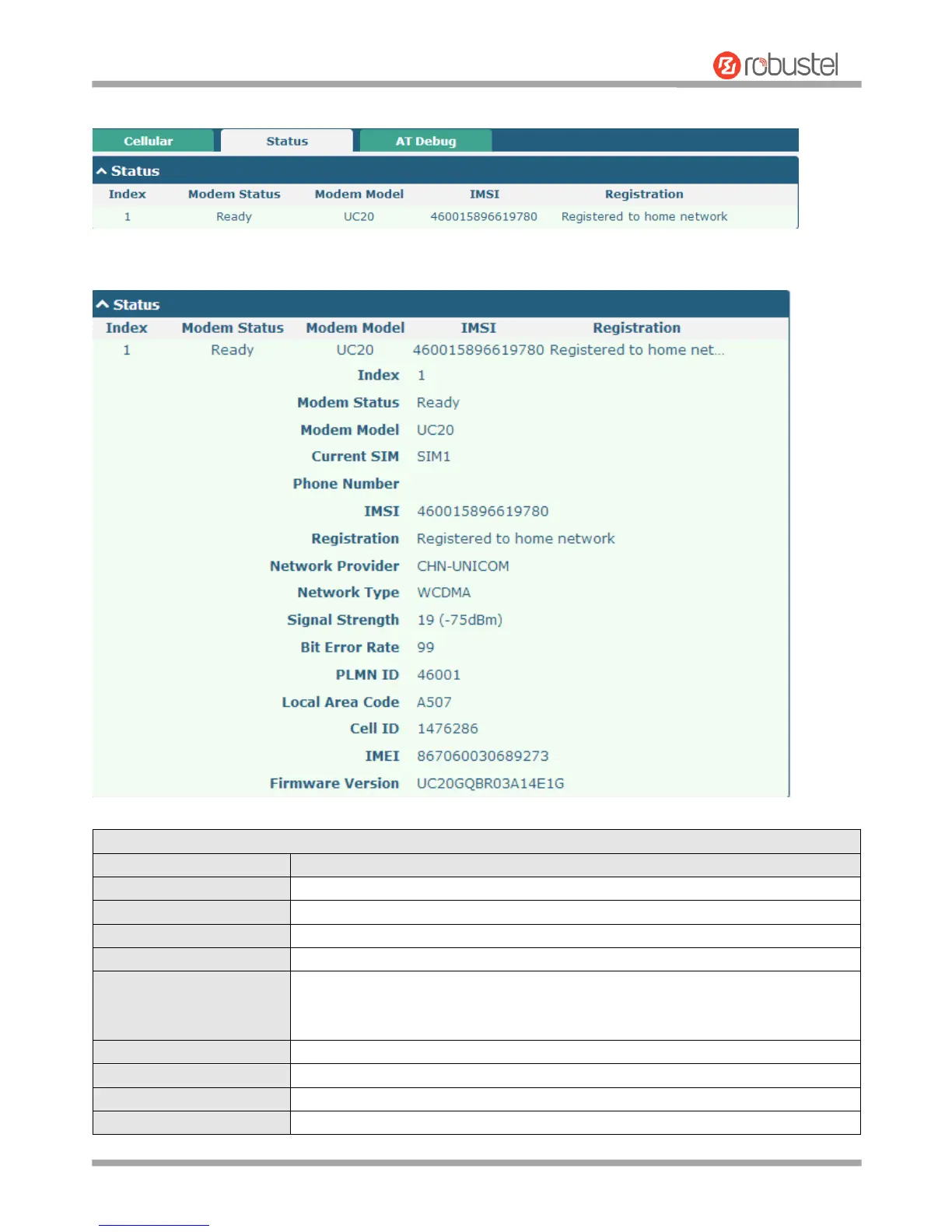
This section allows you to view the status of the cellular connection.
Click the row of status, the details status information will be displayed under the row.
Indicate the ordinal of the list.
Show the status of the radio module.
Show the model of the radio module.
Show the SIM card that your gateway is using.
Show the phone number of the current SIM.
Note: This option will be displayed if enter manually in Cellular > Advanced Cellular
Settings > SIM1/SIM2 > General Settings > Phone Number.
Show the IMSI number of the current SIM.
Show the current network status.
Show the name of Network Provider.
Show the current network service type, e.g. WCDMA.


 To Next Page